Matrix 2360 Programmable Shear User Manual - Section 5
12-092600 A 27
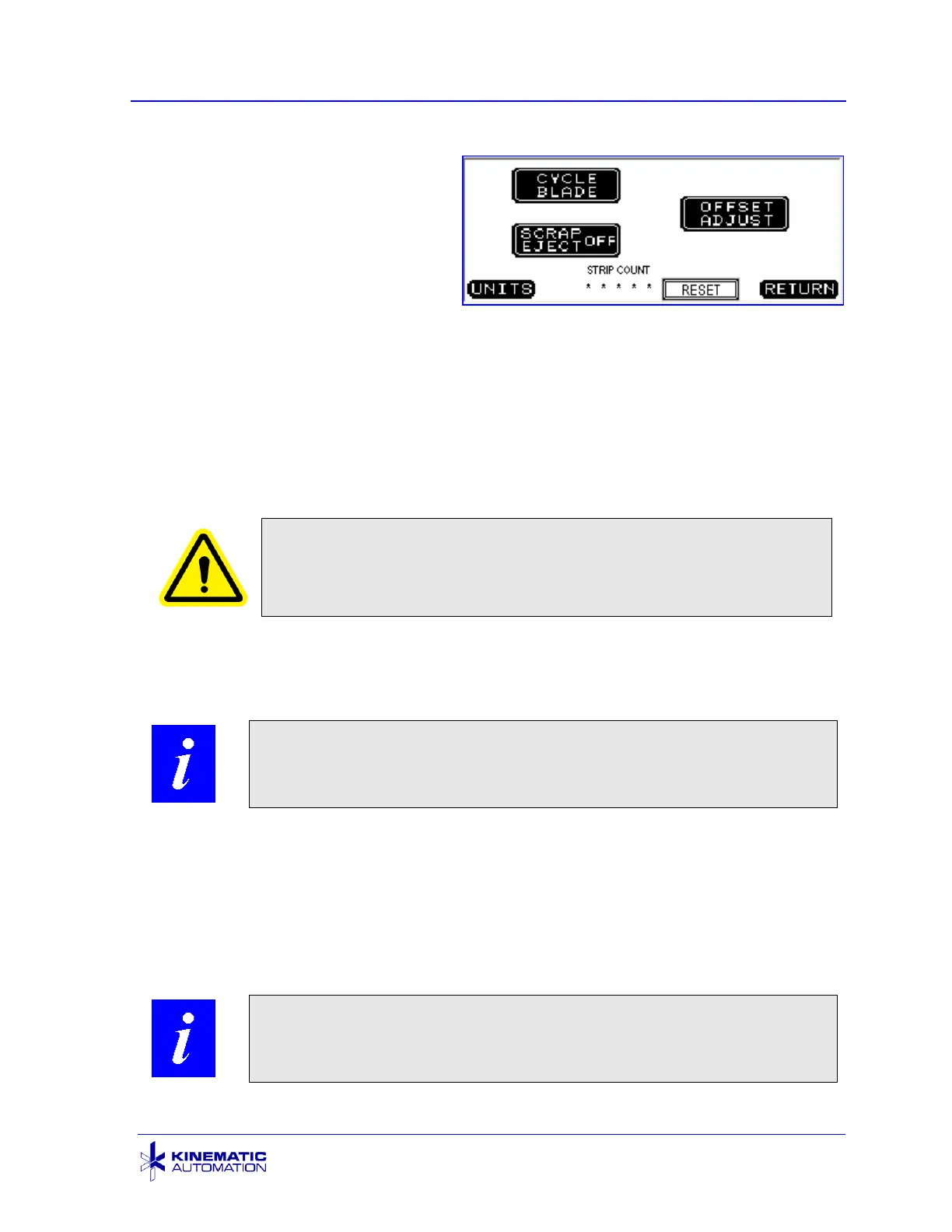
5.3.4 Options Screen
The Options Screen is accessed via
the OPTIONS button at the bottom of
the Main Screen. It is used for
setting certain machine parameters
and doing certain tasks.
The CYCLE BLADE button at the top left corner of the screen causes the blade to
cycle indefinitely without the material moving through it. The indexed roller does not
index in this mode. This does not increment the STRIP COUNT or the STRIPS CUT
field displayed on the Run Screen.
Stop the blade from cycling by pressing the CYCLE BLADE button a second time.
There is no text change, so the operator will have to determine if the blade is cycling
or not. Do not put any foreign objects into the cutting area. This is particularly
dangerous while the blade is cycling.
CAUTION: Do not put anything into the machine except the
material to be processed. Foreign objects will damage the
machine and may cause dangerous flying metal fragments.
The SCRAP EJECT ON/OFF button activates (or deactivates) the automatic scrap
clearing mechanism. When the button displays SCRAP EJECT ON, the scrap piece
at the end of a card will automatically be cleared at the end of the cycle.
NOTE: When the Roll Feed option is installed, SCRAP EJECT
should always be set to OFF.
The OFFSET ADJUST button is for adjusting the actual strip size when it is out of
tolerance compared to the desired strip size. This process is described in Section
5.4.3.
The STRIP COUNT field displays the total of all strips cut in automatic mode (i.e.
strips cut when the CYCLE pushbutton is pressed.) This counter is reset to zero
only when the RESET button next to it is pressed. Shutting off power does not reset
it.
NOTE: The STRIP COUNT field can be used to schedule
maintenance procedures such as blade sharpening.



 To Next Page