Matrix 2360 Programmable Shear User Manual - Section 7
78 12-092600 A
7.13 Static Control Bar
Replacement
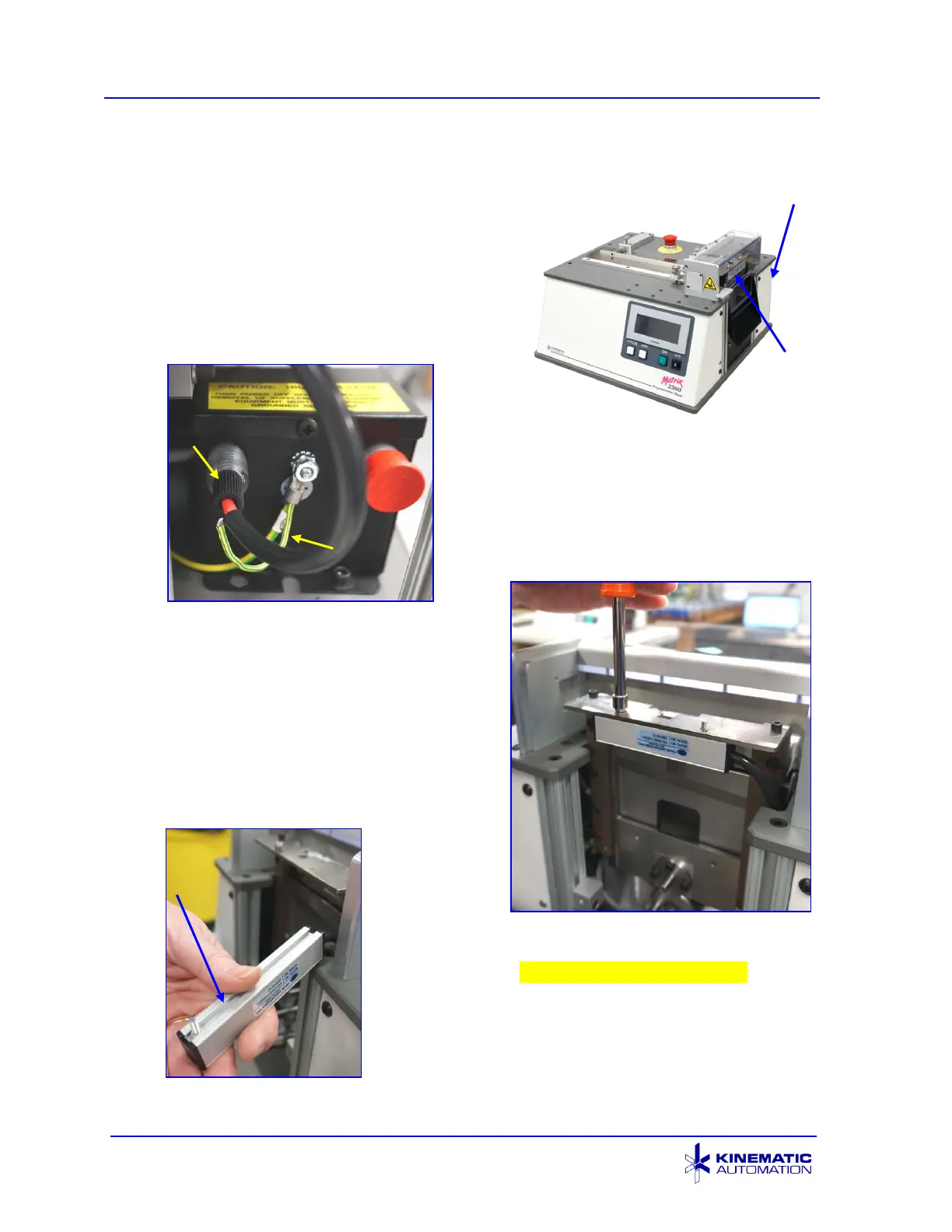
1. Disconnect electrical power.
2. Remove four screws on the back panel,
and then remove the back panel.
3. The static control power supply is located
just below the drive roller motor.
4. Disconnect the green and yellow
ground wire that emerges from the
black cable by unscrewing the nut on
the power supply ground terminal.
Use a
11
/
32
” nut driver.
5. Unscrew the black cable that connects
to the static control bar.
6. Disconnect the static control bar from
the bracket. Use a 7 mm nut drive to
remove both screws that connect the
bar to the bracket. The screws that
attach the bar will slide out once
both nuts are removed. So use
caution to keep them from getting lost.
7. Pull the static control bar up until the entire
cable has been pulled through the gap in the
top plate. check image for new switch
8. When installing the new static control bar
assembly, follow the steps in reverse. Be
sure to attach the ground wire from the cable
to the power supply and secure the nut.



 To Next Page