Matrix 2360 Programmable Shear User Manual - Section 5
28 12-092600 A
The UNITS button opens the same screen as the UNITS button on the main screen.
See Section 5.3.3.
The RETURN bar button opens the Main Screen.
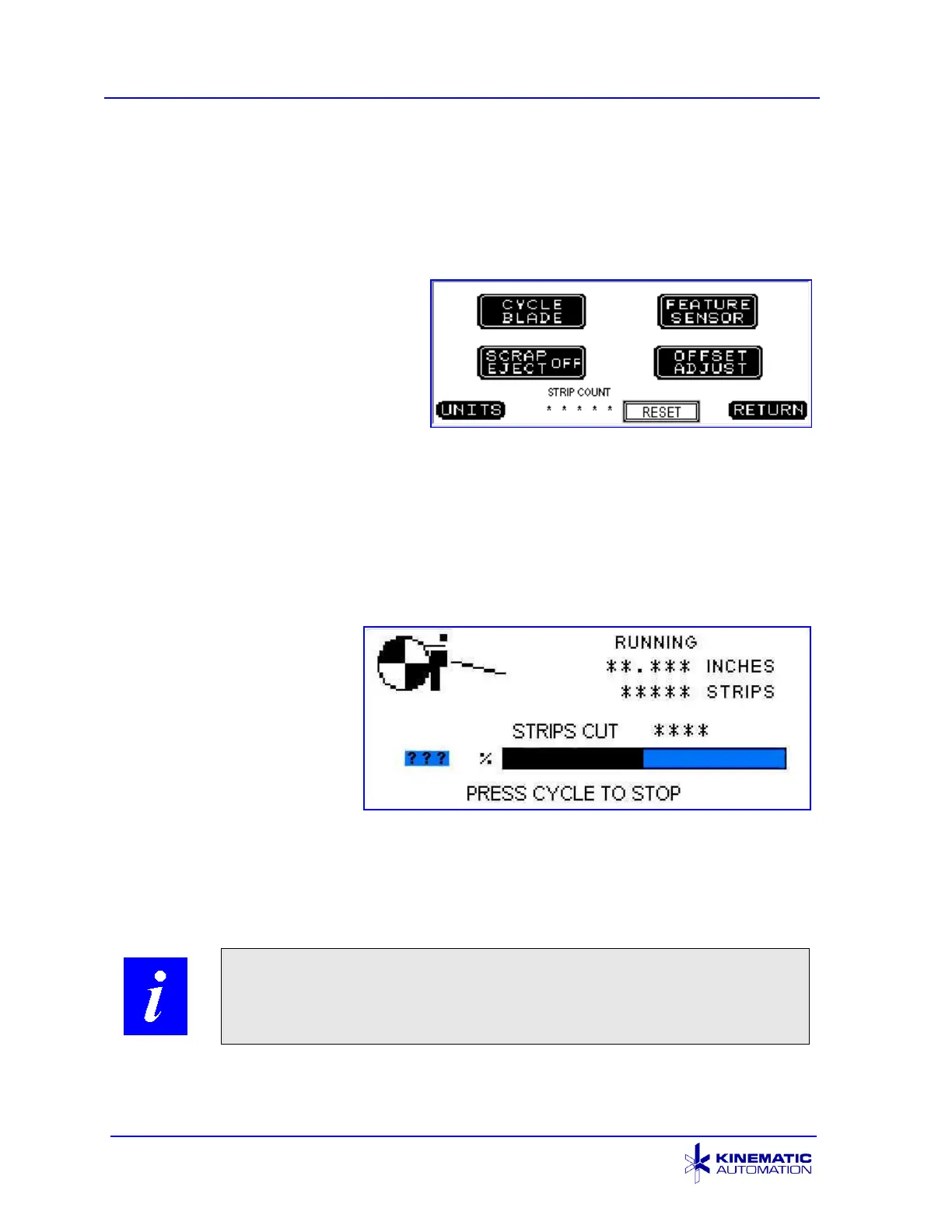
5.3.5 Options Screen (with Registration Option)
If the Feature Registration option is
installed, the Options screen is
slightly different. An additional
button, FEATURE SENSOR, is
displayed at the top right corner of
the screen. All other functions
described for the Options screen
work the same as described for that screen.
The FEATURE SENSOR button is for activating and deactivating the optional
Feature Registration. It opens the Set Registration Sensor screen. That screen
is described in section 6.3.2.
5.3.6 Run Screen
The Run Screen appears
when the CYCLE push-
button (below the touch
screen) is pressed and the
machine begins running a
batch.
It displays an animated
graphic design, simulating
strips being cut.
It also shows the number of strips to be cut, the strip size (in inches or millimeters)
the actual number of strips already cut in this batch, and a bar graph, which shows
the progress (as a percentage) of the run.



 To Next Page