Matrix 2360 Programmable Shear User Manual - Section 7
12-092600 A 77
7.12.2 Adjust Sensor Clearance
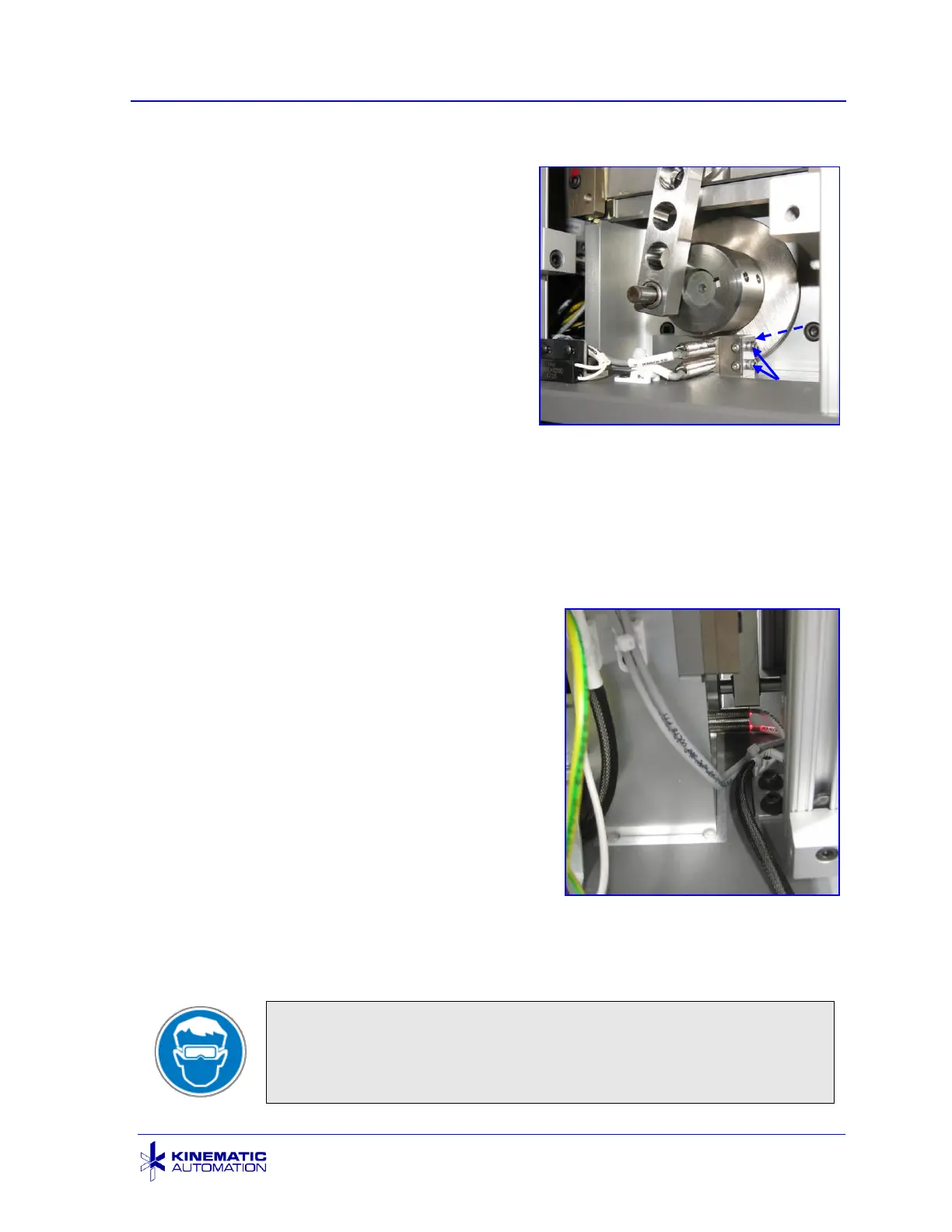
11. Adjust the sensor clearance using a
flat blade, 1.52 mm (0.060”) feeler
gauge placed between the face of
the sensors and the blade cam.
Lock the sensor in place with the
sensor clamp screw.
12. Recheck the clearance with the
feeler gauge.
13. Replace the wire tie that was
removed in step 4.
14. Check that no tools or other items are left near the blade or the rollers.
15. Replace the blade drive arm and the chute if it was removed and close the
blade cover.
16. Remove the front panel (by removing the 4 black oxide screws) if it is not
already removed. Carefully place it to the side without removing any
connections. Place it so that the
sensor LEDs are visible.
17. Restore electrical power.
18. With safety goggles on, plug the
system in stand as far away as
possible while still able to reach the
touch screen. Move the blade using
the CUT 1 STRIP option on the Main
screen. Observe that both sensor
LEDs are OFF when the blade is down,
and both sensor LEDs are ON when
the blade is up.
19. Disconnect the unit from electrical
power. Replace and fasten the front
panel.
20. Reconnect the unit from electrical power and cut at least 10 test strips.



 To Next Page