Matrix 2360 Programmable Shear User Manual - Section 5
30 12-092600 A
Touch the RETURN button to close this screen and open the MAIN screen. If the
material was defective, the machine could be cleared of the defective material,
loaded with good material, and then restarted.
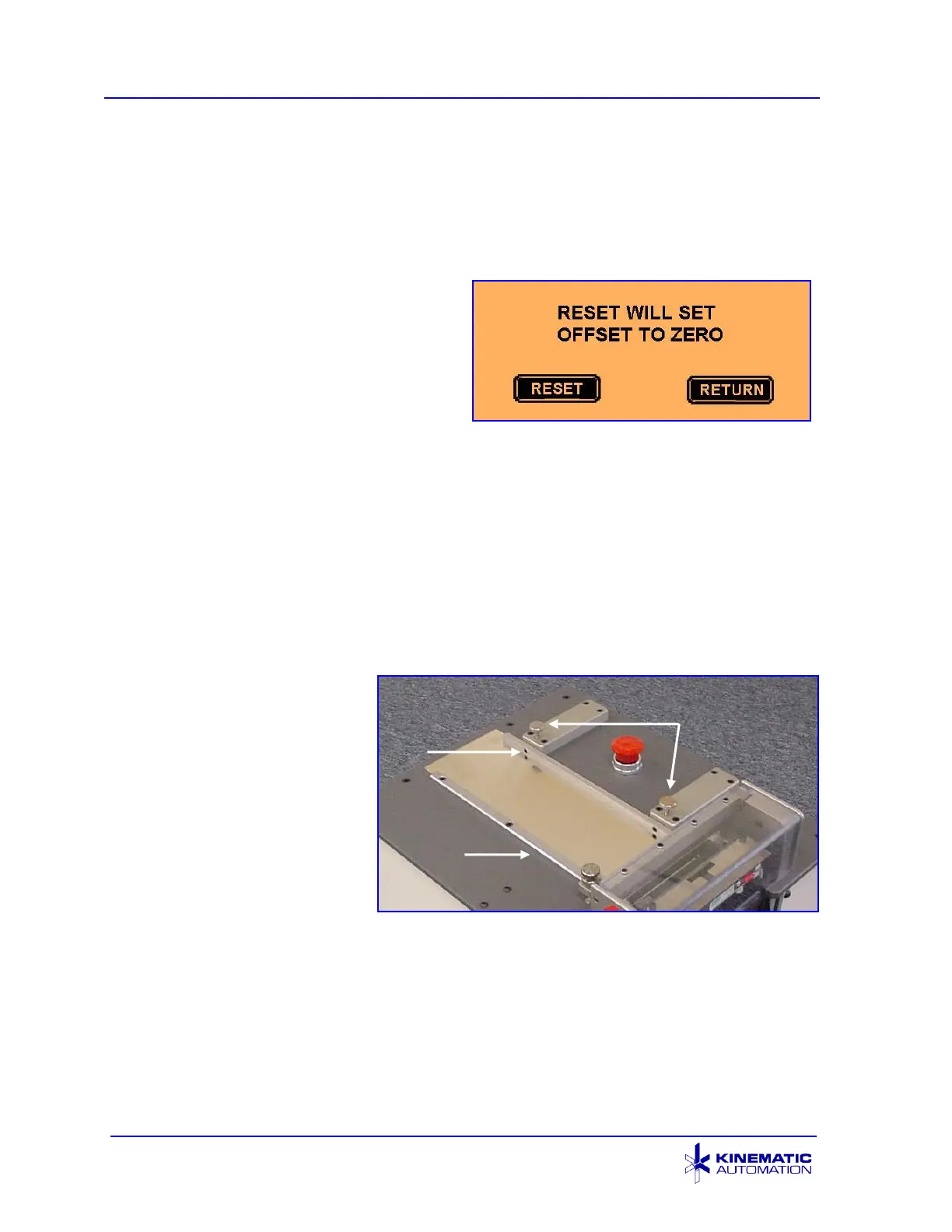
5.3.7.3 ALERT SCREEN: RESET WARNING
This message alerts the operator that the
RESET key on the Offset Adjust screen
(see Section 5.4.3) will change the
OFFSET value to zero. Press the
RESET key to zero that value. Press the
RETURN key to go back to the Offset
Adjust screen.
5.4 Set-up for New Material
Before the machine is used for the first time and each time the type material to be
cut is changed, adjustments may need to be made to the machine. When the width
of the material is changed, the guide rail should be adjusted. When the thickness of
the material is changed, the tension on the rollers may need adjustment. The offset
setting may also need to be changed.
5.4.1 Guide Rails
a) Before operating the
machine, the guide rails
on the top of the
machine must be
adjusted to accept the
product to be processed.
b) One guide rail is fixed in
place, and the other
guide rail is adjustable to
the width of the web.
c) Place a section of product on the infeed platen, loosen the two knurled
thumbscrews, adjust for product width, and then tighten the thumbscrews
again. Allow a 0.05 mm to 0.076 mm (.002 to .003”) clearance at both the
edges of the material. Be sure the rails are parallel before tightening the
thumbscrews.



 To Next Page