Matrix 2360 Programmable Shear User Manual - Section 7
12-092600 A 81
Add the two numbers and divide by two to get the number that should be set
in the amplifier. Set the amplifier to this number. (Refer to the third party
sensor documentation in the documentation package.) This number may be
adjusted either slightly higher or slightly lower depending on the
performance.
The amplifier may also be set using its built-in automatic adjustment
procedure. Refer to the third party sensor amplifier documentation for the
auto adjustment procedure.
The sensor amplifier settings optimized at the factory are recorded on the sheet
supplied with the unit.
7.15 HMI or PLC Replacement
If the PLC or HMI need
replacement, these
components will need to be
ordered through Kinematic
Automation. The software
must be loaded into these
components at the factory.
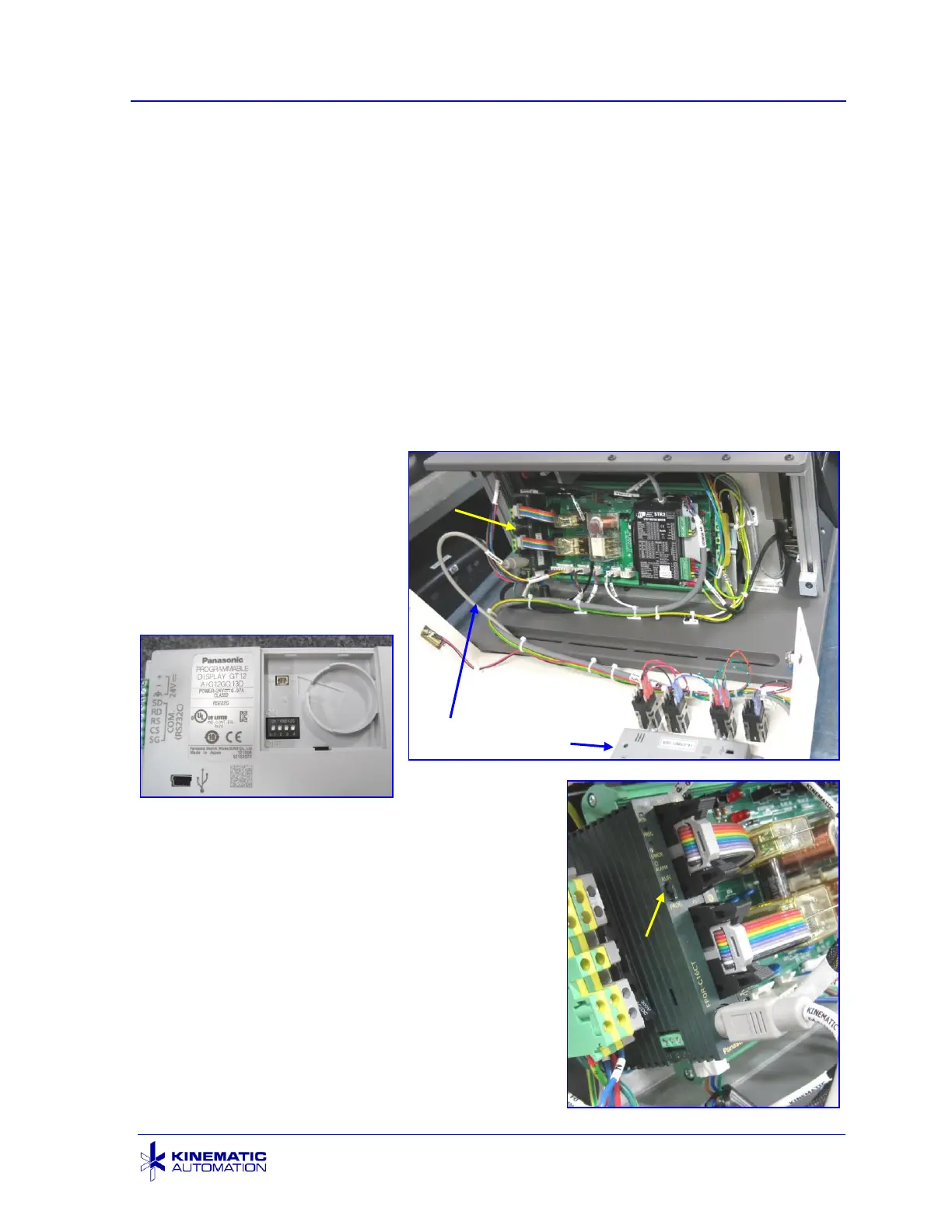
For a new Panasonic GT12 HMI unit, all dip
switches in the battery compartment should be in
the OFF position as shown above. No battery is
required for the HMI. The power is supplied by
the system and the battery is not required to
backup any system settings.
When replacing the PLC, make sure that the
RUN/PROG switch is set to the RUN position as
shown here.



 To Next Page