Matrix 2360 Programmable Shear User Manual - Section 5
12-092600 A 33
Then press CYCLE pushbutton below the touch screen to cut 10 more sample
strips. Measure the length of these strips using calipers. Calculate and record the
average measured strip length rounded up to the nearest thousandth. (If variations
in strip length is seen, return to the instructions in
Section 5.4.2.)
From the main screen, press the OPTIONS
button. Then press the OFFSET ADJUST button
on the Options screen.
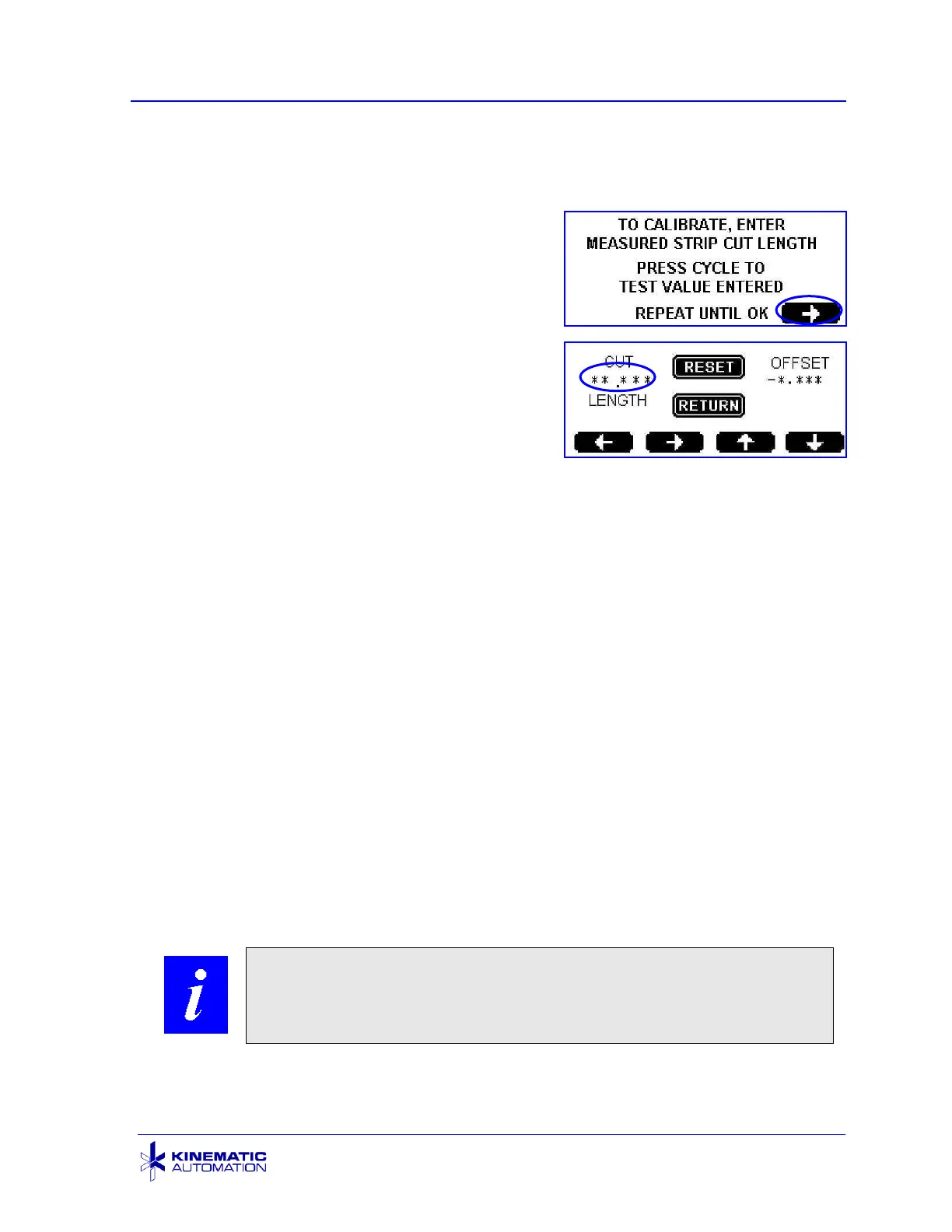
The next screen is an instruction screen. Press
the arrow button to continue.
On the OFFSET ADJUST screen, touch the
screen on the cut length field. Enter the average
measured strip length that was recorded above.
Use the up and down arrows to enter numbers and the left and right arrows to select
digits. Press RETURN once to save the value.
The OFFSET field will display the deviation value (the difference between the
desired strip length and the measured strip length). If the measured length is larger
than the desired length, the OFFSET will be a negative number and future strips will
be slightly smaller. If your measured length is smaller than the desired length, the
OFFSET will be a positive number.
While still in the OFFSET ADJUST screen, press the CYCLE pushbutton below the
touch screen to cut more strips. Measure them and compare the measurement to
the desired strip length. If the new measurement is still outside of your company’s
tolerance range, enter the new average measured value on the screen, cut more
strips and re-measure. (If variations in strip length is seen, return to the instructions
in Section 5.4.2.) Continue this process until the cut strips are within tolerance.
When the desired strip length has been reached, press the RETURN button to return
to the MAIN SCREEN.
The RESET button will return the OFFSET to zero. A warning screen will display
before the value is reset. (See the warning screen in section 5.3.7.3.)



 To Next Page