Matrix 2360 Programmable Shear User Manual - Section 6
38 12-092600 A
Follow these instructions to install the Optional
Support Spindle:
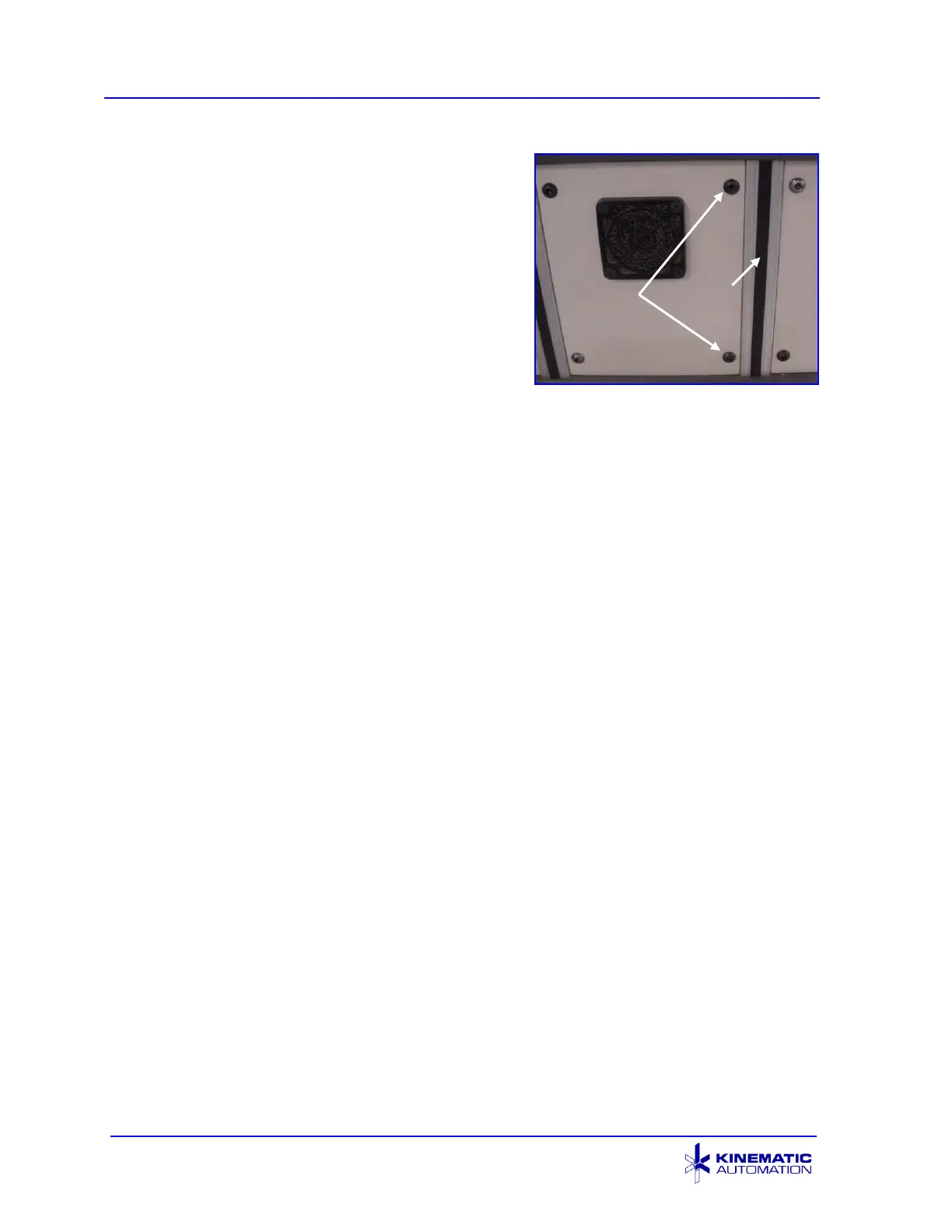
1. Remove the two button head screws located
on the right side of the fan panel, using a
5/32” hex key wrench.
2. Remove the black vinyl molding of the
extruded frame member, located next to the
empty screw holes.
3. Insert the ‘drop-in T-nuts’ and align them to
the empty screw holes on the fan panel.
4. Remove the Optional Support Spindle mechanism from its box and unwrap it,
separating the screws.
5. Align the bracket holes with the T-nuts inside of the extruded frame member and
screw them in.
6. Tighten the bolts firmly.



 To Next Page