Service Manual
Operating Lights marLED® E3, E9, E9i, E15, battery and
marLED® E3 on ceiling tube Ø 110 mm
124 Revision 2
12.2 USB Serial Adapter
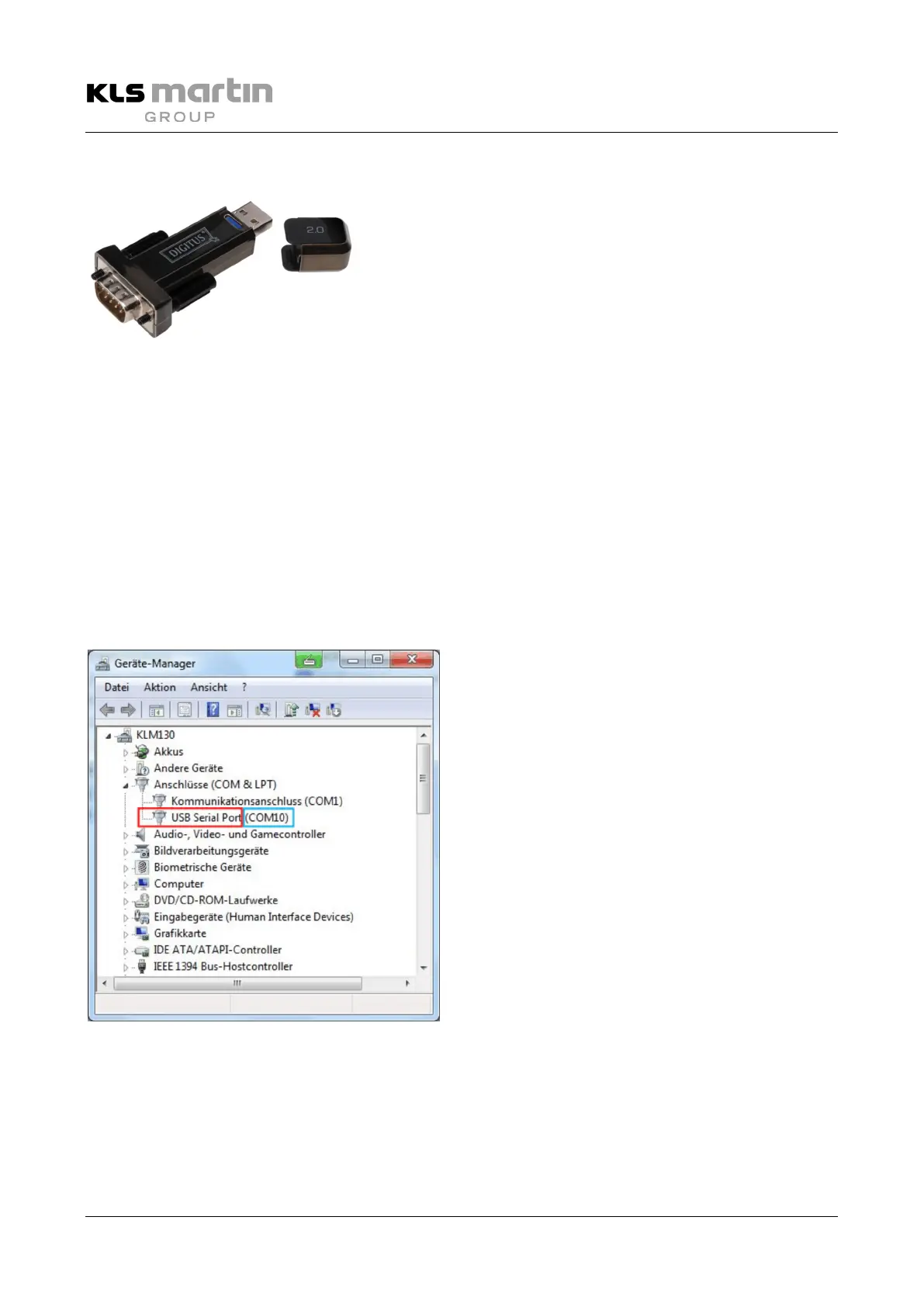
If your notebook or PC lacks an RS232 interface, we recommend using the USB serial adapter (DIGITUS DA-
70156) supplied. Use of a plug-in card with a serial interface (PCMCIA or Express) can lead to problems with
software updates.
• To assure proper functioning, the software drivers supplied with the USB serial adapter must be
installed on the operating system of your PC.
• Please see the manufacturer’s instructions supplied with the product.
• Following completion of the installation, check the driver software for correct installation:
– Under System Control, call up the Device Manager.
– Verify that USB Serial Port is correctly entered under Connections (COM & LPT)
No error message in the form of an exclamation mark must be attached.
– If an error message is indicated, repeat the driver installation process.
• Note down the COM port number assigned
(here: COM10), since you need it later for
working with the C2Prog software.
See also section 12.3.1 “Installing the C2Prog
Programming Software on Your PC”, page 125.


 To Next Page