Service Manual
Operating Lights marLED® E3, E9, E9i, E15, battery and
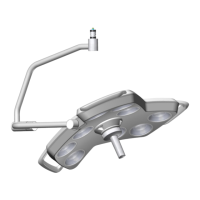
marLED® E3 on ceiling tube Ø 110 mm
Revision 2 43
6.2 COM Interface (RS232)
The RS232 signal requires 3 leads: Tx, Rx, and reference level. It connects processor-controlled circuit
boards to PCs (Rx of control electronics board to Tx of PC and vice versa).
The COM interface of a wall control panel can be connected to a PC and a touch screen via the CAN board.
For cameras on a separate arm, a surgiCam COM interface is used for connection to a PC and touch screen.
A camera installed in a light head is controlled via the marLED® COM interface of the light.
The interface parameters of the COM interfaces are factory-preset and cannot be changed.
6.2.1 Connecting the COM Interfaces
COM interfaces serve to connect the light systems to external control systems. If a camera is included in the
configuration, it is usually provided with a separate COM interface for surgiCam. If a wall control panel is
included, it already occupies the marLED® COM interface, see section 10 “Wall Control Panel”, page 99.


 To Next Page