Service Manual
Operating Lights marLED® E3, E9, E9i, E15, battery and
marLED® E3 on ceiling tube Ø 110 mm
Revision 2 49
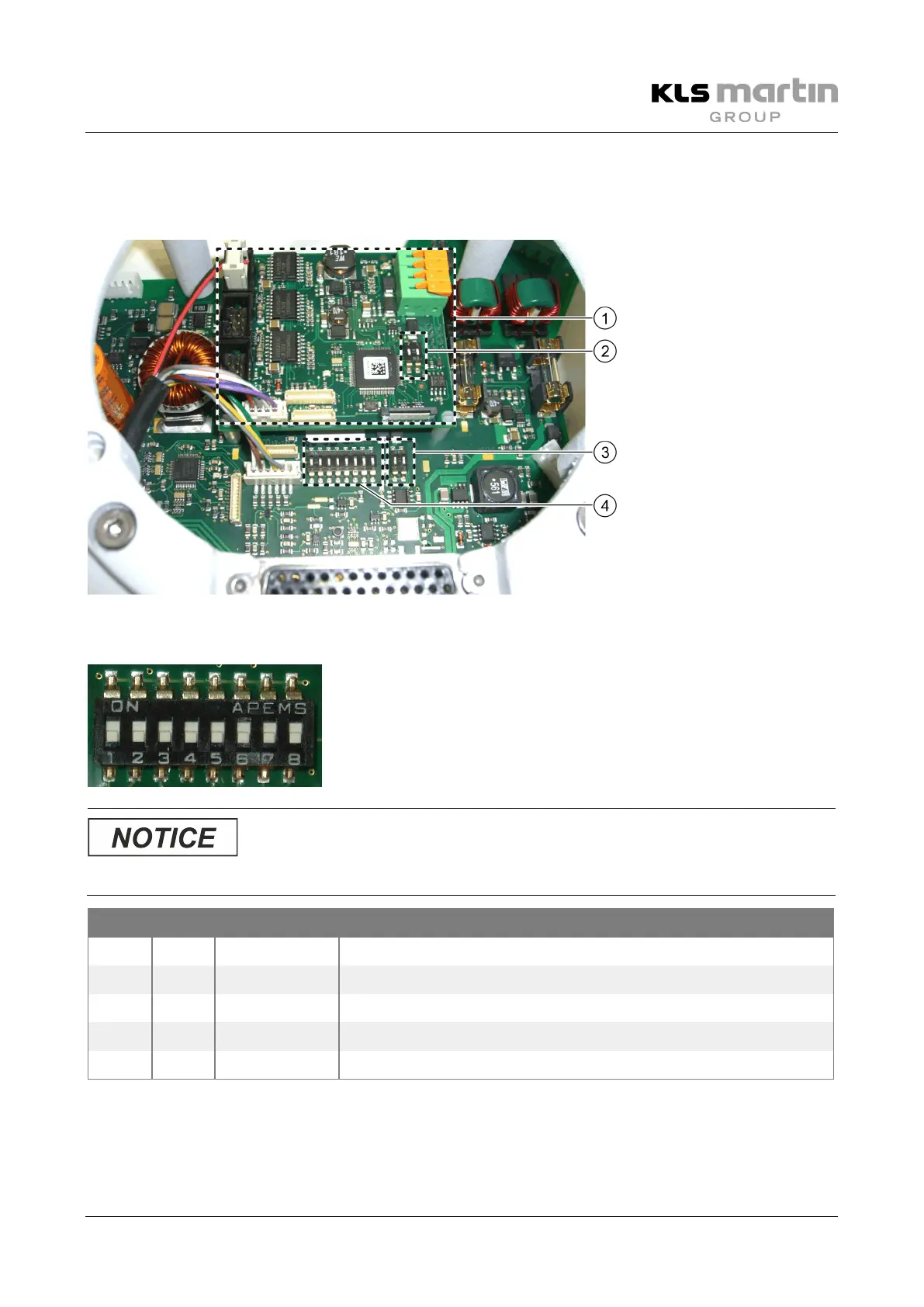
6.4 Addressing
6.4.1 DIP Switches for CAN Addresses and Terminating Resistors
6.4.2 DIP Switches SW6 for CAN Addresses and Configuration
To assure proper synchronization of several lights, the CAN bus
address must be set correctly, irrespective of the use of a wall
control panel.
• Retain the DIP switch settings when replacing the control electronics board!
SW6 (1=ON, 0=OFF): CAN bus address marLED®
DIP 1 DIP 2 CAN address Marking inside wall control panel/marTouch®
0 0 0 L1
1 0 1 L2
0 1 2 L3
1 1 3 L4


 To Next Page