Service Manual
Operating Lights marLED® E3, E9, E9i, E15, battery and
marLED® E3 on ceiling tube Ø 110 mm
46 Revision 2
6.2.4 COM Interfaces for Separate Installation up to HW 09
Connecting
If a light system not including a wall control panel requires external serial control, a separate interface card
can be installed on the mounting plate, e.g. on the ceiling tube, to connect the CAN bus with the RS232
interface. If a wall control panel has already been connected, no separate card is required – because the
wall control panel already has appropriate connectors for CAN and RS232.
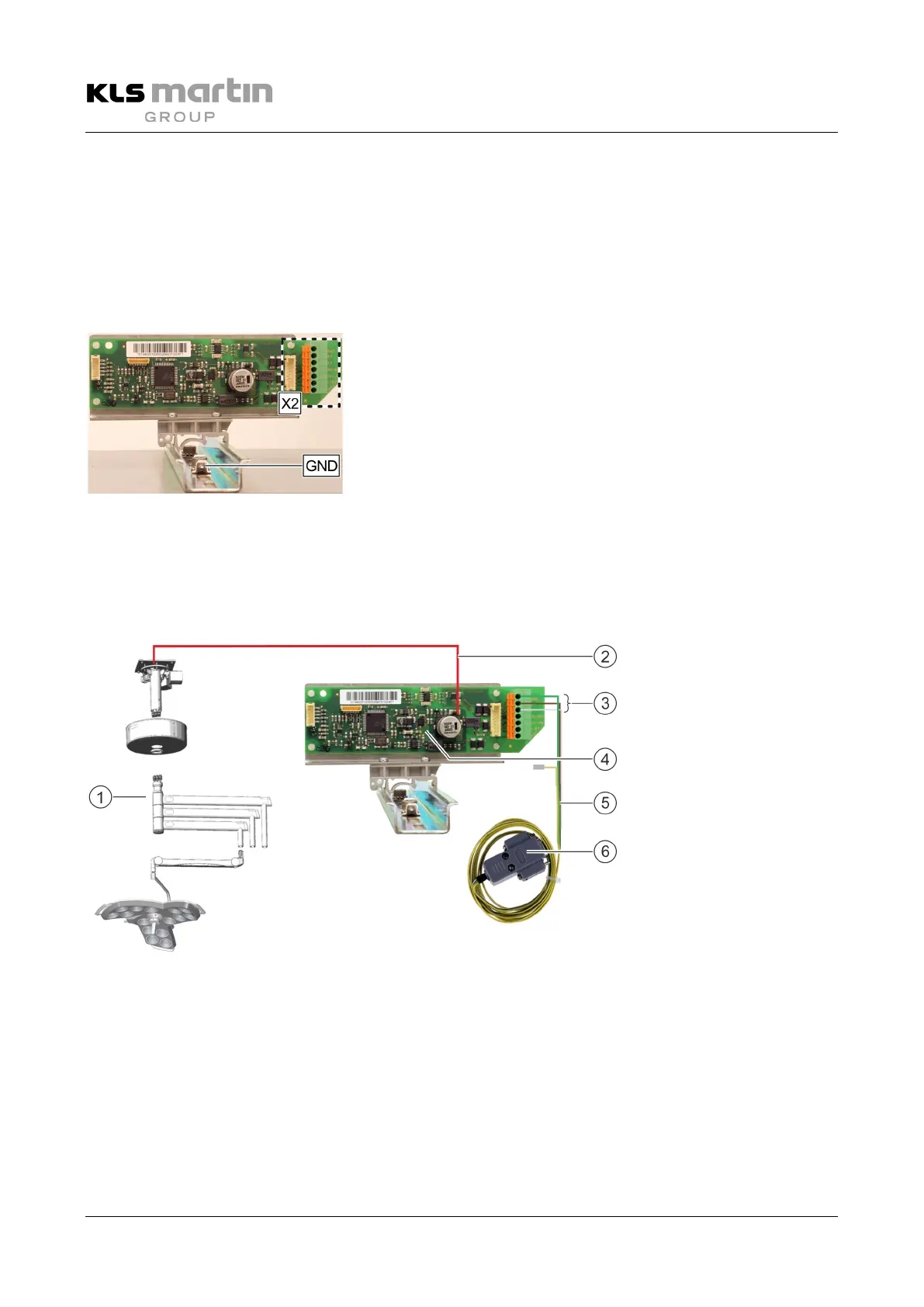
If the interface is installed on the ceiling tube, the CAN connection
is made using the cable (1.5 m) supplied. Connect one end of the
cable to the X2 connector of the interface board and the 5-pin
diode plug at the other end of the cable to the 5-pin diode coupler
of the light system. The cable coming from the light system (a
standard piece of equipment) already combines the CAN signals of
the various lights.
GND is connected to the flat connector of the top-hat rail.
Installation options for the COM interface
The COM interface for RS232 can be installed on the top-hat rail on the ceiling tube using a mounting
adapter, or can be mounted externally.


 To Next Page