Service Manual
Operating Lights marLED® E3, E9, E9i, E15, battery and
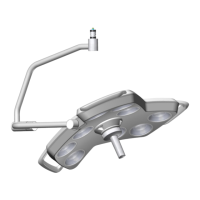
marLED® E3 on ceiling tube Ø 110 mm
Revision 2 5
6.1.6 Terminating Resistor S1 without Coupler ...................................................................................... 32
6.1.7 Pin Assignment of Cable Connection Terminal Block X3 ............................................................... 33
6.1.8 CAN Board with Galvanic Isolation ................................................................................................ 34
6.1.9 Terminating Resistor S1 with Coupler............................................................................................ 34
6.1.10 Light System with CAN Bus and 1 Ceiling Tube, with Galvanic Isolation ....................................... 36
6.1.11 Connecting the Bus Couplers to the CAN Board ............................................................................ 37
6.1.12 Connecting the Bus Couplers to the Power Supply ....................................................................... 37
6.1.13 Bus Coupler Connection Board Pin Assignment ............................................................................ 38
6.1.14 Troubleshooting on Bus Coupler ................................................................................................... 39
6.1.15 Coupler Block Diagram ................................................................................................................... 40
6.1.16 Wall Box Connections (Rear) .......................................................................................................... 40
6.1.17 Connecting the Wall Box to the Predecessor Wall Cable .............................................................. 41
6.1.18 marTouch® Wall Box Connections (Front) ..................................................................................... 41
6.1.19 marTouch® Wall Box Pin Assignment ............................................................................................ 42
6.2 COM Interface (RS232) ..................................................................................................... 43
6.2.1 Connecting the COM Interfaces ..................................................................................................... 43
6.2.2 COM Interfaces marLED® and surgiCam on Ceiling Tube from HW 37 ......................................... 44
6.2.3 COM Interfaces for Separate Installation HW 30 – HW 36 ............................................................ 45
6.2.4 COM Interfaces for Separate Installation up to HW 09 ................................................................. 46
6.2.5 Pin Assignment X2 (CAN, RS232) ................................................................................................... 47
6.3 CAN Bus Cabling up to HW 09 ........................................................................................... 47
6.3.1 Overview of Camera System surgiCam HD, Cable and Connection Options ................................. 48
6.4 Addressing ......................................................................................................................... 49
6.4.1 DIP Switches for CAN Addresses and Terminating Resistors ......................................................... 49
6.4.2 DIP Switches SW6 for CAN Addresses and Configuration .............................................................. 49
6.4.3 DIP switch SW1 marLED® for Terminating Resistor ....................................................................... 50
6.4.4 DIP switch SW1 surgiCam .............................................................................................................. 51
6.4.5 CAN Address Setting from HW 30 .................................................................................................. 51
6.4.6 Setting of the CAN Addresses up to HW 09 ................................................................................... 52
7 Central Bearing Shaft/Tracking Arm/Spring Arm Wiring ....................................... 53
7.1 Central Bearing Shaft (Slip Rings) ...................................................................................... 53
7.1.1 Replacing the Contact Block .......................................................................................................... 53
7.1.2 Checking the Voltage on Tracking Arm .......................................................................................... 54
7.2 Tracking Arm/Spring Arm from HW 30 ............................................................................. 57
7.2.1 Tracking arm/ceiling tube .............................................................................................................. 57
7.2.2 Circuit Diagram for 3-Pole Tracking Arm marLED® E9, E9i, E15 (battery) ..................................... 58
7.2.3
Circuit Diagram for 3-Pole Tracking Arm marLED® E3 ................................................................... 58
7.2.4 Circuit Diagram for 5-Pole Tracking Arm with Wall Control Panel ................................................ 58
7.2.5 Circuit Diagram for 9-Pole Tracking Arm with Wall Control Panel and surgiCam HD/SD .............. 59
7.3 Tracking Arm/Spring Arm up to HW 09 ............................................................................ 62
7.3.1 Circuit Diagram for 5-Pole Tracking Arm with Wall Control Panel ................................................ 62


 To Next Page