Chapter 4 Target (AIS, TT and Trial manoeuvre) MDC-7000/7900 Series
0093169010-10
PAST POSN TIME
1/5
1/5
1/5
1/5
1/5
3 Press EBL1 or EBL2 key, and select an item to be set between [BRG REL] and [WIDTH] by using
EBL knob.
In the same way, press VRM1 or VRM2 key, and select an item to be set between [RNG] and
[DEPTH] by using VRM knob.
The selected item is shown with a symbol at the left of numerical indication at the auto
acquisition area in the menu display.
4 When the setting of the automatic acquisition area is completed, then press ENT key, AUTO ACQ
AREA will be activated.
Note: If AUTO ACQ AREA is set in the whole circumference, [WIDTH] needs to be set the 0.0˚ or 360.0˚.
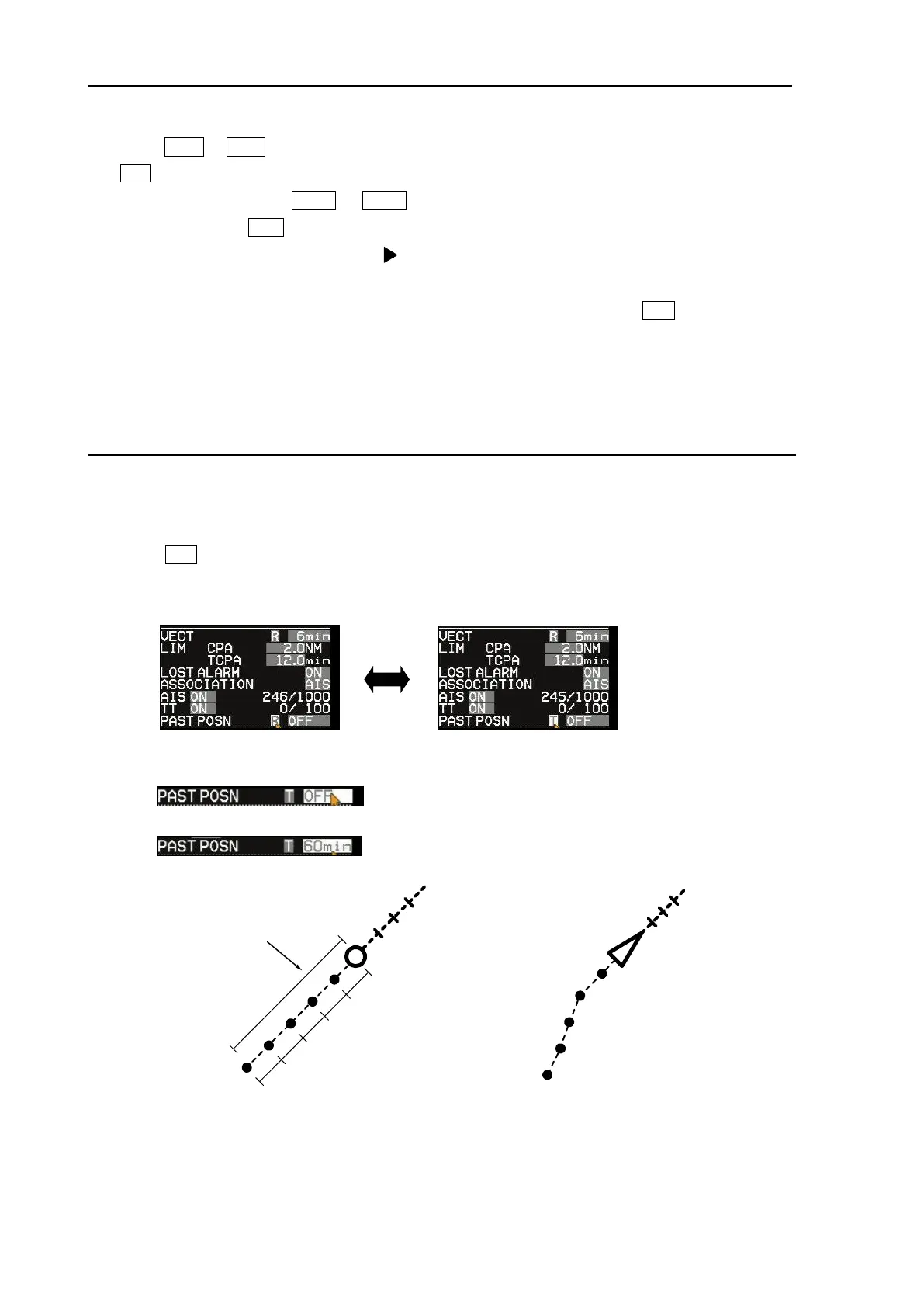
PAST POSN: Past position
The past position of TT (target tracking) and AIS (activated target) can be displayed.
1 Move the cursor to set value window of [PAST POSN] upper right part of the display.
Press ENT key to select [T] or [R].
Note: [TRUE/REL] is in common with [TRAIL] (Refer to 2.19 Target trail). So, if you change one
part, the other part will change accordingly.
2 [PAST POSN TIME] item designates recording length.
Up to five record points are available.
Setting value: OFF, 30sec, 1min, 3min, 6min, 12min, 30min, 60min



 To Next Page