Chapter 3 Alarm MDC-7000/7900 Series
0093169010-10
How to delete the data of map area
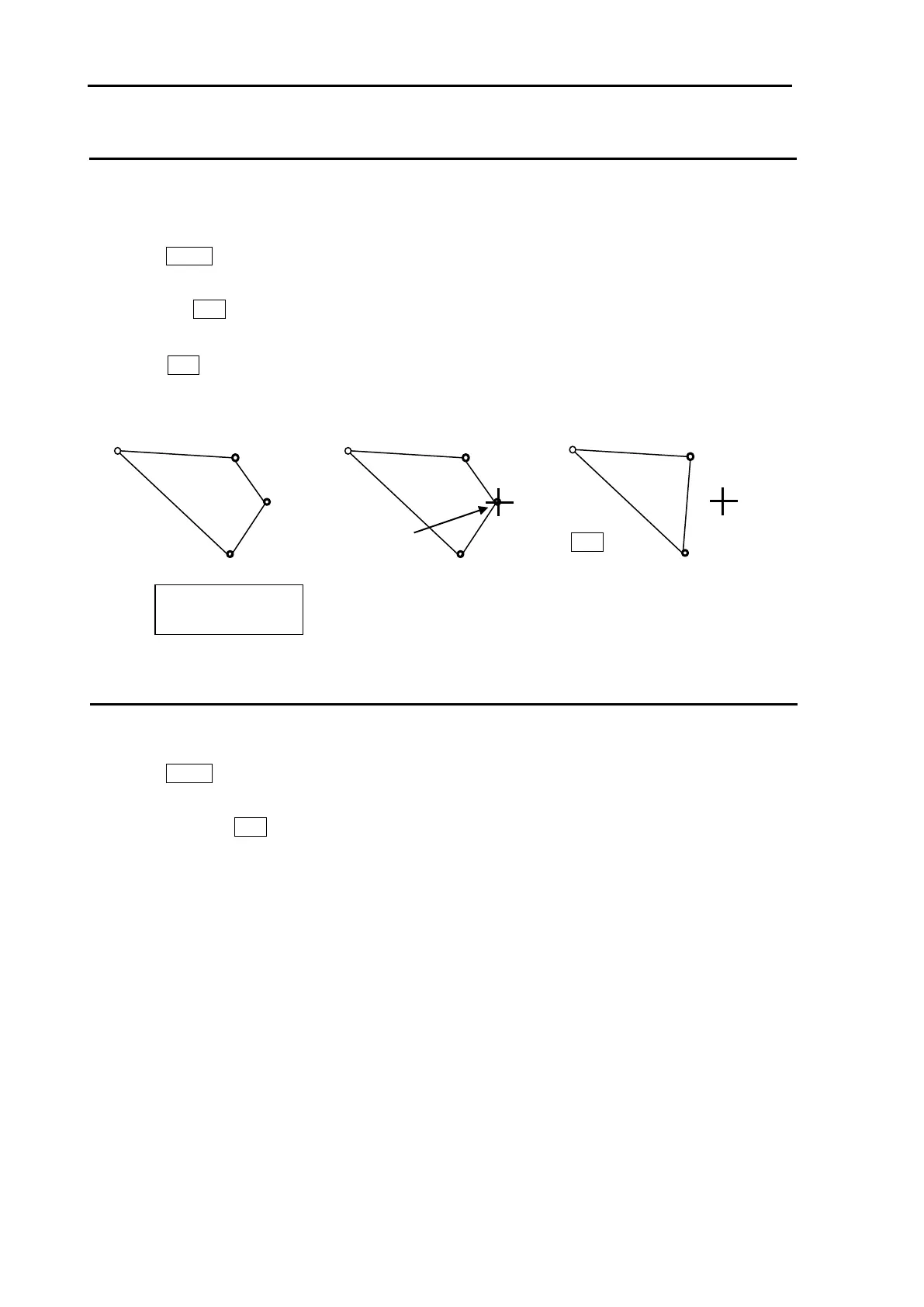
There are two methods to delete map area alarm position. First method is to delete the point that is
selected by cursor, second is to select the number from the menu.
Example: Cursor method
1 Press MENU key to display “Menu”.
Select [ALARM] => [MAP AREA ALARM] => [DELETE] => [CURSOR] => select [1 to 10] => [GO],
and press ENT key.
2 Move cursor on the map area mark which you want to delete.
3 Press ENT key.
Selected map area position data will delete.
How to clear entire block of map area data
The map area data block can be cleared by using menu operation.
1 Press MENU key to display “Menu”.
Select [ALARM] => [MAP AREA ALARM] => [CLEAR] => [BLOCK NUMBER] => select [1 to 10] =>
[GO], and press ENT key.
Selected map area block will be cleared.
x: Block number
(1 to 10)








 To Next Page