Chapter 2 Radar Basic Operation MDC-7000/7900 Series
0093169010-10
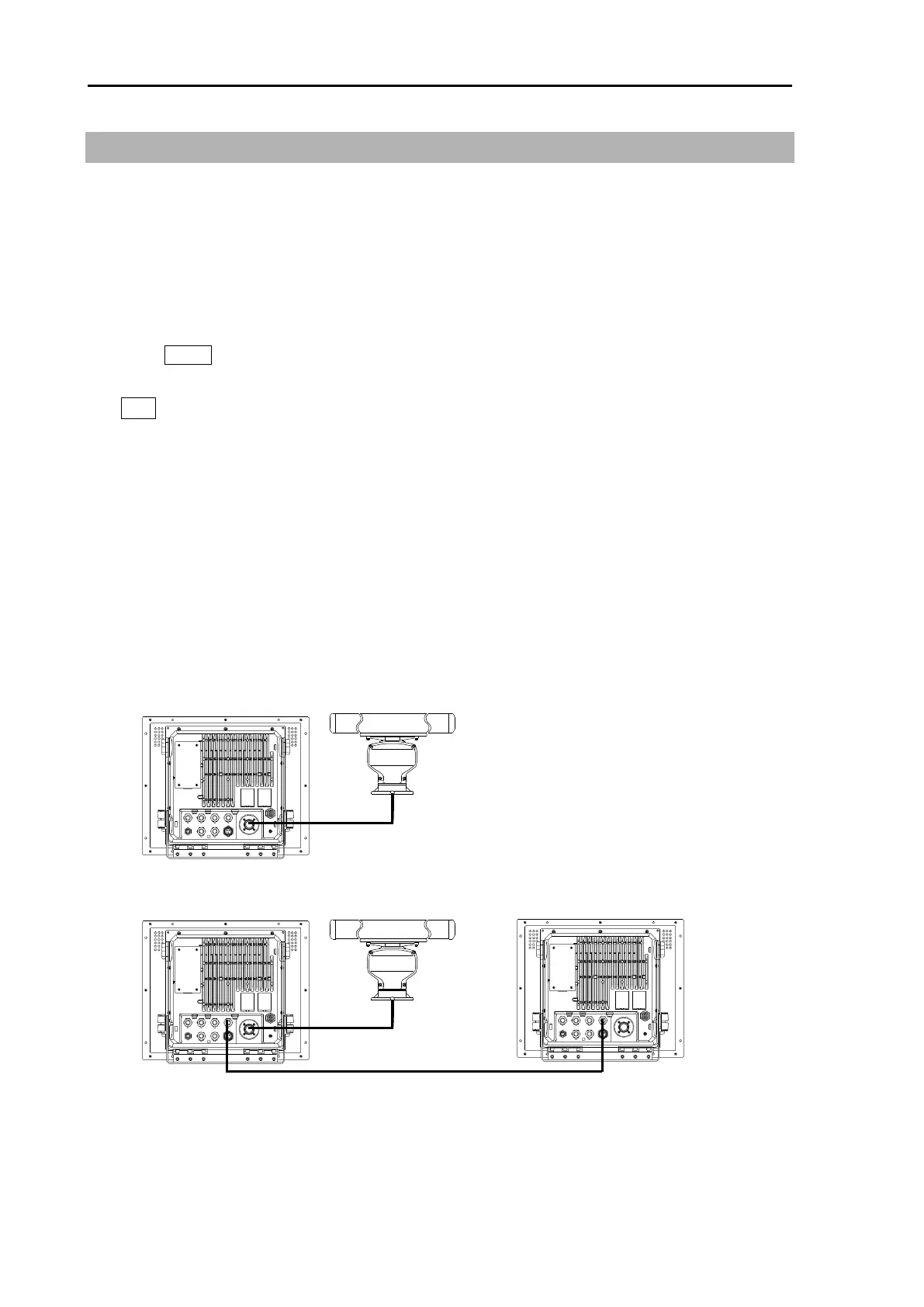
INDEPENDENT MASTER
INDEPENDENT MASTER Remote cable INDEPENDENT SLAVE
CW-561-**M
2.31 Inter-switch
Inter-switch is a way to setup two radars to be connected together.
Note: If either radar fails while two radars are in use, then set the [INTER-SWITCH] menu of the
working radar to [INDEPENDENT MASTER] and use it independently.
Refer to “3.4.10 Cable connection for inter-switch” of Installation manual.
NOTE: [INTER-SWITCH] menu cannot be used while transmitting.
1 Press MENU key to display “Menu”.
Select [SYSTEM] => [INTER-SWITCH] => select [INTER-SWITCH] mode*, and press
ENT key.
* Available choices: INDEPENDENT MASTER, INDEPENDENT SLAVE, DUAL MASTER,
DUAL SLAVE, CROSS, MONITOR
INDEPENDENT MASTER: Connection status where one antenna is connected to one radar.
INDEPENDENT SLAVE: Connection status where the dedicated cable is connected to the
above-mentioned INDEPENDENT (MASTER), and the image of antenna of
INDEPENDENT (MASTER) is displayed on (SLAVE) radar.
The SLAVE display unit cannot control the antenna unit. The monitor (SLAVE
display unit) will display its range in accordance with the MASTER one.








 To Next Page