MDC-7000/7900 Series Chapter 6 Map operation
0093169010-10
How to add
(1) CURSOR OPERATION
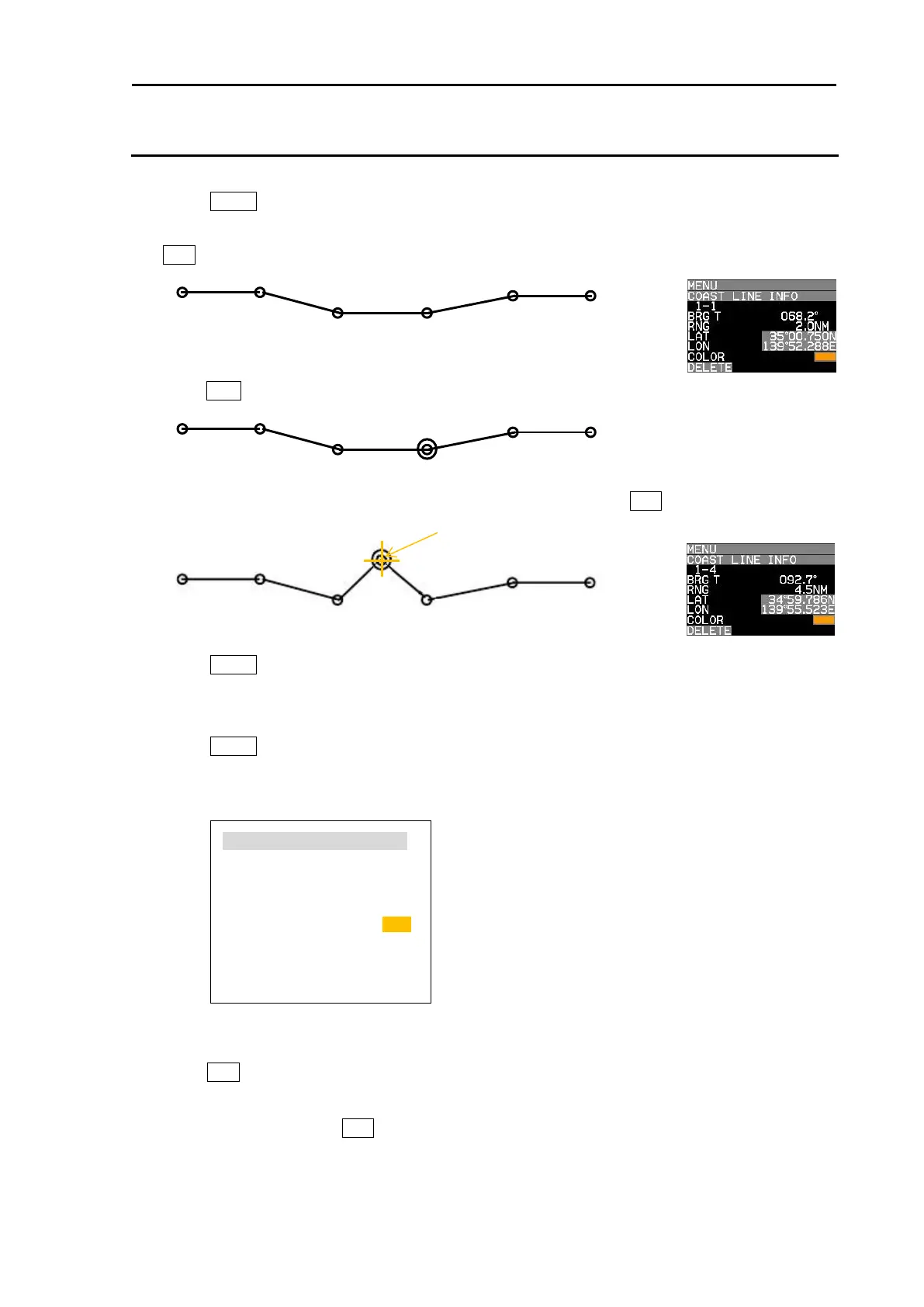
1 Press MENU key to display “Menu”.
Select [MAP] => [COAST LINE] => [ADD] => [CURSOR] => select [1 to 10] => [GO] and press
ENT key. Numerical number is displayed each points of coast line.
2 Move cursor on position that new data is added in just before it.
Press ACQ key. Circle mark will be displayed on the selected.
3 Move cursor to the position that new data will be added, then press ENT key.
4 Press MENU key to exit ADD operation.
(2) BLOCK NUMBER OPERATION
1 Press MENU key to display “Menu”.
Select [MAP] => [COAST LINE] => [ADD] => [BLOCK NUMBER] => select [1 to 10] =>
Following input menu is displayed.
2 Select [NUMBER] => NUMBER data screen is displayed. => select [1 to 100] =>
Press ENT key. Selected number’s numerical data is shown.
3 Edit data of LAT, LON, COLOR and DIVIDE.
4 Select [SET] and press ENT key to save input data. New data is added as same as cursor
operation.
NUMBER 4
LAT 35˚ 15.368N
LON 139˚ 51.129E
COLOR
DIVIDE OFF
SET








 To Next Page