MDC-7000/7900 Series Chapter 2 Radar Basic Operation
0093169010-10
2.14 Bearing mode set up
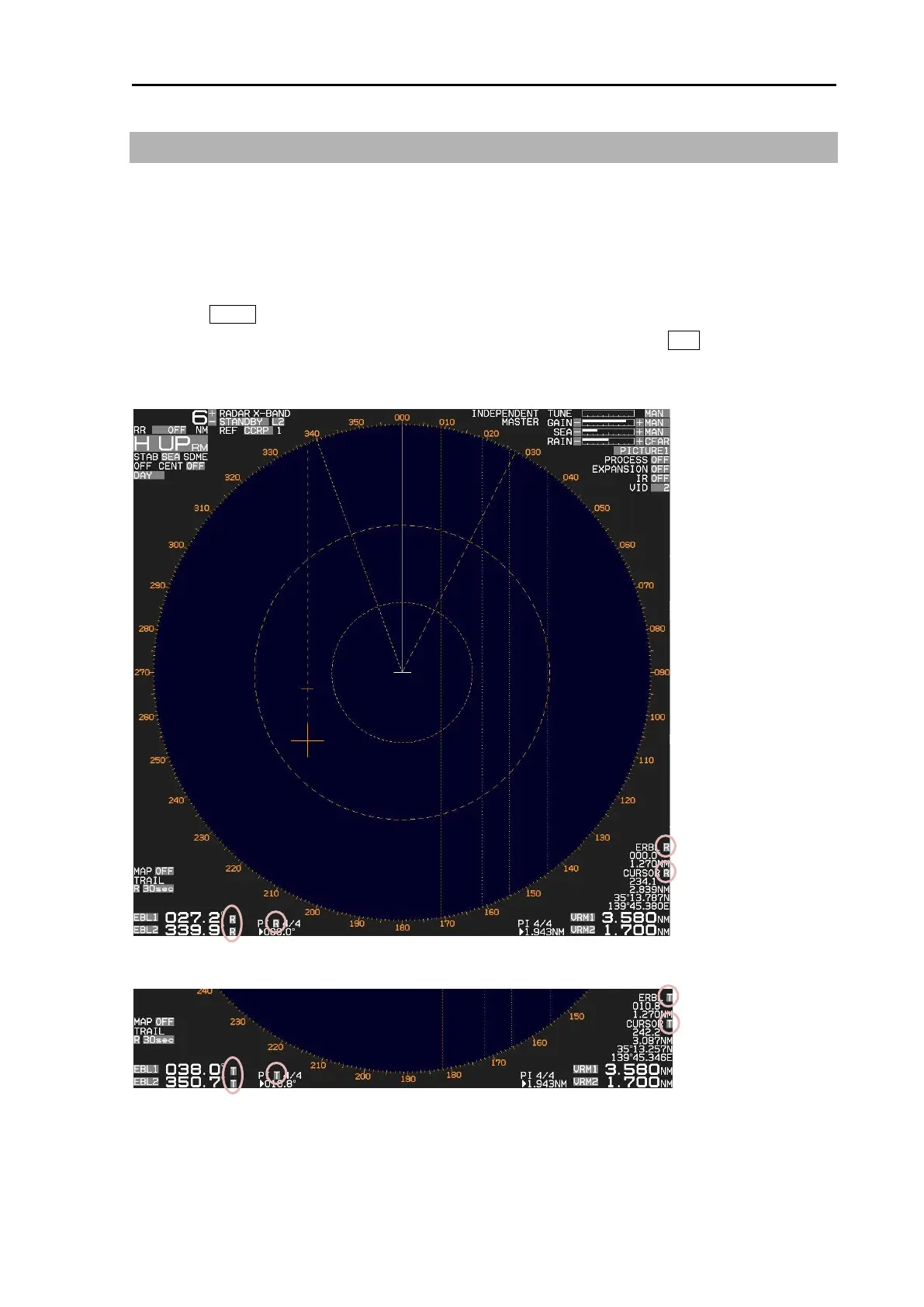
This menu is used to change the bearing mode in EBL, PI, ERBL, Bearing scale and CURSOR.
The settings available in the true bearing with the true north of 000 degree, and in the relative bearing
with the heading of 000 degree.
1 Press MENU key to display “Menu”.
Select [NAV TOOL] => [BRG TRUE/REL] => [TRUE] or [REL], and press ENT key.
[EBL], [PI], [ERBL] and [CURSOR] can be changed directly on the display by using trackball.



 To Next Page