MDC-7000/7900 Series Chapter 2 Radar Basic Operation
0093169010-10
2.36 Display setup
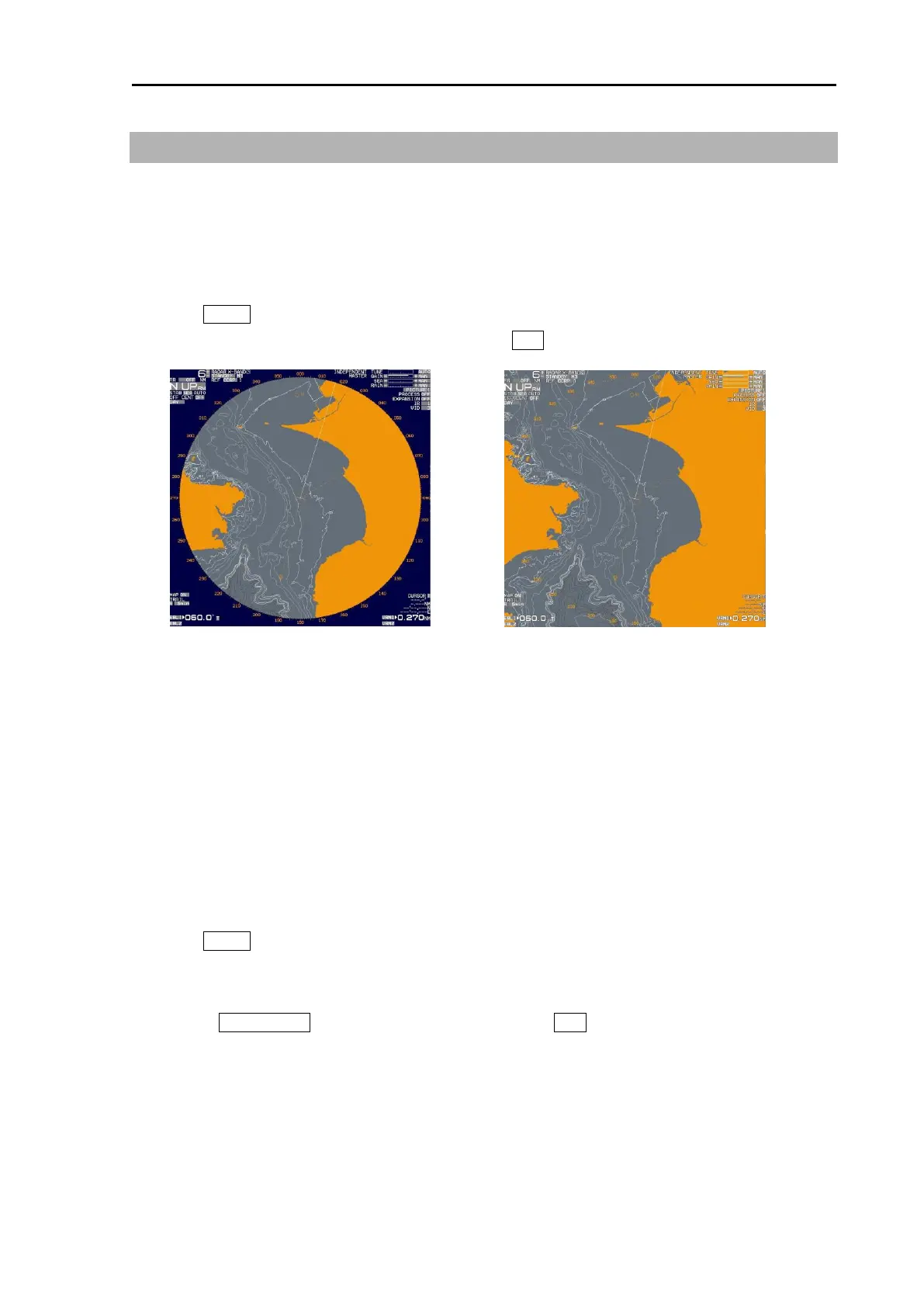
2.36.1 ALL PPI mode
ALL PPI function is to display radar echo images, trails, maps and c-map chart on all screens
(excluding menu area and own ship’s information area).
1 Press MENU key to display “Menu”.
Select [DISPLAY] => [ALL PPI] => [ON], and press ENT key.
2.36.2 ROTATION MARGIN (H UP, C UP)
This function is to set rotation margin of radar echo images, trails, maps and c-map chart depending on
angle of ship’s bearing.
When the ship’s bearing is changing little by little, the pictures become stable if the set value is larger.
In this case, the direction of the heading line moves according to the change of the bearing. When
bearing exceeds the set value, the pictures rotate to right position, and heading line returns to the origin
position.
1 Press MENU key to display “Menu”.
Select [DISPLAY] => [ROTATION MARGIN] => [VALUE] will show the current setting of the input
value by highlighting the last digit value by the trackball.
2 Turn the TRACKBALL up or down to set the value. Press ENT key to save the set result.
Setting value: 0.0
o
to 30.0
o








 To Next Page