Chapter 2 Radar Basic Operation MDC-7000/7900 Series
0093169010-10
PI
000.0°
3.000NM
PI REL PI
000.0°
3.000NM
PI REL
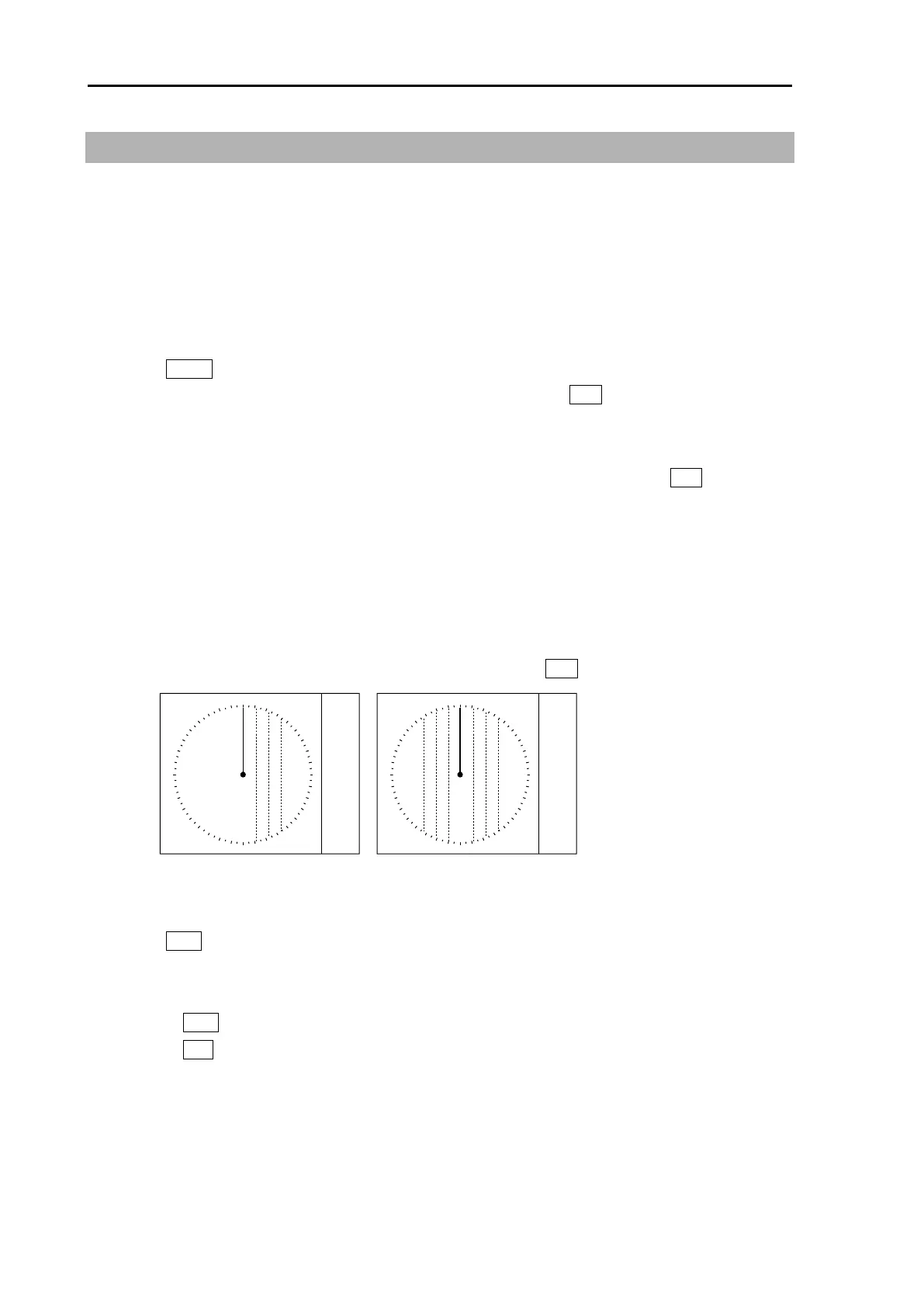
HALF
FULL
2.15 Measurement of distance/bearing by PI
This function is used to display straight Parallel Index (PI) lines on one or both sides of the vessel,
range and bearing of which can be manipulated by following procedures.
There are two kinds of modes of CURSOR and LINE.
In LINE mode, display location (distance, bearing) of each line can be changed independently or
together when in BULK operation. The length of LINE can also be changed.
CURSOR mode
1 Press MENU key to display “Menu”.
Select [NAV TOOL] => [PI] => [MODE] => [CURSOR], and press ENT key.
PI line number setting
1 [PI] => [CURSOR] => select [NORMAL], [1], [2], [3], [4], [5], [6] or [7], and press ENT key.
NORMAL: PI line number is equal to range of range ring. Variable range is min: equal to range ring
one, max: 50% of selected range.
1 to 7: Designated number of PI is displayed. Variable range is min: 0, max: about 1.6 times of
selected range.
PI display side setting
1 [PI] => [PI DISP SIDE] => select [HALF] or [FULL], and press ENT key.
Operation
1 Press VRM knob, and PI lines are displayed.
Bearing is displayed by figure on middle lower left of the display, and distance between PI lines is
displayed on middle lower right of the display during PI is displayed.
2 Turn the VRM knob to change the interval between lines.
3 Turn the EBL knob to change the bearing.



 To Next Page