Chapter 2 Radar Basic Operation MDC-7000/7900 Series
0093169010-10
Using the EBL/VRM OFFSET
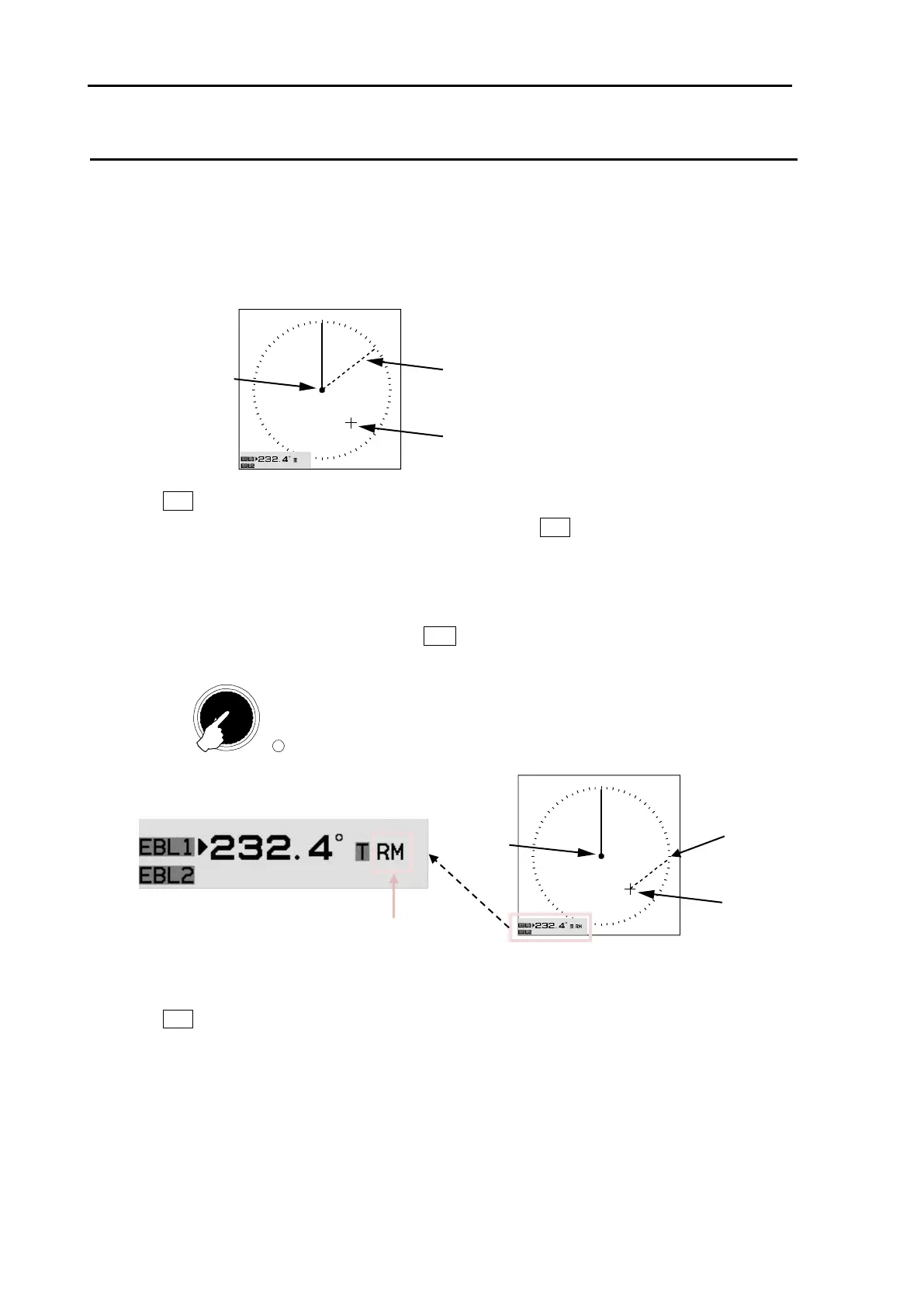
EBL (and VRM) base point can be changed to any position other than the initial reference point.
By changing the base point, the bearing from a random target can be measured.
1 Display the EBL (and VRM) for which the base point is required to be changed.
2 Move the cursor to new position.
3 Press EBL knob, and the base point of EBL (and VRM) changes.
During offset, the color of [OFFSET lamp] at the lower right of EBL knob changes from green to red,
and the “TM” or “RM” mark is added right of the numerical figures.
“TM” means true motion, and “RM” means relative motion of OFFSET EBL1 and EBL2.
The motion selection can be changed by [NAV TOOL] => [EBL] => [EBL1 OFFSET] or [EBL2
OFFSET] => select [RM] or [TM], and press ENT key.
4 Press EBL knob again, and the base point returns to the reference point.
VRM cannot offset alone.
When [NAV TOOL] => [VRM] => [OFFSET] => [ON] is selected, the base point can change a position
same as EBL.
OFFSET EBL true or relative motion mark








 To Next Page