MDC-7000/7900 Series Chapter 2 Radar Basic Operation
0093169010-10
A 0− 511m
B 0− 511m
C 0− 63m
D 0− 63m
dx -63− 63m
dy -511 − 511m
2.34 Setup own ship outline
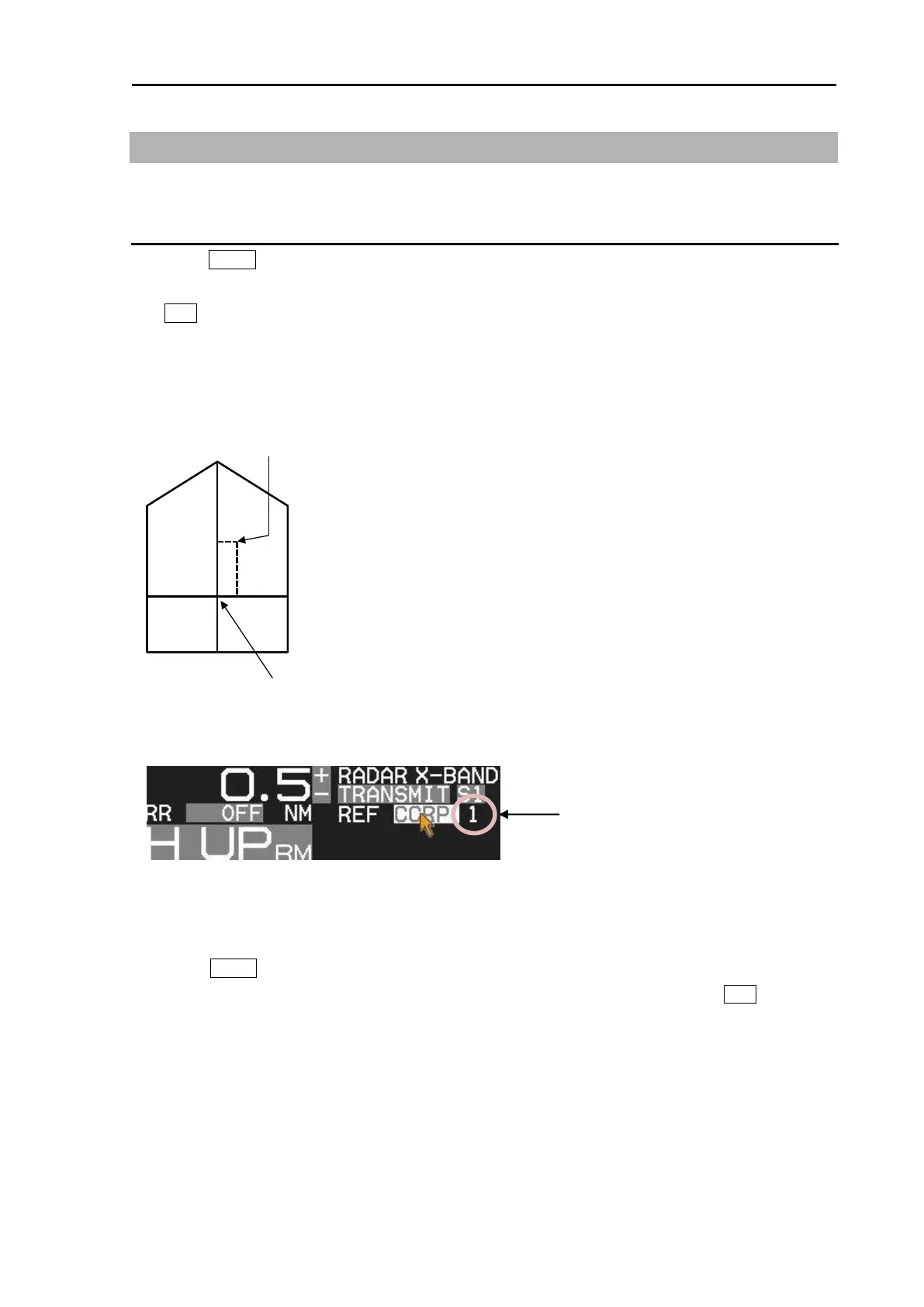
Set up own ship outline and antenna position from CCRP (Consistent common reference point).
Setup CCRP number and ship outline
1 Press MENU key to display “Menu”.
Select [NAV TOOL] => [SHIP OUTLINE] => [CCRP] => select CCRP number (1 to 4), and press
ENT key.
2 Select [OS PROFILE] => and after selection.
This setup is to designate ship’s outline and antenna location of CCRP.
To show own ship outline, turn on ship outline menu.
1 Press MENU key to display “Menu”.
Select [NAV TOOL] => [SHIP OUTLINE] => [SHIP OUTLINE] => [ON], and press ENT key.
If ship's width (C+D) is less than 10m, then even 0.125NM range will not show own ship outline.








 To Next Page