Chapter 2 Radar Basic Operation MDC-7000/7900 Series
0093169010-10
2.20 Off Center
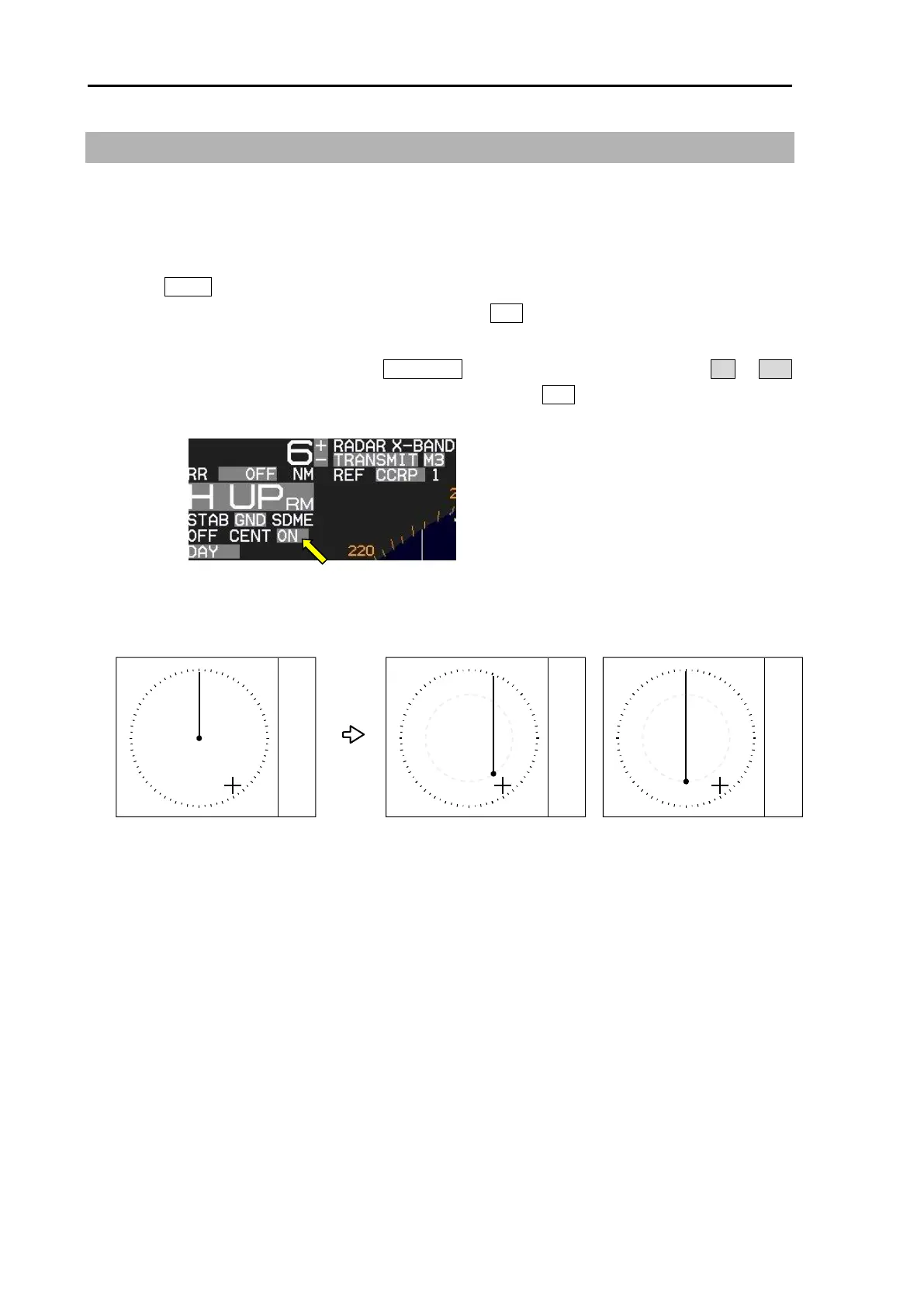
This function is used to get larger view in heading direction.
Two ways “OFF CENTER” can be setup.
[CURSOR]: Off-centering to CURSOR direction.
[OPPOSITE]: Off-centering to the stern direction.
1 Press MENU key to display “Menu”.
Select [DISPLAY] => [OFF CENT POINT] and press ENT key after selecting the off center point
“CURSOR” or “OPPOSITE”.
2 Off-centering is executed by pressing OFF CENT key, or move cursor to set value of ON or OFF
of [OFF CENT] at the upper left part of the display, and press ENT key.
3 The difference of [CURSOR] and [OPPOSITE] are as follows.
Note: When CCRP is selected for the reference positon, there is possibility that CCRP is located
outside of 90% echo image area at OFF CENTER function in short range.
In this case, alarm message of “Cannot use the CCRP” will appear at lower right of the display,
and the reference position is automatically changed to ANT position.
Refer to 2.33 Reference position and Display center.








 To Next Page