Chapter 2 Radar Basic Operation MDC-7000/7900 Series
0093169010-10
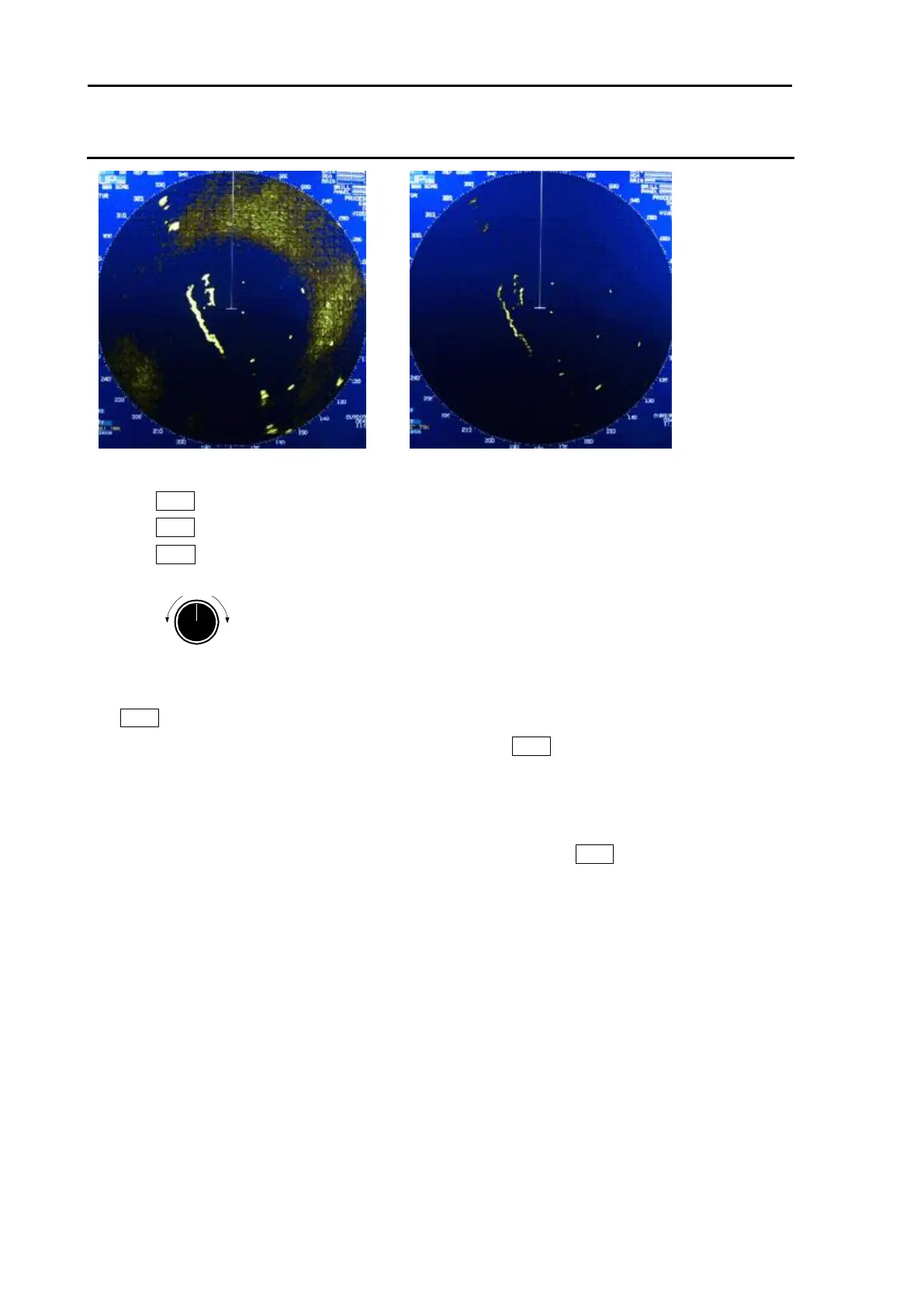
RAIN MAN (manual) adjustment
1 Turn RAIN knob clockwise to increase anti-clutter effect.
Turn RAIN knob counterclockwise to decrease anti-clutter effect.
Turn GAIN knob clockwise until sea clutter is visible on the display.
2 Use anti-SEA (AUTO SEA or MAN SEA).
3 While observing the display, suppress RAIN clutter outside of anti-SEA effective area by turning
RAIN knob clockwise. Adjust RAIN so that sea clutter is lightly visible.
4 Intensity of RAIN clutter is affected by weather. Adjust by RAIN knob according to weather change
by watching the display.
Note:
• In typical environment RAIN should be turned all the way down via RAIN knob, and no white level
should be indicated by RAIN window.
• Turning the knob to the right shows profiles of the targets hidden in the rain/snow image, but care shall
be taken that small target may be hidden and not displayed.
• Small target becomes harder to detect when RAIN is used together with SEA.
After adjusted anti-SEA & RAIN MAN








 To Next Page