MDC-7000/7900 Series Chapter 2 Radar Basic Operation
0093169010-10
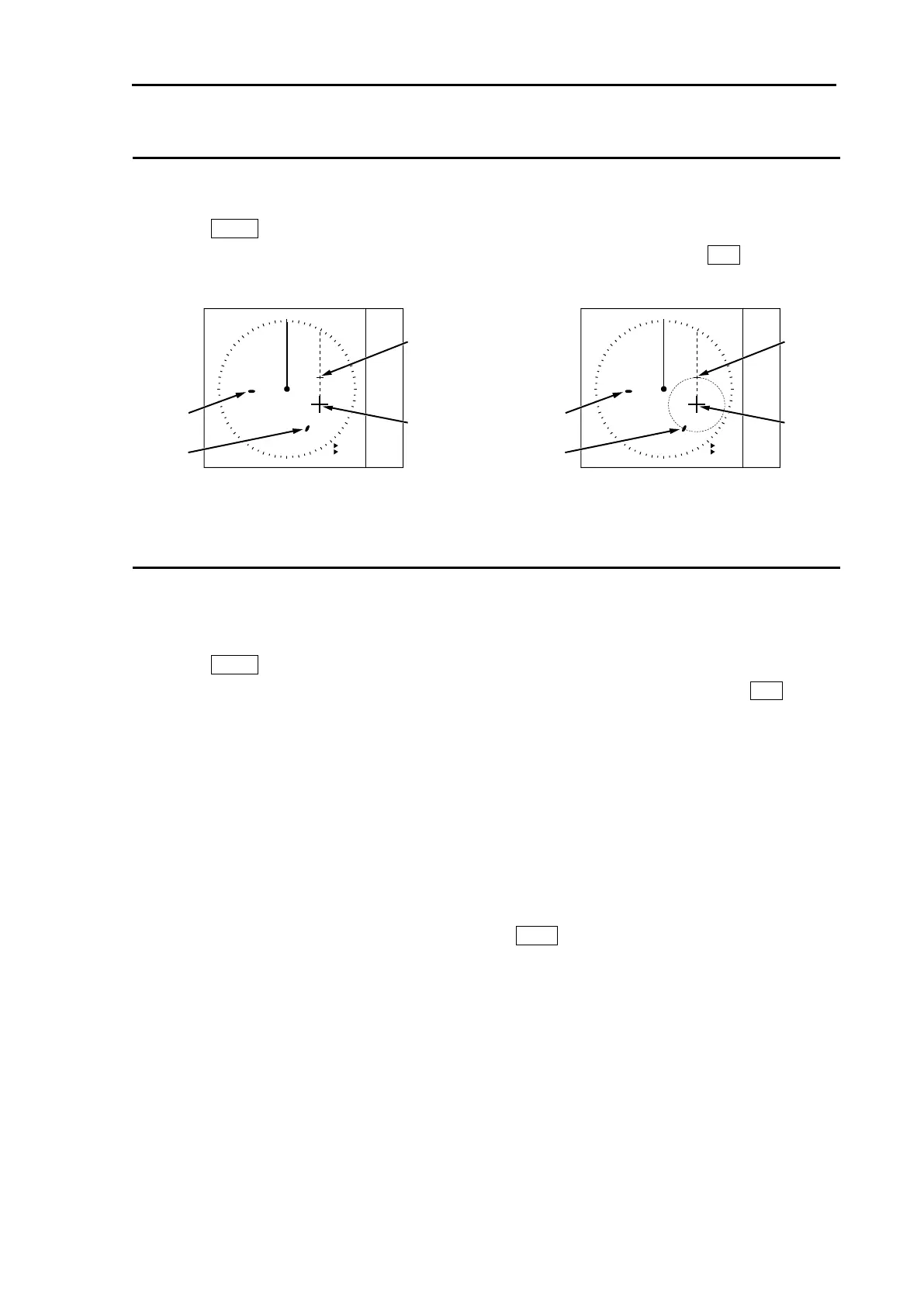
Change ERBL mark to LINE or RING
ERBL mark can be changed from LINE to RING.
1 Press MENU key to display “Menu”.
Select [NAV TOOL] => [ERBL] => [RNG] => select [LINE] or [RING], and press ENT key.
Change ERBL offset method
(MDC-5500 series only)
ERBL offset function can be operated by “CURSOR” or “TM”.
1 Press MENU key to display “Menu”.
Select [NAV TOOL] => [ERBL] => [OFFSET] => select [CURSOR] or [TM], and press ENT key.
[CURSOR]: The basic point of ERBL moves with the movement of the cursor.
[TM]: A cursor position becomes the basic point of ERBL.
After that, a position is fixed without synchronizing cursor movement.
The operation is limited to a bearing marker and range marker.
Note: [TM] function needs heading and Lat/Lon signal input of the own ship.
A basic point moves to the position of the last [TM] setting.
Move cursor in a new basic point, and press ERBL key.
ERBL
000.0
°
1.00NM
ERBL
REL
CURSOR
Target B
Target A
ERBL
000.0
°
1.00NM
ERBL
REL
CURSOR
Target B
Target A








 To Next Page