Chapter 2 Radar Basic Operation MDC-7000/7900 Series
0093169010-10
2.24 Echo expansion
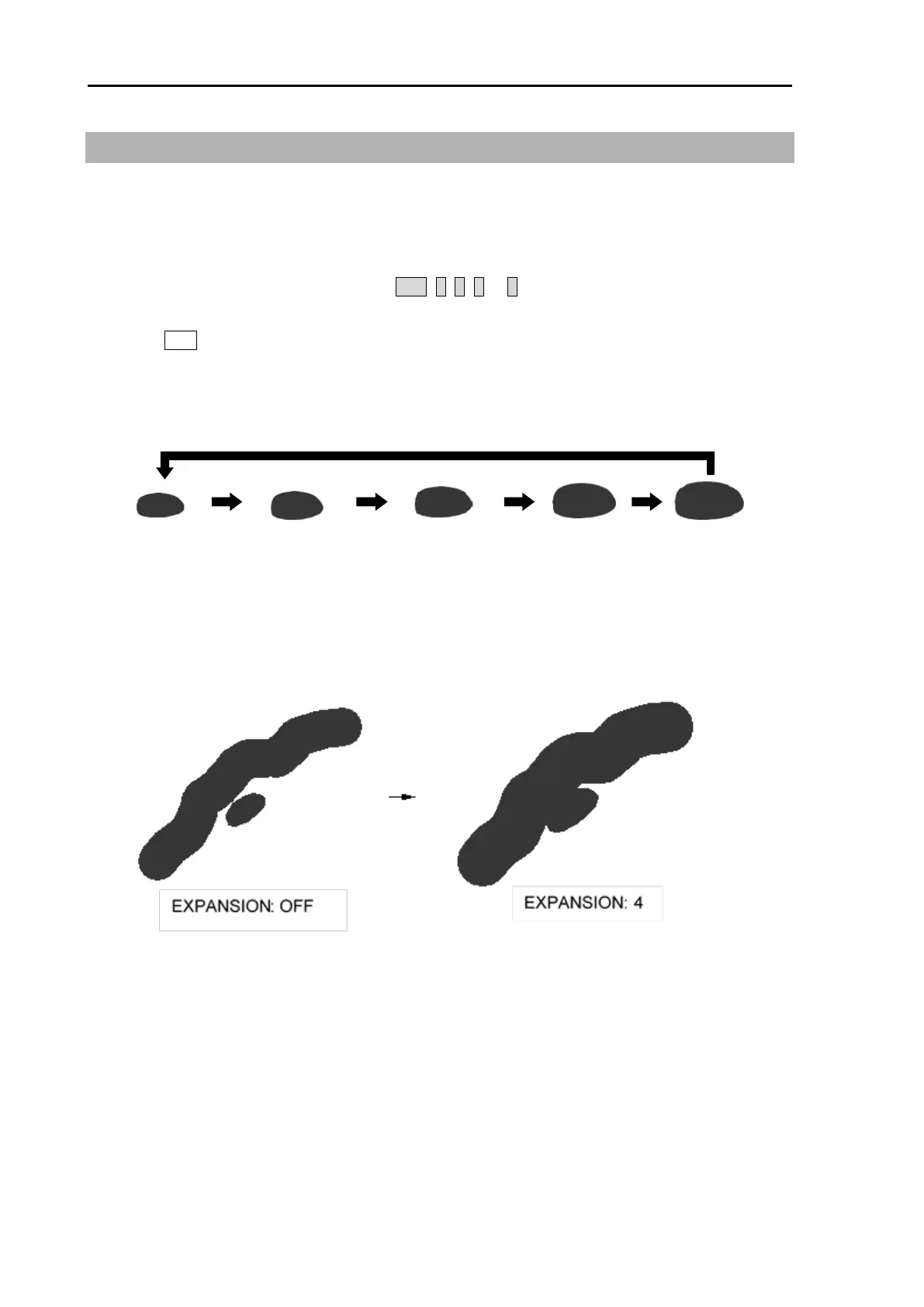
This function is to enlarge an image in the direction of distance/bearing.
Small ships and remote targets can be enlarged to be easier to see.
[EXPANSION] can be changed directly at the upper right of the display.
1 Move the cursor to set value window of OFF, 1, 2, 3 or 4 of [EXPANSION] at the upper right part
of the display.
Press ENT key repeatedly until the desired choice appears.
Note: The setting value can be selected from “OFF, 1, 2, 3 and 4” and the larger value applies stronger
enhance effect.
Note: The enlargement of targets has effect on all echoes. So, a large target such as land is also
enlarged. Consequently, land and a small target may sometimes be seen as a single target. Pay
attention to that.








 To Next Page