9-3
Inserting Sheets and Covers (Sheet/Cover Insertion)
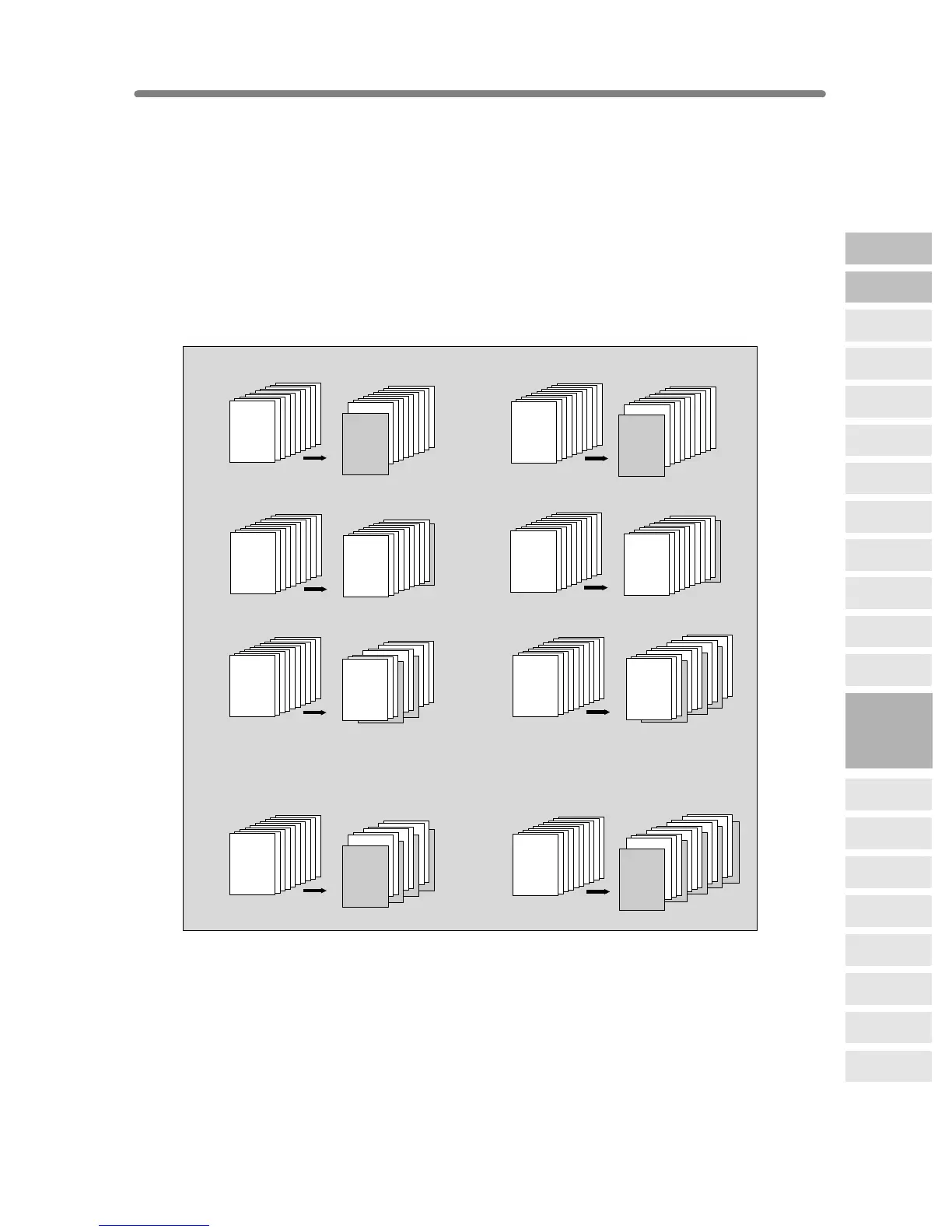
Use Sheet/Cover Insertion in copy mode or blank mode to insert chapter sheets or
separator sheets into the finished set, as well as front and back covers.
>>>Specifications for Sheet/Cover Insertion<<<
❒ Use RADF.
❒
Trays for copy paper, front/back covers, and insertions should have the same paper
size loaded. AMS (Automatic Magnification Selection) is automatically selected.
❒ Max. insert sheets: 30 locations, from 1~999, including front and back covers
❒ The LCT cannot be selected as tray source if specified as Thick 3.
❒
Incompatible Conditions: APS, Group, Rotation Sort, Rotaion Group, Fold/ Stitch&Fold/
Trimming (with Booklet selected), Mixed Original, Tab Paper, Combination, Booklet, OHP
Interleave, Image Insert, Dual Page, Program Job, Non-image Area Erase, Repeat
(except 2/4/8 Repeat), AUTO Layout, Overlay, Storing Image in Overlay Memory
1
2
3
4
5
6
7
8
9
10
1
2
3
4
5
6
7
8
9
10
SURVEYOR’S
REPORT
SURVEYOR’S
REPORT
1
2
3
4
5
6
7
8
9
10
1
2
3
4
5
6
7
8
9
10
SURVEYOR’S
REPORT
SURVEYOR’S
REPORT
1
2
3
4
5
6
7
8
9
10
1
2
3
4
5
6
7
8
9
10
SURVEYOR’S
REPORT
SURVEYOR’S
REPORT
1
2
3
4
5
6
7
8
9
10
1
2
3
4
5
6
7
8
9
10
SURVEYOR’S
REPORT
SURVEYOR’S
REPORT
1
2
3
4
5
6
7
8
9
10
1
2
3
4
5
6
7
8
9
10
SURVEYOR’S
REPORT
SURVEYOR’S
REPORT
1
2
3
4
5
6
7
8
9
10
1
2
3
4
5
6
7
8
9
10
SURVEYOR’S
REPORT
SURVEYOR’S
REPORT
1
2
3
4
5
6
7
8
9
10
1
2
3
4
5
6
7
8
9
10
SURVEYOR’S
REPORT
SURVEYOR’S
REPORT
1
2
3
4
5
6
7
8
9
10
1
2
3
4
5
6
7
8
9
10
SURVEYOR’S
REPORT
SURVEYOR’S
REPORT
Originals
Copies
Originals
Copies
Originals
Copies
Originals
Copies
Originals
Copies
Originals
Copies
FRONT COVER BLANK
BACK COVER BLANK
COPY SHEET INSERTION
BLANK SHEET INSERTION
BACK COVER COPIED
Combination samples:
FRONT & BACK COVERS COPIED,
AND COPY SHEET INSERTION
FRONT & BACK COVERS BLANK,
AND BLANK SHEET INSERTION
FRONT COVER COPIED
9
Applications
Reverse
Image
Non-Image
Area Erase
Program Job
Dual Page
Image Insert
OHP
Interleave
Booklet
Combination
Chapter
Sheet/Cover
Insertion
Application
Selection Screen
Repeat
Frame/Fold
Erasure
AUTO
Layout
Full-Image
Area
Image Shift
Reduce &
Shift
Stamp
Overlay
Overlay
Memory










 To Next Page