9-61
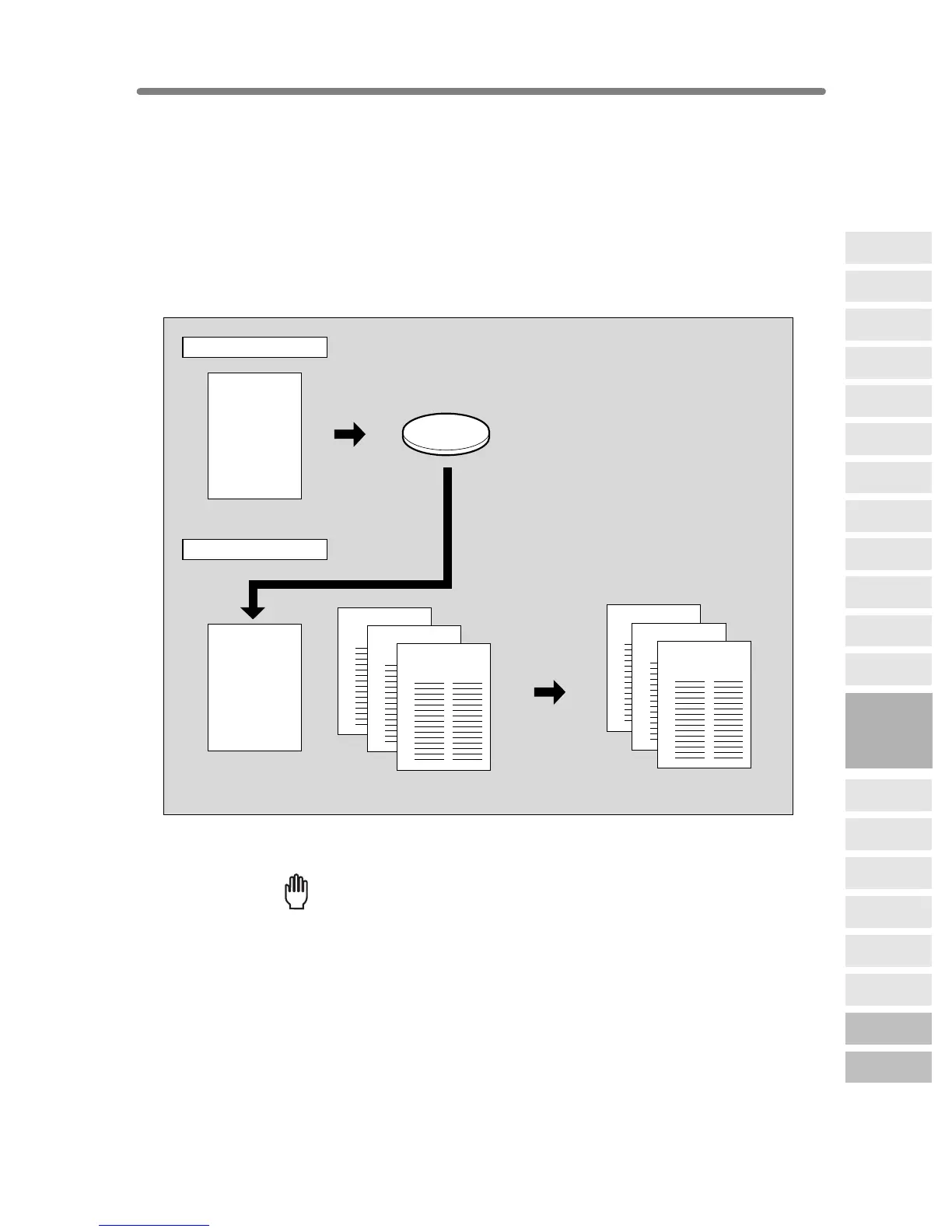
Storing an Overlay Image in HDD / Overlaying Image
Stored in HDD (Overlay Memory)
Use Overlay Memory to scan and store several images in HDD, then recall the desired
image from the HDD to overlay onto each page copied in the job.
>>>Specification for Overlay Memory<<<
❒ Incompatible Conditions with Image Store: Using RADF, 12, 22, 21, AMS,
Rotation, Reserve Mode, Interrupt Mode, Selecting Output Mode, Mixed Original, Z-
Folded Original, Tab Paper, Sheet/Cover Insertion, Chapter, Combination, Booklet,
OHP Interleave, Image Insert, Dual Page, Program Job, Non-Image Area Erase,
Reverse Image, Repeat, AUTO Layout, Image Shift, Stamp, Overlay
❒ Incompatible Conditions with Output: Reverse Image, STAMP, SET NUMBERING,
WATERMARK, WATERMARK NUMBERING in Stamp
1. Touch APPLICATION on the Basic Screen.
Reminder!
When starting a new copying job, be sure to close the RADF securely, then
press [AUTO RESET].
Recalled image
Overlaying image
Store in HDD
Output
Recall overlaying image
Overlay originals
Copies in Overlay Memory mode
Image Store
Output
ABCD
ABCD
HDD
ABCD
ABCD
ABCD
9
Applications
Reverse
Image
Non-Image
Area Erase
Program Job
Dual Page
Image Insert
OHP
Interleave
Booklet
Combination
Chapter
Sheet/Cover
Insertion
Application
Selection Screen
Repeat
Frame/Fold
Erasure
AUTO
Layout
Full-Image
Area
Image Shift
Reduce &
Shift
Stamp
Overlay
Overlay
Memory










 To Next Page