Turning On the Power Switch (continued)
2-21
Shutting Off / Reducing the Power Manually
Follow the procedure below to shut off the power manually.
HINT
The machine is initially set to activate the Manual Shut-Off function. The
Manual Low Power can be selected in the Key Operator setting. See p.
13-39 to p. 13-44.
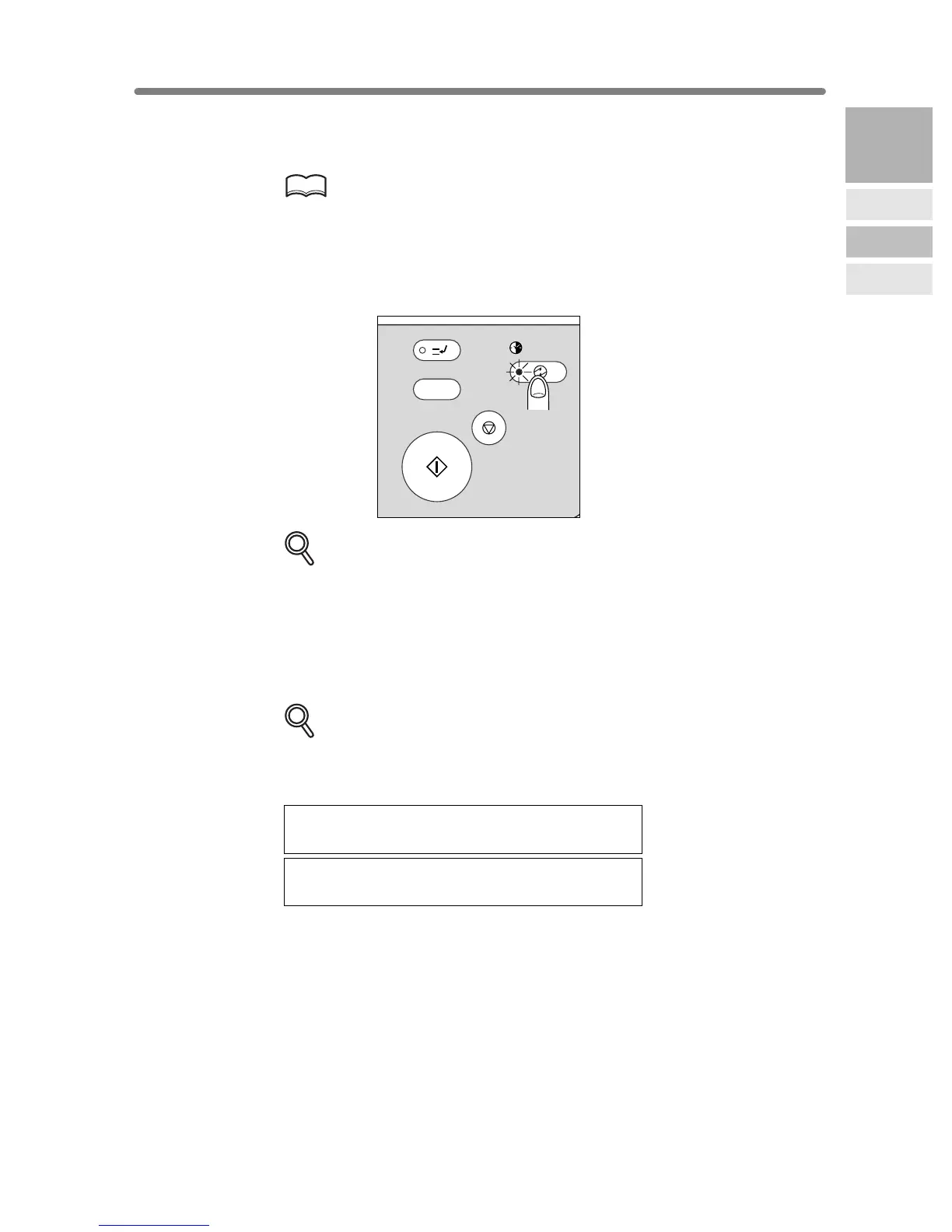
1. Press [POWER SAVER ON/OFF] for one second or longer, then
release it.
DETAILS
If Manual Low Power is selected in the Key Operator setting, the machine
automatically activates the Low Power mode before releasing [POWER
SAVER ON/OFF].
2. The Shut-Off mode will be activated.
The [POWER SAVER ON/OFF] LED will be lit and all other LEDs and the LCD
screen will be turned off.
DETAILS
Be sure to press [POWER SAVER ON/OFF] for one second or longer,
otherwise the following message will be displayed and the Shut-Off (Low
Power) mode will not be activated.
Press POWER SAVER more than one second,
then release it for shut off mode
Press POWER SAVER continuously more
than one second for low power mode
To release the mode, press [POWER SAVER ON/OFF].
The machine will be available for copying operation.
INTERRUPT
PROOF COPY
TIMER
STOP
START
Y.
POWER SAVER
ON / OFF
2
Machine
Information
Machine
Configuration
Turn On/Off
the Power
Loading
Paper










 To Next Page