Selecting Magnification Ratio (Lens Mode) (continued)
3-17
To Copy in Zoom Mode
Use the Zoom mode to reduce or enlarge the copied original image in 1% increments.
>>> Specification for Zoom Mode <<<
Zoom range: 0.25 ~ 4.00
Incompatible Conditions: AMS, Repeat mode in Repeat, Reduce & Shift in Image Shift
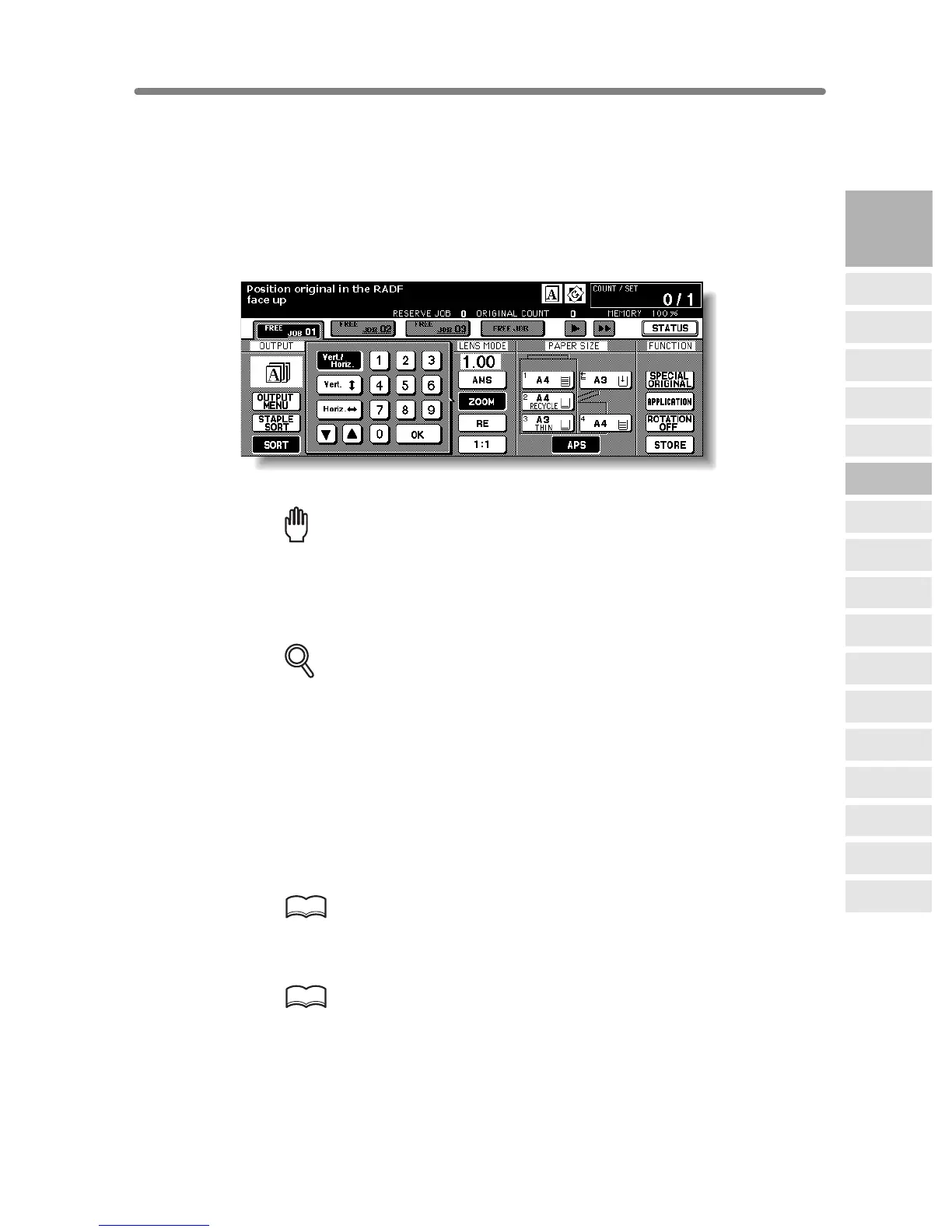
1. Touch ZOOM on the Basic Screen.
The popup menu for setting a zoom ratio will be displayed.
Reminder!
When starting a new copying job, be sure to close the RADF securely, then
press [AUTO RESET].
2. Touch Vert./Horiz. on the popup menu, if not highlighted, then set the
desired zoom ratio.
DETAILS
Use the keypad on the popup menu to enter the desired magnification ratio
in 3 digits, or use arrows (
/ ) to scroll to the desired ratio.
If an incorrect ratio is entered, continue by entering the correct 3-digit ratio.
3. Touch OK.
The popup menu disappears automatically and the specified zoom ratio will be
displayed on the Basic Screen.
4. Select additional copy conditions, as desired.
5. Enter the desired print quantity from the control panel keypad.
HINT
See p. 3-7 for details on setting print quantity.
6. Position original(s).
HINT
See p. 3-2 to p. 3-6 for details on positioning originals.
7. Press [START].
3
Copying
Operations
Positioning
Originals
Setting Print
Quantity
Set Job During
Warmup
Stop
Scan/Print
Paper Size
Lens Mode
Density
1-2, 2-2
2-1
Multi-Sheet
Bypass Tray
Using
Memory
Output without
Finisher
FS-111/211
Output Modes
Binding
Mode
Recalling
Previous Job
Check Mode
& Proof Copy
Interrupt
Mode










 To Next Page