12-5
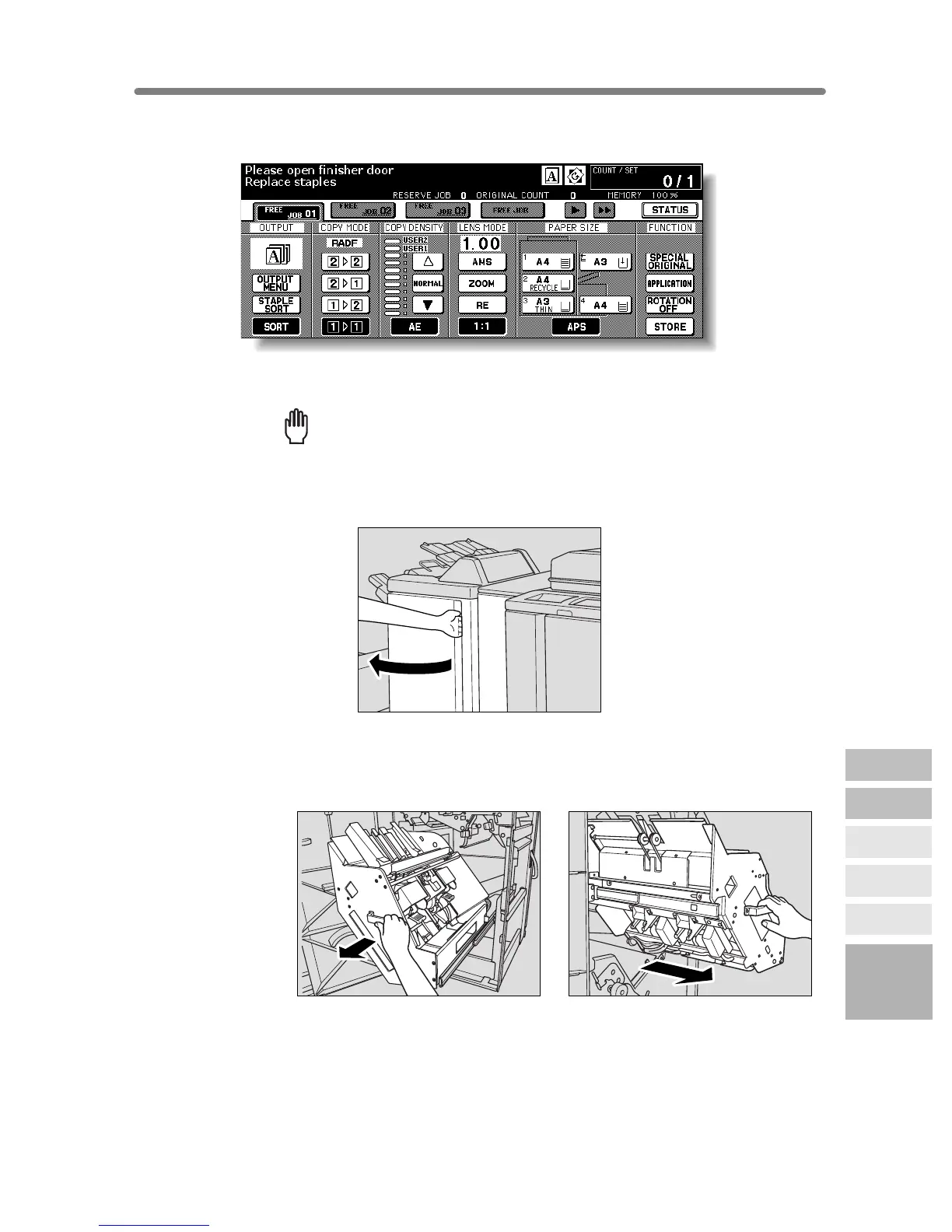
Inserting a New Staple Cartridge into FS-111/211 Finisher
When the staple cartridge of the Finisher is empty, the Basic Screen displays the
following message in the message area.
Follow the procedure below according to your finisher type to replace the staple cartridge.
Reminder!
Use only the staples supplied by Konica. To purchase, please contact your
service representative.
1. Open the Finisher door.
2. Pull out the stacker unit slowly by holding the stacker unit handle
until it stops.
FS-211
FS-111
12
Maintenance
& Supplies
Checking
Copy Count
Cleaning
Scanning
Section
Empty Waste
Basket
Inserting New
Staple Cartridge
Adding Toner










 To Next Page