Machine Configuration (continued)
2-13
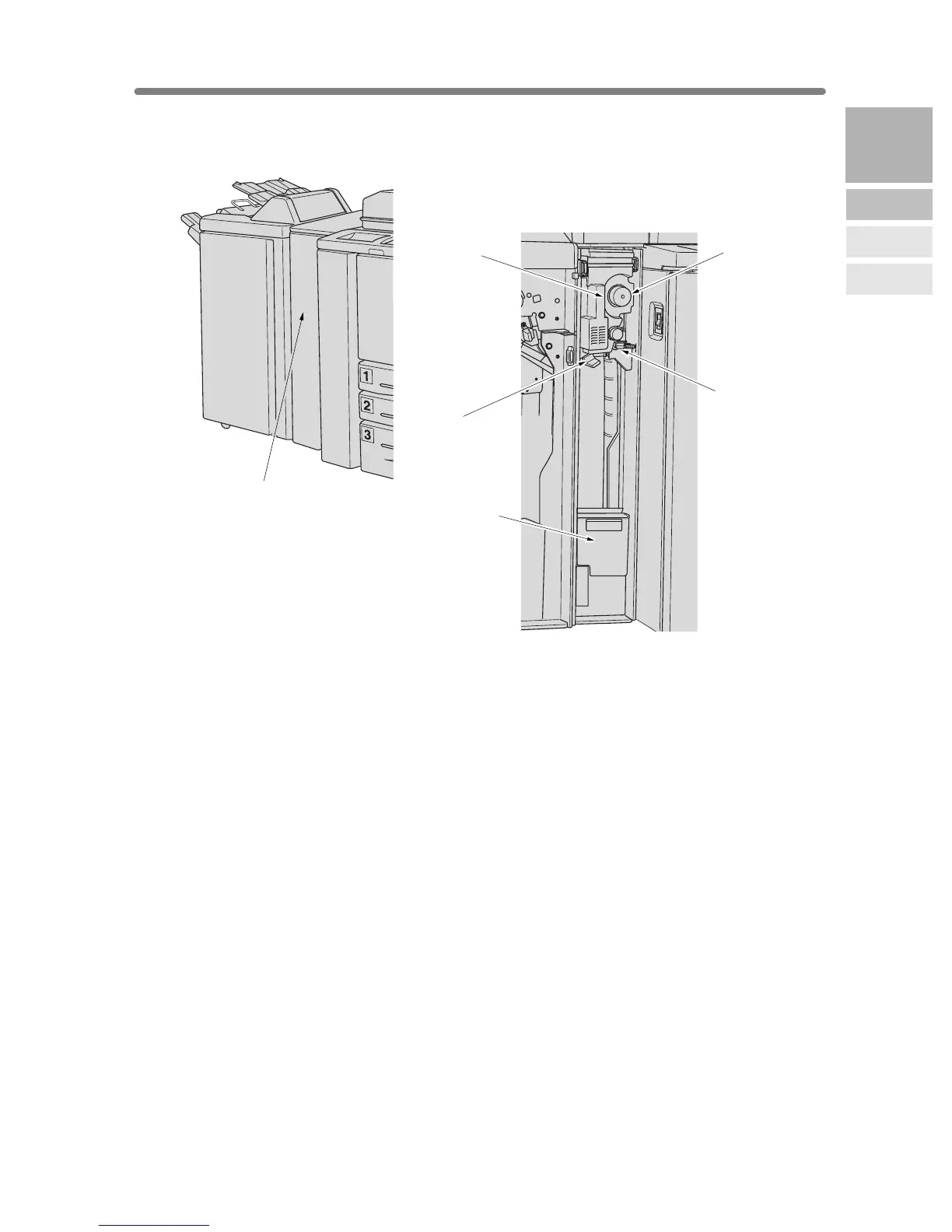
PZ-108 Punching / Z-Folding Unit
1 Punching / Z-Folding unit front door opens to allow removal of mishandled
paper or waste paper.
2 Right lever opens to allow removal of mishandled paper.
3 Knob can be turned to ease removal of mishandled paper.
4 Handle can be withdrawn to allow removal of mishandled paper.
5 Left lever opens to allow removal of mishandled paper.
6 Waste basket holds waste paper punched out.
1 Punching / Z-Folding
unit front door
3 Knob
2 Right lever
4 Handle
5 Left lever
6 Waste basket
2
Machine
Information
Machine
Configuration
Turn On/Off
the Power
Loading
Paper










 To Next Page