Machine Configuration (continued)
2-9
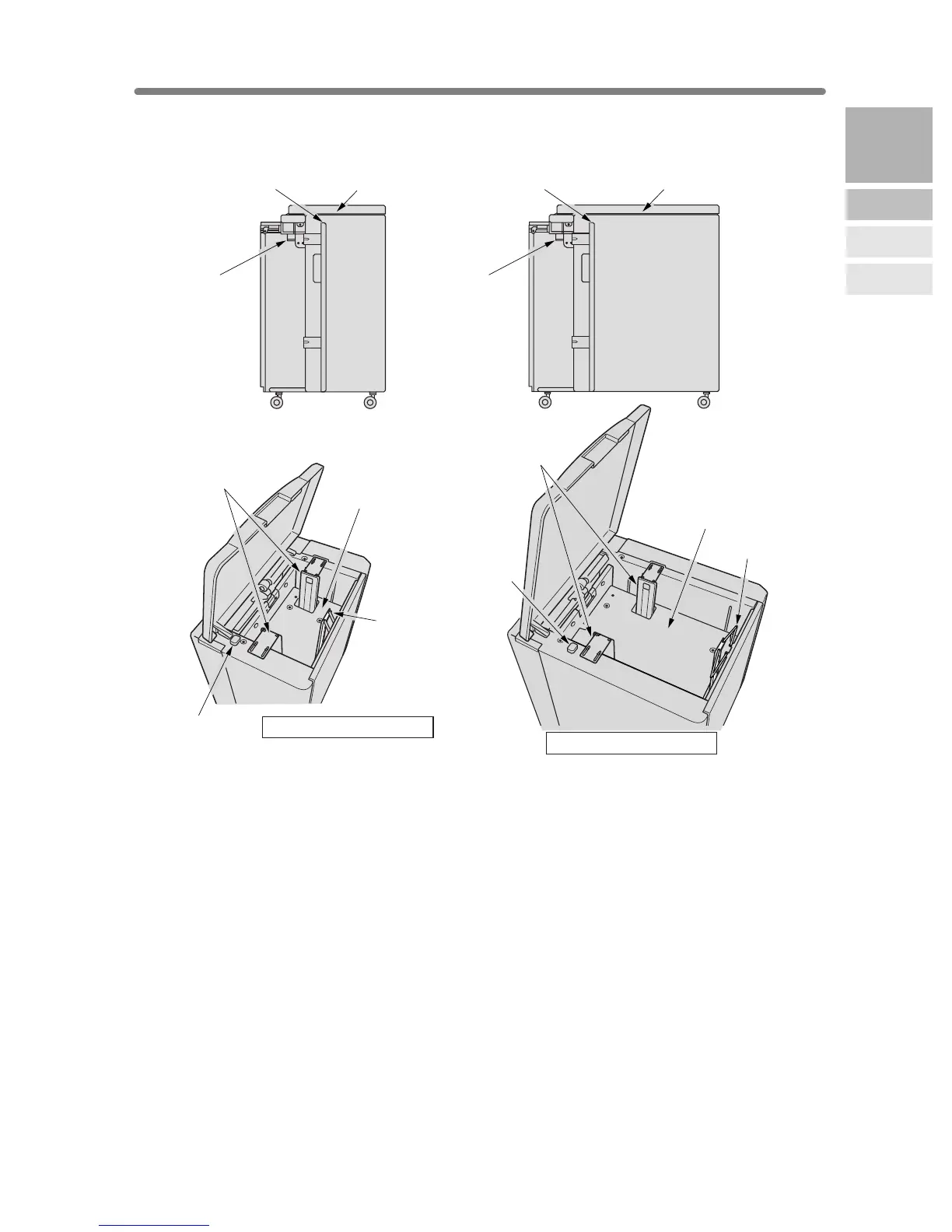
LT-402/LT-412 Large Capacity Tray
1 LCT top door opens to allow paper loading.
2 LCT left side door opens to allow removal of mishandled paper.
3 LCT lever can be moved downward to ease removal of mishandled paper.
4 LCT paper guides hold copy paper to fix the position.
5 Paper loading button is pressed to lower the bottom plate to allow loading paper.
6 LCT bottom plate goes up automatically when paper supply becomes low, and
goes down when the paper loading button is pressed.
7 Rear stopper fixes the rear end of copy paper.
1 LCT top door
1 LCT top door
2 LCT left
side door
2 LCT left
side door
3 LCT lever3 LCT lever
4 LCT paper guides
4 LCT paper guides
6 LCT bottom plate
6 LCT bottom plate
5 Paper loading
button
5 Paper loading
button
7 Rear stopper
7 Rear stopper
LT-412 Large capacity tray
LT-402 Large capacity tray
2
Machine
Information
Machine
Configuration
Turn On/Off
the Power
Loading
Paper










 To Next Page