Machine Configuration (continued)
2-16
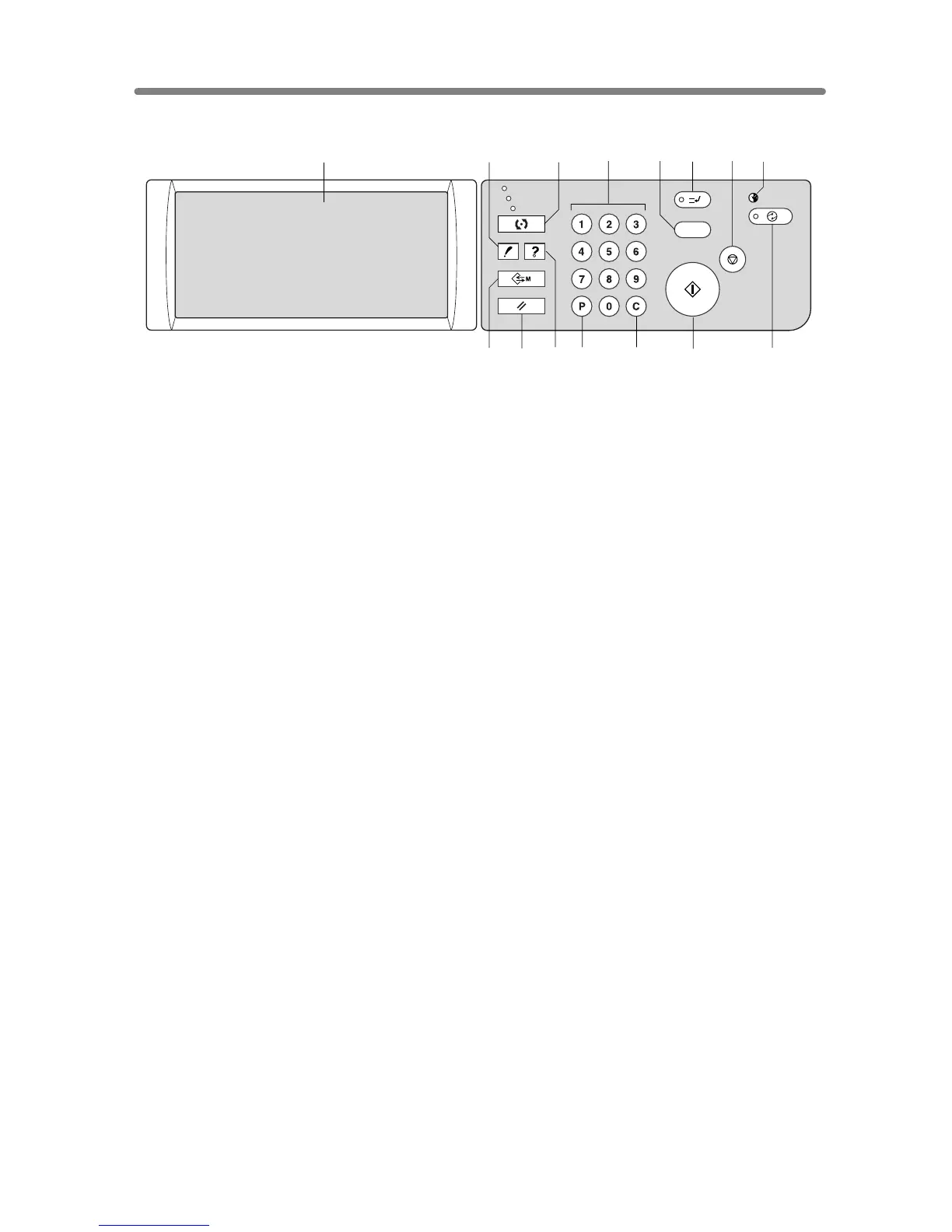
Control Panel Layout
1 LCD TOUCH SCREEN displays machine and copying status, help information,
interactive screens, and touch keys for selecting all functions.
2CHECK displays a screen showing all settings that are selected for the current job.
3MODE switches the machine operation mode to copy, scan/server, and print.
4 KEYPAD enters numeric values.
5 PROOF COPY outputs a single set of copies to confirm whether the current settings are
selected properly.
6 INTERRUPT stops copying in progress to allow copying from the platen glass.
7STOP stops the copying sequence; deletes the stored memory.
8TIMER lights when the timer function is set.
9 POWER SAVER ON/OFF
activates power-saving mode for times when the copier is
inactive, or activates Timer Interrupt mode when Weekly Timer function is active.
10 START activates copying or scanning.
11 [C] (CLEAR QTY.) allows resetting of print quantity.
12 [P] (COUNTER) displays the Counter Screen or accesses programming modes for
setting special functions.
13 HELP displays a screen with help for the currently selected function, or to access the
Key Operator Mode Screen.
14 AUTO RESET restores copier to automatic mode settings or to Key Operator settings.
15 JOB MEMORY displays screens for selecting job store/job recall functions.
CHECK
COPY
SCAN / SERVER
PRINT
INTERRUPT
PROOF COPY
TIMER
STOP
START
JOB MEMORY
CLEAR QTY.
COUNTER
AUTO RESET
HELP
POWER SAVER
ON / OFF
1245678
910
3
1112131415










 To Next Page