[9] Weekly Timer (continued)
13-34
[4] Lunch Hour Off Setting
The Weekly Timer function turns the copier ON and OFF once a day.
Use this Lunch hour off function to shut down power for lunch break then turn on again
while the copier is turned on due to the Weekly Timer function.
Only one off time interval can be programmed.
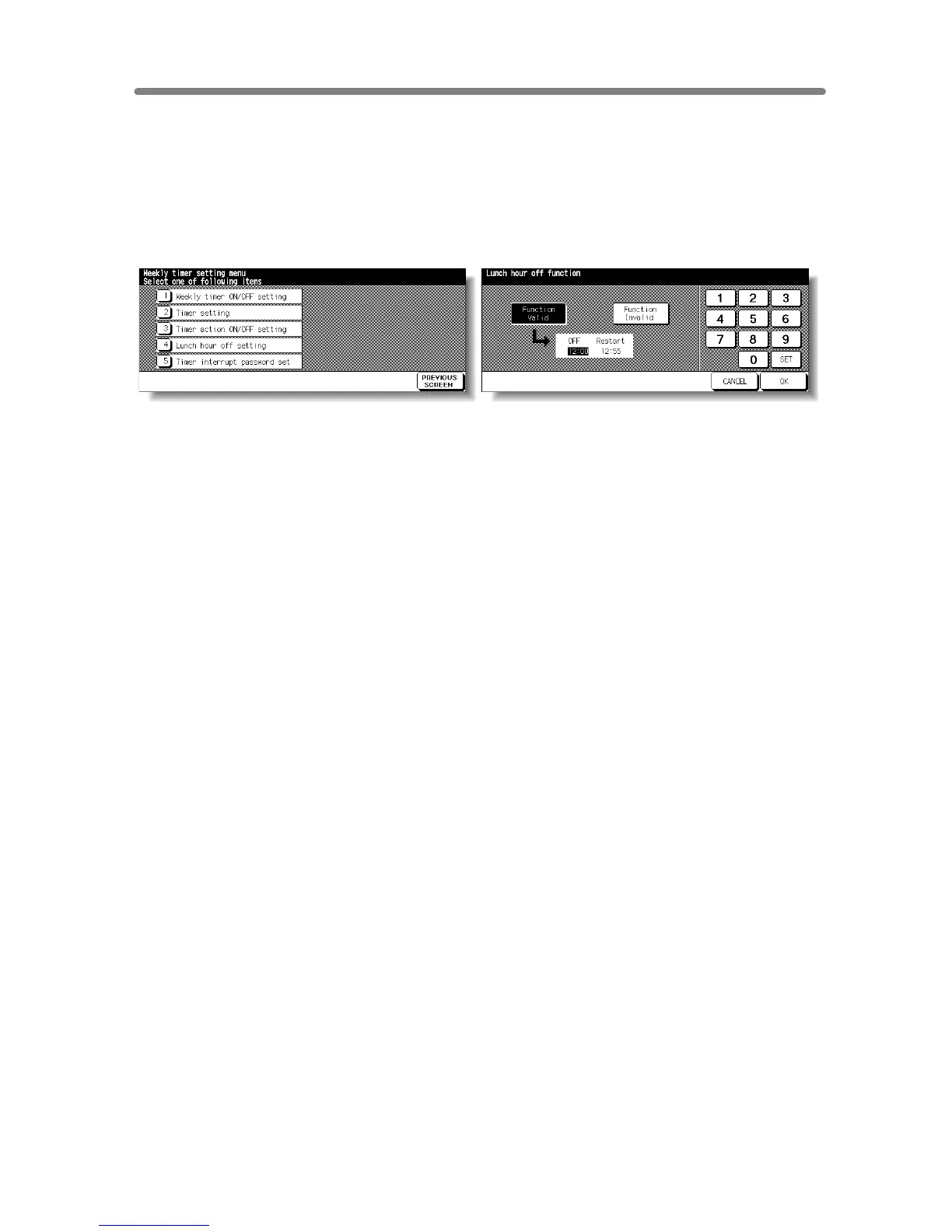
Weekly Timer Setting Menu Screen Lunch Hour Off Setting Screen
Procedure
1 Touch [9] Weekly timer on the Key Operator Mode Screen.
Enter your 4-digit Weekly Timer master key code, then touch OK to display the Weekly
Timer Setting Menu Screen.
NOTE:
If an invalid Weekly Timer master key code is entered, continue by entering
the valid 4-digit code.
2 Touch [4] Lunch hour off setting to display the Lunch Hour Off Setting Screen.
3 Touch Function Valid to activate the Lunch hour off function.
Set OFF-time and Restart-time using the touch screen keypad, and then touch SET
after each entry.
4 Touch Function Invalid to de-activate the Lunch hour off function. The time setting area
will appear grayed out and cannot be selected.
The Function Invalid setting is the factory default setting.
5 Touch OK to complete the setting and return to the Weekly Timer Setting Menu Screen.
6 Touch PREVIOUS SCREEN to restore the Key Operator Mode Screen.
7 If no further changes are required, touch PREVIOUS SCREEN to restore the Basic
Screen to perform copying operations.










 To Next Page