[1] System Initial Setting (continued)
13-9
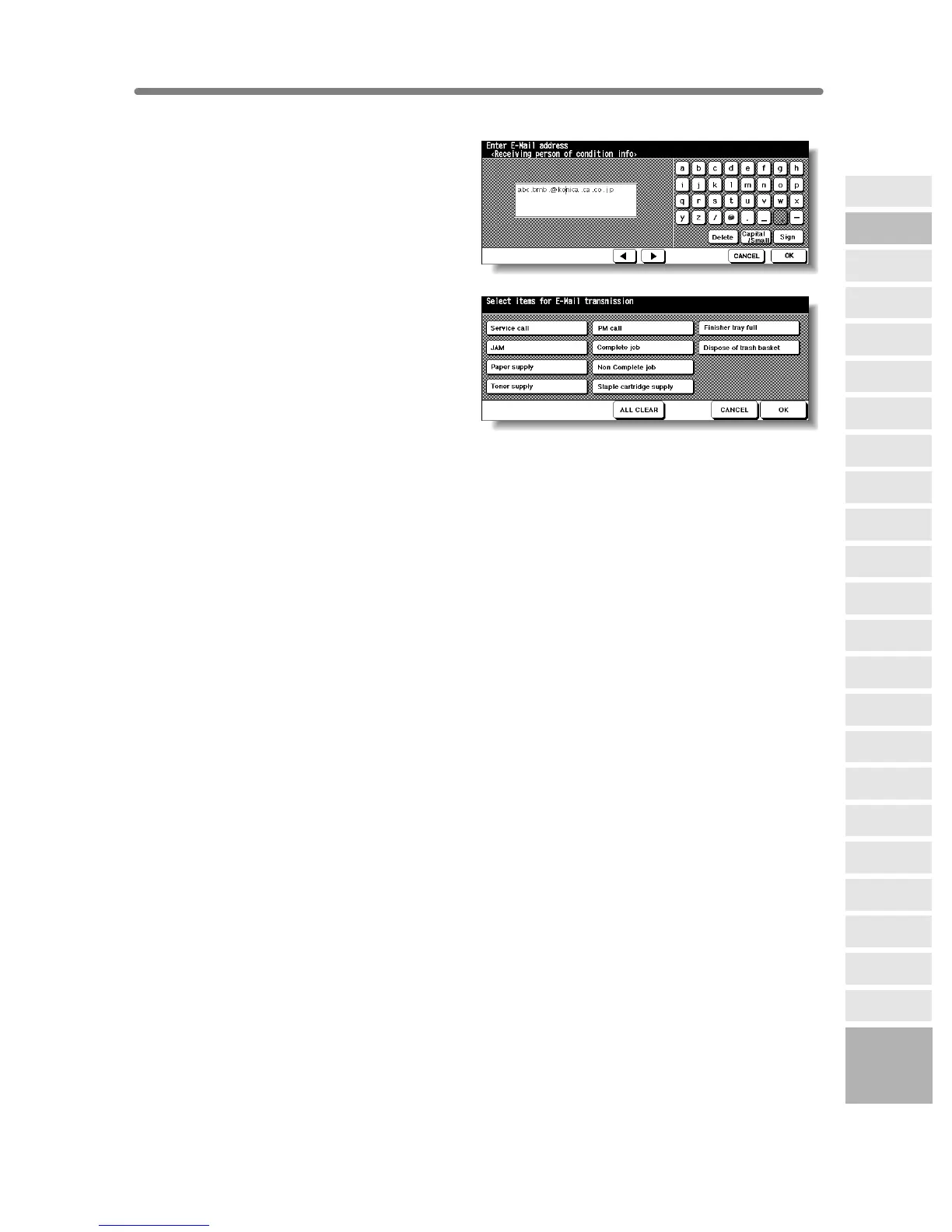
E-Mail Set (Condition Inform) Screen
4 Touch [3] E-Mail set (condition inform)
to display the E-Mail Set (Condition
Inform) Screen. Enter the E-mail
address of the network PC using screen
keypad, then touch OK to restore the E-
Mail Transmission Setting Screen.
Transmission Item Setting Screen
5 Touch [4] E-Mail transmission item set
to display the Transmission Item Setting
Screen. Touch to highlight the desired
item key, then touch OK to restore the E-
Mail Transmission Setting Screen.
6 Touch PREVIOUS SCREEN to complete
the setting and return to the System
Initial Setting Menu Screen.
7 Touch PREVIOUS SCREEN to restore the Key Operator Mode Screen.
8 Touch PREVIOUS SCREEN to return to the Basic Screen and perform copying
operations.
13
Key Operator
Mode
Non-Image
Area Erase
Scan
Transmission
Centring
Adjustment
Timing
Adjustment
HDD
Management
Finisher
Adjustment
Side 2 Lens
Adjustment
Call Remote
Centre
Machine
Management
List Print
Memory
Switch
Power Save
Setting
Tray Auto
Select Setting
Control Panel
Adjustment
Weekly
Timer
Key Operator
Data Setting
Panel Contrast/
Key Sound
Paper Type/
Special Size
Lock/Delete
Job Memory
E.K.C.
User Setting
Mode
Copier Initial
Setting
System Initial
Setting
Key Operator
Mode










 To Next Page