Setting Job During Warm-up (continued)
3-9
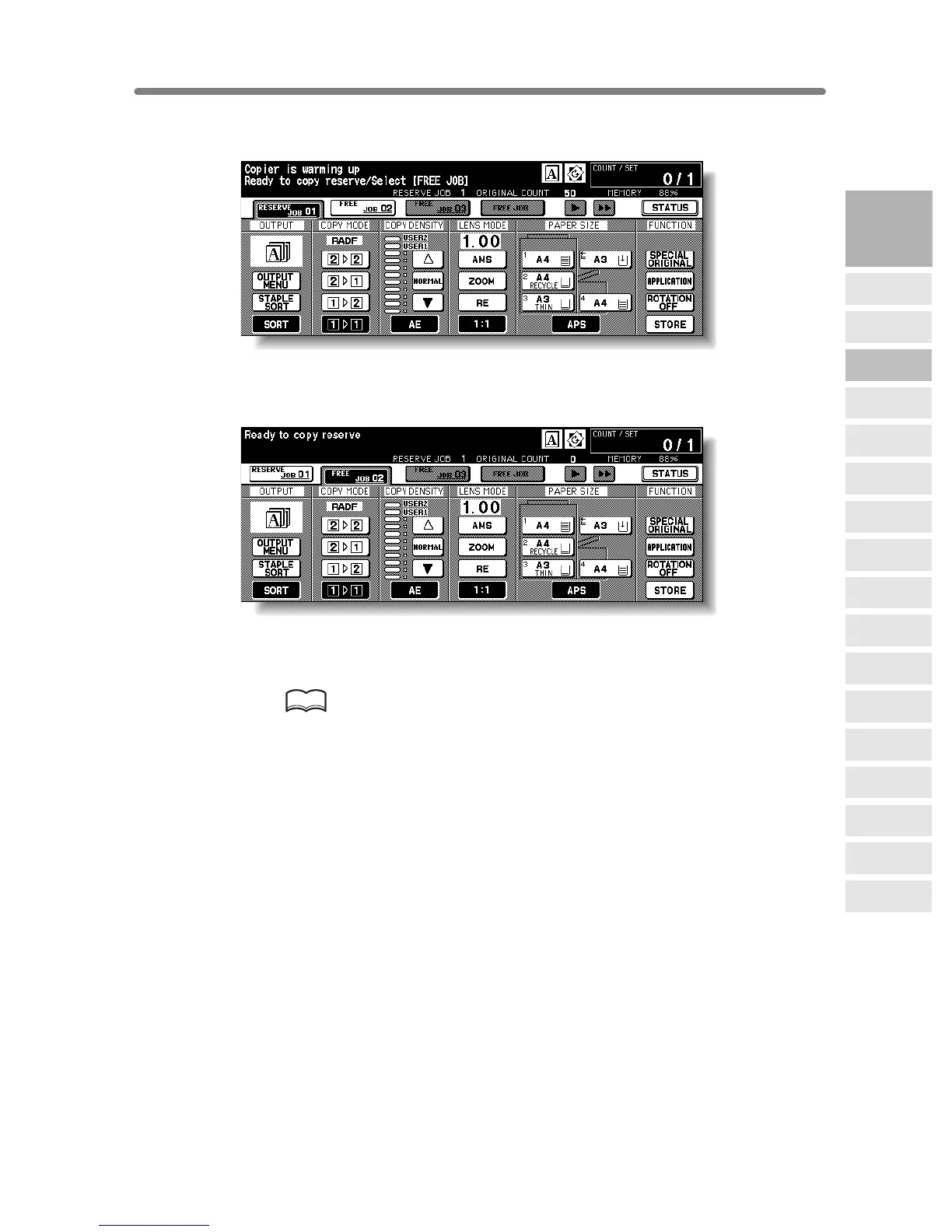
When scanning is completed, the highlighted FREE JOB folder key will change to
RESERVE JOB, and the next FREE JOB becomes active.
6. If setting more than one reserve job, touch the next FREE JOB to
highlight it.
Repeat step 3 to 5. Up to 10 reserve jobs can be prepared. If all four reserve job keys
are used, touch the arrow keys at the right side of the folder keys to scroll.
Copying on the reserve job will start automatically after completing the warm-up.
HINTS
• To stop printing, press [STOP]. See p. 3-10 for details.
• The Job Status Screen allows you to alter the output order of the reserve
jobs or to delete the reserve job. See p. 3-37 ~ p. 3-38.
3
Copying
Operations
Positioning
Originals
Setting Print
Quantity
Set Job During
Warmup
Stop
Scan/Print
Paper Size
Lens Mode
Density
1-2, 2-2
2-1
Multi-Sheet
Bypass Tray
Using
Memory
Output without
Finisher
FS-111/211
Output Modes
Binding
Mode
Recalling
Previous Job
Check Mode
& Proof Copy
Interrupt
Mode










 To Next Page