Copying Using Memory (continued)
3-38
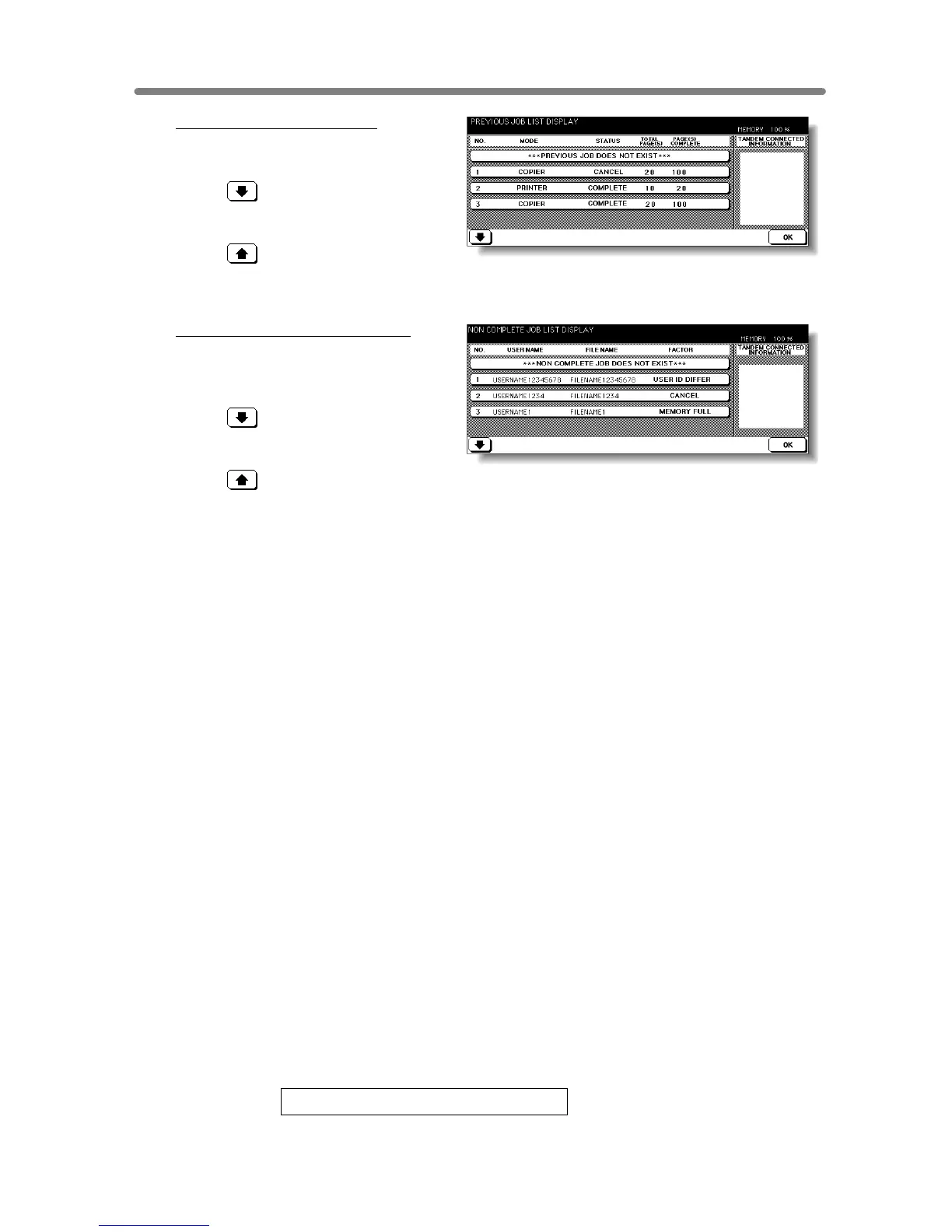
To display previous job list:
Touch PREVIOUS JOB LIST to
display the Previous Job List Screen.
Touch to scroll to the next page.
Up to 16 previous jobs (4 pages) can
be displayed.
Touch to return to the previous
page.
Touch OK to return to the Job Status Screen.
To display noncomplete job list:
Touch NONCOMPLETE JOB LIST
to display the Noncomplete Job List
Screen.
Touch to scroll to the next page.
Up to 16 noncomplete jobs (4 pages)
can be displayed.
Touch to return to the previous
page.
Touch OK to return to the Job Status Screen.
3. Touch OK on the Job Status Screen.
The Basic Screen will be restored.
Contents of Job Status Screen
NO. : Displays the No. (01-99) for each job assigned to the machine.
MODE: Displays the machine’s current mode of operation. Three modes are listed below.
COPIER
PRINTER
SCANNER
STATUS: Displays the current status of the machine for each job.
READY : Ready to use in each mode
INTERRUPT : Interrupting the previous job
ERROR : Error in each mode
PRINTING : Printing in each mode
NO PAPER : No paper in copy/print mode
STOP : Stop in each mode
RESERVE : Ready to reserve
JAM : Jam in each mode
TOTAL PAGE(s): Displays the number of scanned pages for each job. (0 to 9999)
PAGE(s) TO GO: Displays the remaining copy count of the job.
0 to 9999 (The number exceeding 9999 will be displayed as 9999^.)
Copy count
= No. of scanned pages x Print quantity
MINUTE(s) TO GO: Displays the time (in minutes) required for completing the job.
Exceeding 999 minutes: 999^
Shorter than 1 minute: <1
Other: The following message will be displayed on the bar when the reserved job does not exist.
RESERVED JOB DOES NOT EXIST










 To Next Page