2G6
1-6-26
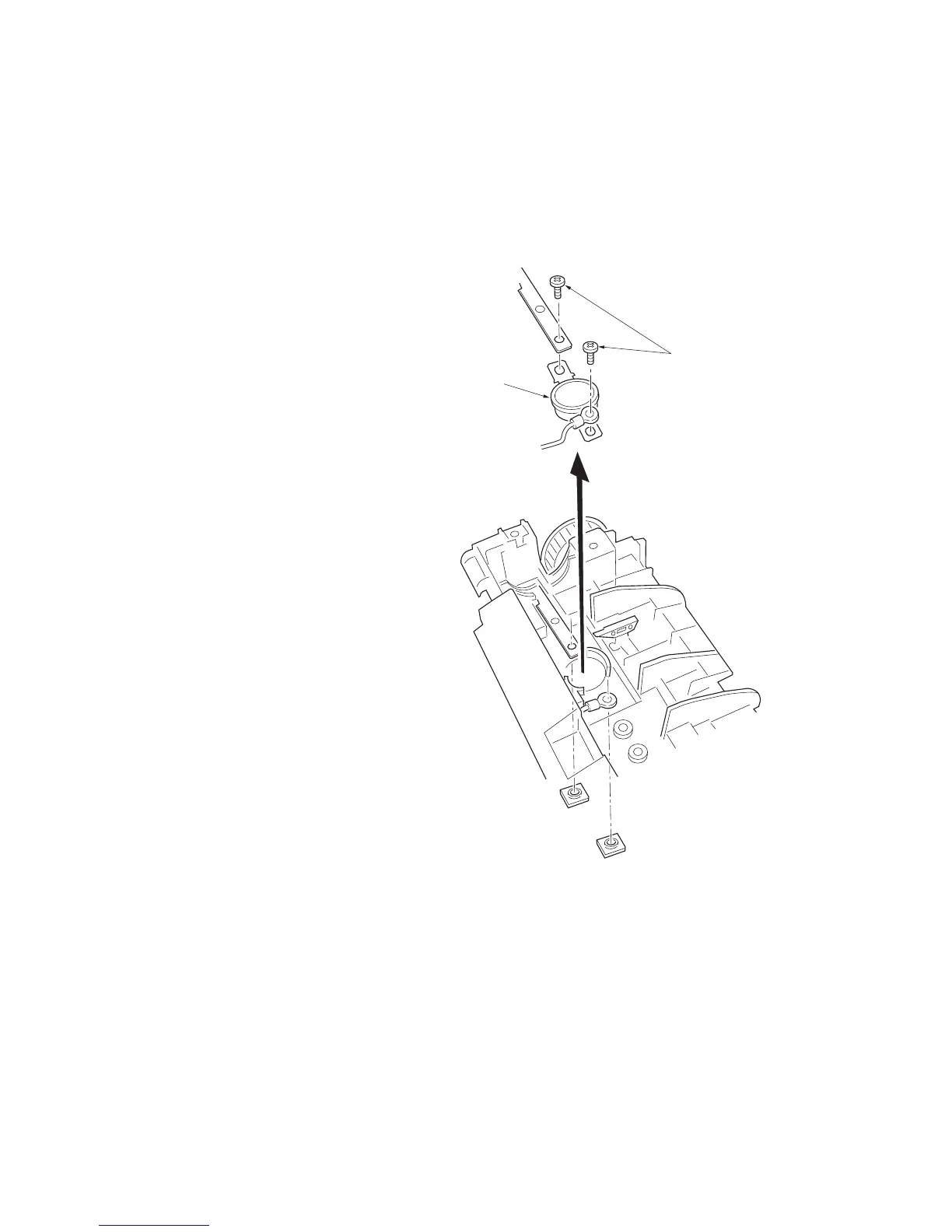
(5) Removing the thermal cutout
CAUTION
Do not bend the terminals of the thermal cutout.
1. Remove and split the fuser unit (See page 1-6-19).
2. Remove the heater lamp (See page 1-6-22).
3. Remove the heat roller (See page 1-6-23).
4. Remove the two screws.
5. Remove the thermal cutout.
Figure 1-6-27 Removing the thermal cutout
Thermal cutout
Screws



 To Next Page
 Loading...