2G6
1-6-28
1-6-10 Removing the laser scanner unit and the eraser lamp
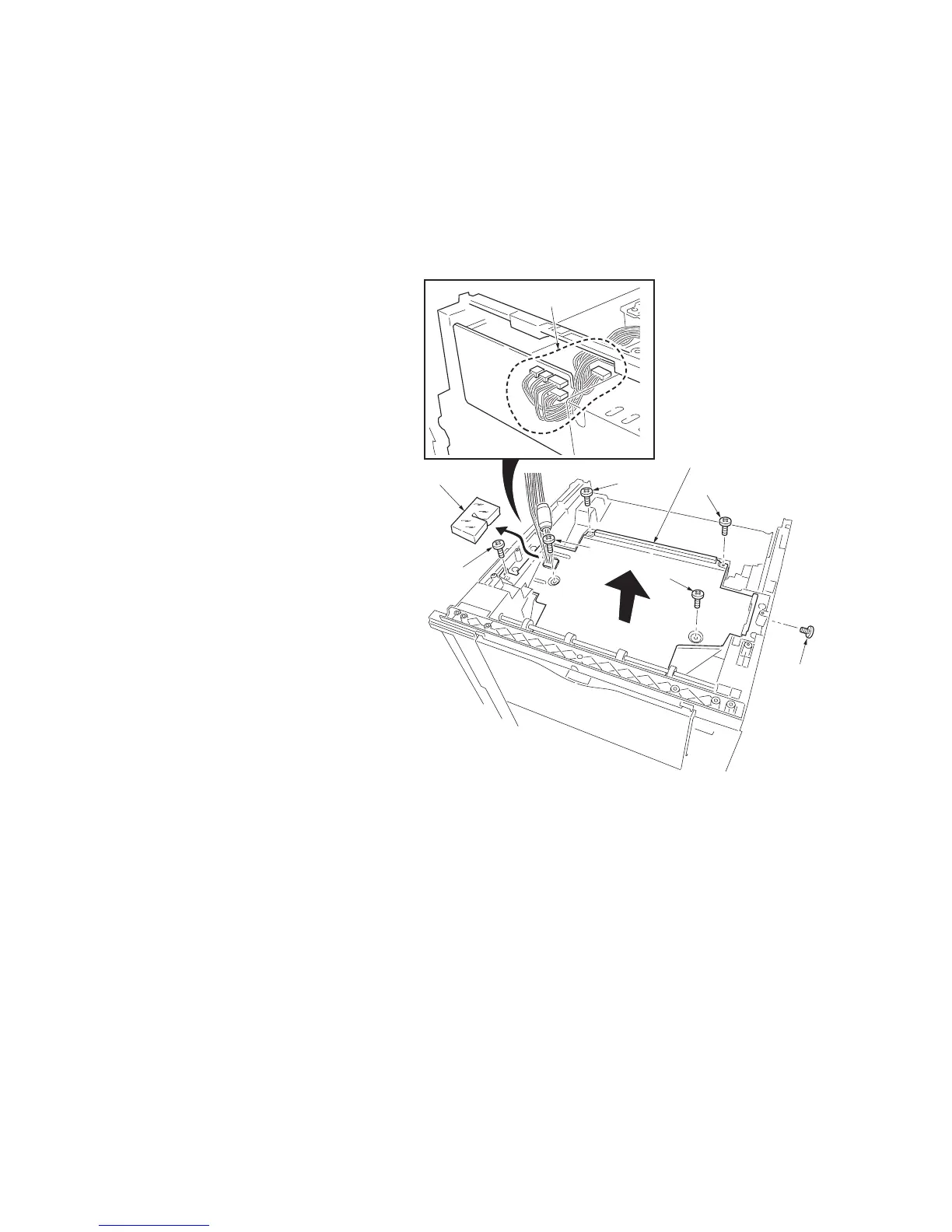
1. Remove the right cover and left cover (See
page 1-6-4).
2. Remove four connectors.
3. Remove the scanner seal.
4. Remove six screws and then remove the
LSU shield.
* When refitting the LSU shield, tighten a
screw in order of from .
Figure 1-6-29 Removing the LSU shield
LSU shield
Scanner seal
Connectors
Screw
Screw
Screw
Screw
Screw
Screw



 To Next Page
 Loading...