2G6
1-6-12
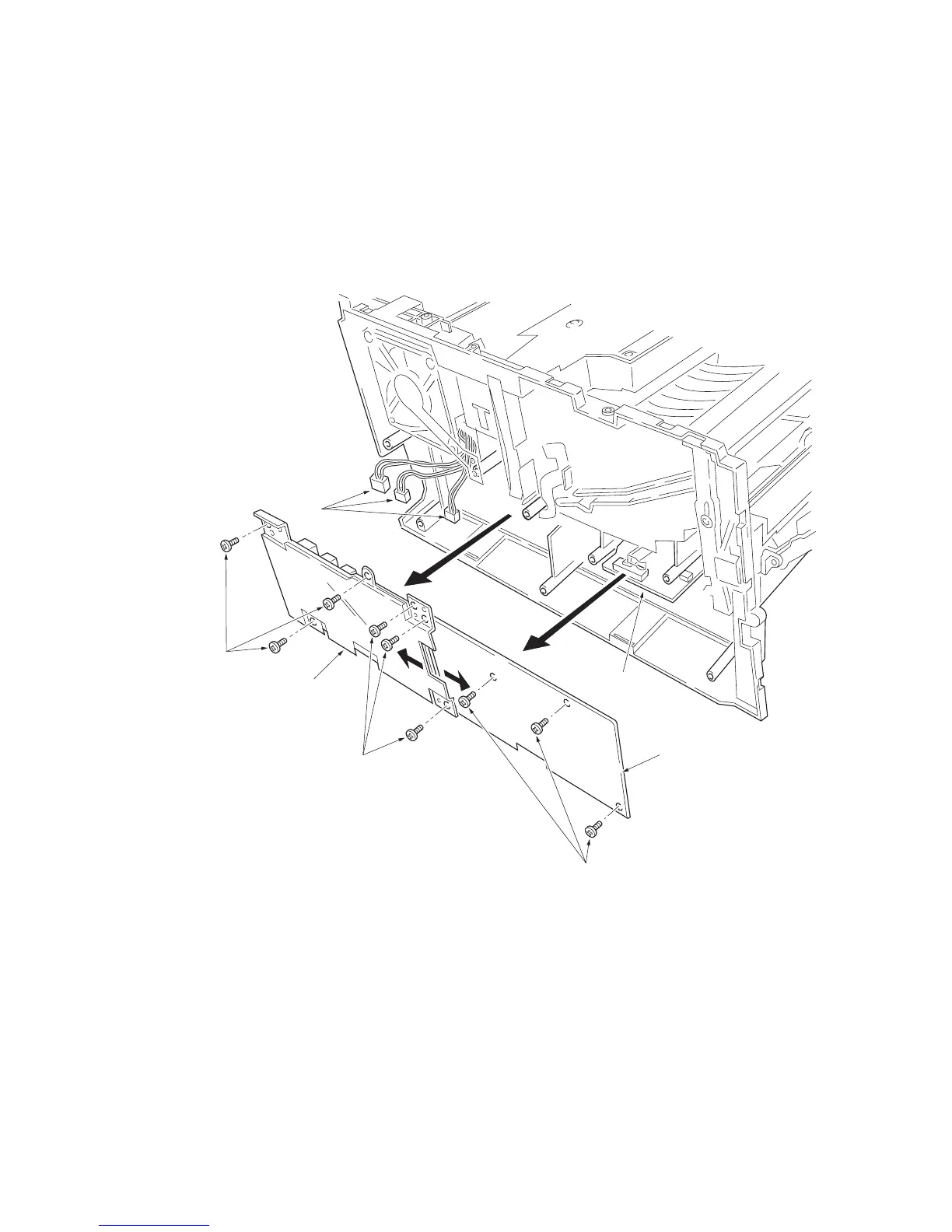
(3) Removing the power supply unit and high voltage unit
1. Remove the process unit (See page 1-6-2).
2. Remove the left cover (See page 1-6-4).
3. Remove three connectors from the power supply unit.
4. Remove nine screws.
5. Remove the power supply unit and high voltage unit. (Note: The high voltage unit is directly connected to the bias
PWB.)
6. Separate the high voltage unit from the power supply unit.
Figure 1-6-13 Removing the power supply unit and high voltage unit
Screws
Power supply unit
Screws
Screws
High voltage unit
Bias PWB
Connectors



 To Next Page
 Loading...