EasyManua.ls Logo

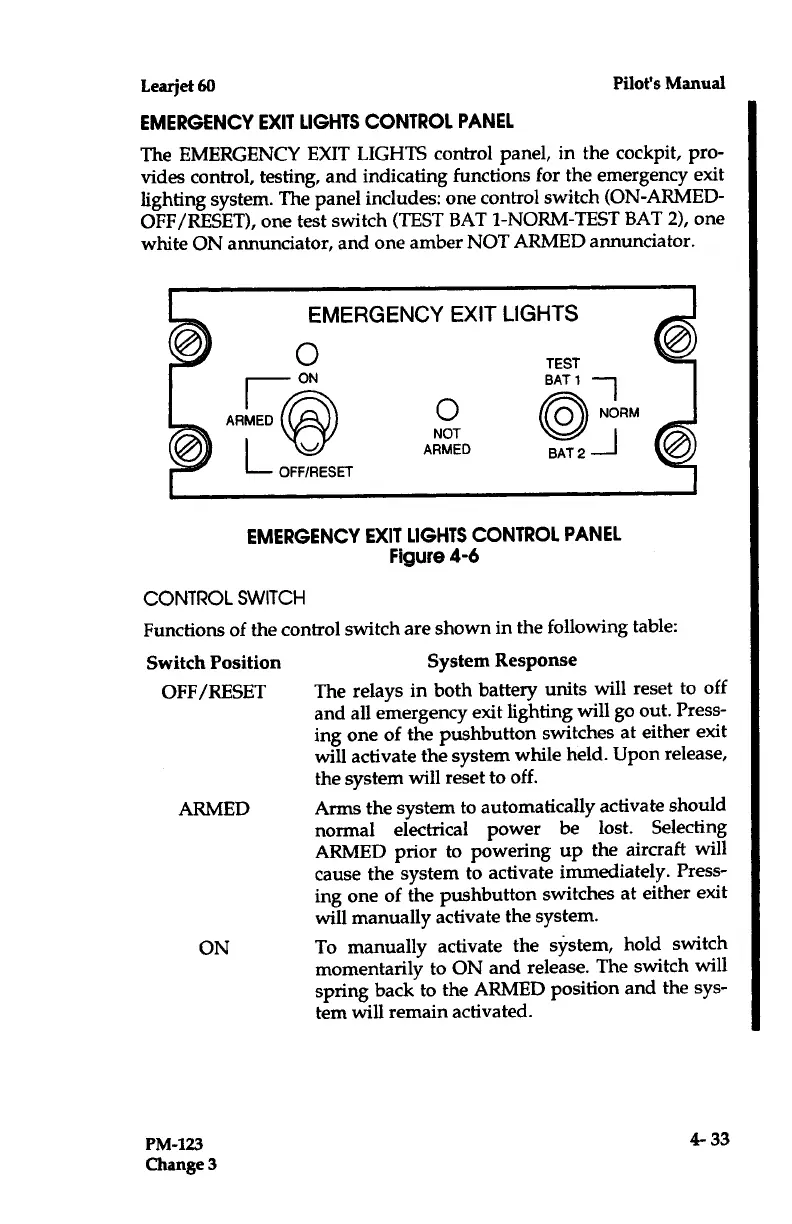
Learjet 60 - Control Switch; EMERGENCY EXIT LIGHTS Control Panel; EMERGENCY EXIT LIGHTS Control Panel (Figure 4-6)

Default Icon
408 pages
Print Icon
To Next Page IconTo Next Page
To Previous Page IconTo Previous Page
Loading...
Learjet
60
Pilot's
Manual
EMERGENCY
EXIT
LIGHTS
CONTROL
PANEL
The
EMERGENCY
EXIT
LIGHTS
control
panel,
in
the
cockpit,
pro-
vides
control,
testing,
and
indicating functions
for
the
emergency
exit
lighting
system
.
The
panel
includes
:
one
control
switch
(ON-ARMED-
OFF/RESET),
one
test
switch
(TEST
BAT
1-NORM-TEST
BAT
2),
one
white
ON
annunciator,
and
one
amber
NOT
ARMED
annunciator
.
CONTROL
SWITCH
Switch
Position
OFF/RESET
ARMED
ON
PM-123
Change
3
EMERGENCY
EXIT
LIGHTS
u
OFF/RESET
NOT
ARMED
EMERGENCY
EXIT
LIGHTS
CONTROL
PANEL
Figure
4-6
Functions
of
the
control
switch
are
shown
in the
following
table
:
System
Response
The
relays
in
both
battery
units
will reset to off
and
all
emergency
exit
lighting
will
go
out
.
Press-
ing
one
of
the
pushbutton
switches
at
either
exit
will
activate
the
system
while
held
.
Upon
release,
the
system
will reset to
off
.
Arms
the
system
to
automatically
activate
should
normal
electrical
power
be
lost
.
Selecting
ARMED
prior to
powering
up
the
aircraft
will
cause
the
system
to activate
immediately
.
Press-
ing
one
of
the
pushbutton
switches
at
either
exit
will
manually
activate the
system
.
To
manually
activate
the
system,
hold
switch
momentarily
to
ON
and
release
.
The
switch
will
spring
back
to
the
ARMED
position
and
the sys-
tem
will
remain
activated
.
4-33

Table of Contents

Related product manuals