EasyManua.ls Logo

Learjet 60 - Page 193

Default Icon
408 pages
Print Icon
To Next Page IconTo Next Page
To Previous Page IconTo Previous Page
Loading...
Pilot's
Manual
Learjet
60
Briefings
and messages
are
activated
as
follows
:
1
.
Rotate
the
SELECT
knob
either
direction
until
the
desired
briefing
or
message
title
appears
in
the
eight character
LED
display
window
.
2
.
Press
the
ENTER
button
once
to
activate the
cabin
briefing
or
mes-
sage
.
The
LED
display
will flash
while
the
briefing
is
playing
and
become
steady
once
the
briefing
is
completed
.
Avoid
pressing
EN-
TER
more
than
once
.
Doing
so will
start
the
briefing,
stop
it,
then
begin
again
from
the
beginning
.
3
.
The
briefing
or
message
may
be
interrupted
at
any
time
by
press-
ing
the
CANCEL
button
.
Pressing
the
ENTER
button
will
resume
the
message
.
Briefings
may
also
be
cancelled
when
the
cabin
PA
or
NO
SMOKING/FASTEN
SEAT
BELT
(tone
generator
chime)
is
keyed
.
Updating
estimated
time
of
arrival
may
be
accomplished
through
the
CCU
or
the
FMS
.
Once
an
ETA
update
is
accomplished
on
the
CCU,
FMSETA
data
will
no
longer
be
displayed
.
Update
ETA
as
follows
:
1
.
Rotate
the
SELECT
knob
either
direction
until
ETA
appears
in
the
eight character
LED
display
window
.
2
.
Press
the
ENTER
button
.
The
ETA
display
will
flash
.
3
.
Rotate
the
SELECT
knob
either
direction
until
the
desired
ETA
is
displayed
.
4
.
Press
the
ENTER
button
.
The
new
ETA
will
stop
flashing
.
For
complete
details
and
operating
instructions,
refer
to the
"CD-2000
Cabin
Display
Manual"
.
5-48B
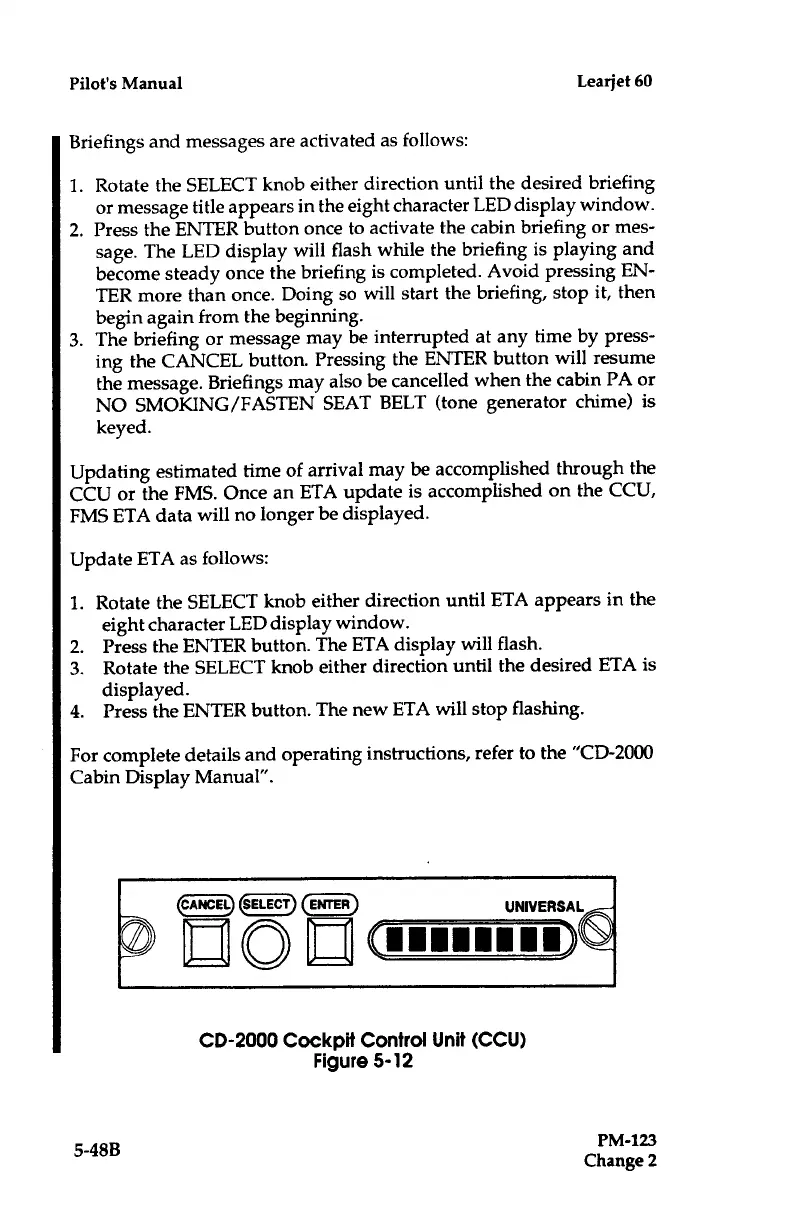
CD-2000
Cockpit
Control
Unit
(CCU)
Figure
5-12
PM-123
Change
2

Table of Contents

Related product manuals