EasyManua.ls Logo

Learjet 60 - Page 284

Default Icon
408 pages
Print Icon
To Next Page IconTo Next Page
To Previous Page IconTo Previous Page
Loading...
Learjet 60
Pilot's
Manual
CABINETS,
DRAWERS
&
TABLES
(CONT)
The
remote
control
cannot
control
volume
.
Audio
is
engaged
by
press-
ing
AUDIO
on
the
VCP/VCR
control
head
.
Page
through
the
audio
menu
on
the
TV
monitor
and
select
Hi-Fi
when
displayed
.
Check
the
correct
audio
mode
is
selected
by
pressing
DISPLAY
The
desired
selec-
tion
should
appear
on
the
screen
.
VCP/VCR
audio
may
now
be
select-
ed
on
the
cabin
speakers
or
individual
headphones
using
the
appropriate
audio
select
switches
(refer
to
STEREO
SYSTEM)
.
An
optional
Sharp
Video
Display
maybe
installed
.
It is
a
10
.4
inch
Liq-
uid
Crystal
Display
(LCD)
which
may
interface
with
a
VCP/VCR
and/
or
Airshow
200
or
400
Cabin
Display
.
Power
to
the
VCP
is
28
VDC
through
a
5-amp
VIDEO
circuit
breaker
on
the
pilot's
circuit
breaker
panel
.
Power
to the
video monitor
depends
on
the
model
installed
.
The Sony
video monitor
receives
115
VAC
through
a
1-amp
circuit
breaker
and
28
VDC
through
a
5-amp
VIDEO
circuit
breaker
on
the
pilot's circuit
breaker
panel
.
The
Sharp video
dis-
play
receives
28
VDC
through
a
5-amp
VIDEO
circuit
breaker
on
the
pi-
lot's
circuit
breaker
panel
.
CABIN
AUDIO
-
ELECT
PM-123
Change
4
0
TV
PWR
PANEL
ON
FWD,RH
CABINET
PANEL
ON
FWD,
RH
CABINET
WITHOUT
AIRSHOW
MODE
WITH
AIRSHOW
MODE
CABIN
CONTROL
PANEL
WITHOUT
AIRSHOW
MODE
WITH
AIRSHOW
MODE
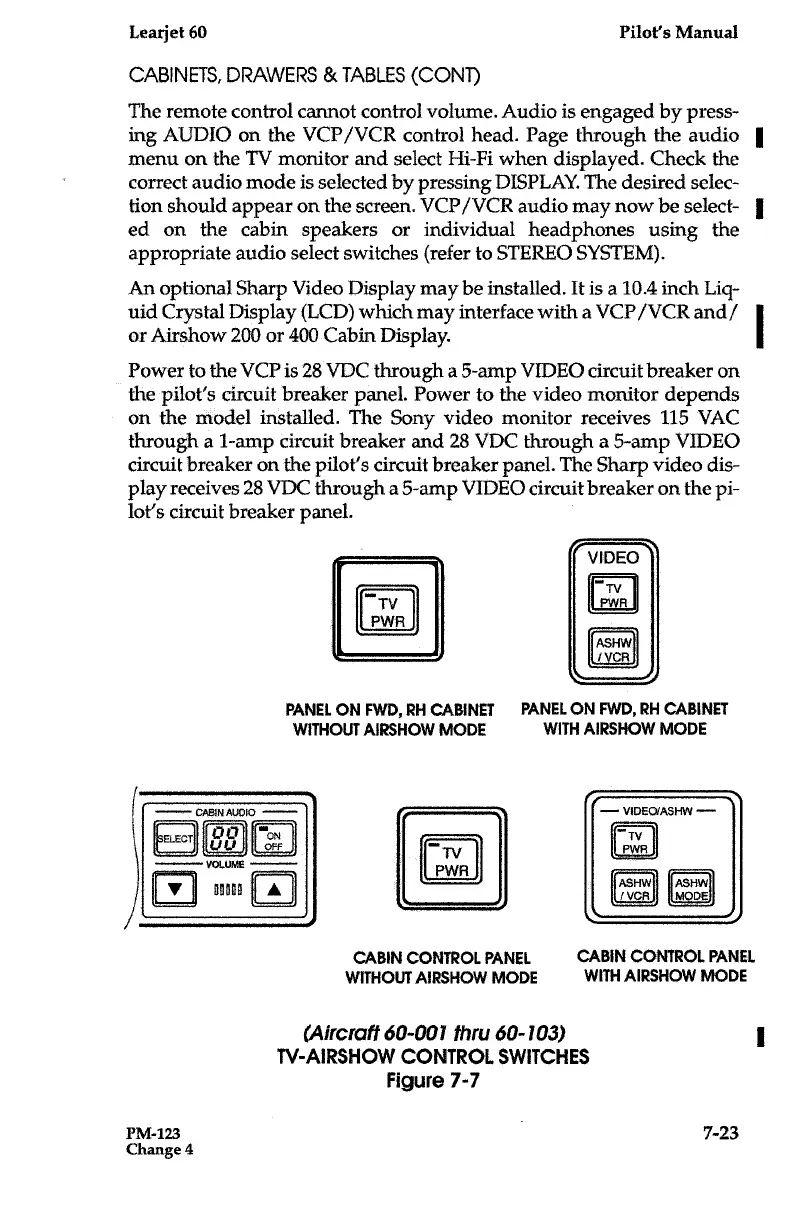
(Aircraft
60-001
thru
60-103)
TV-AIRSHOW
CONTROL
SWITCHES
Figure
7-7
=VIDEO
N
PWR
ASHW
IVGR
J
-
V1DECxJASHW
-
ASHW
MODE
CABIN
CONTROL
PANEL
7-
2
3
0
t~
-
TV
uu
TV
PWR
VOLUME
PWR
90000
ASHW
/VCR

Table of Contents

Related product manuals