4. LG Network Storage Web Menu Use (for LG
Network Storage administrators)
114
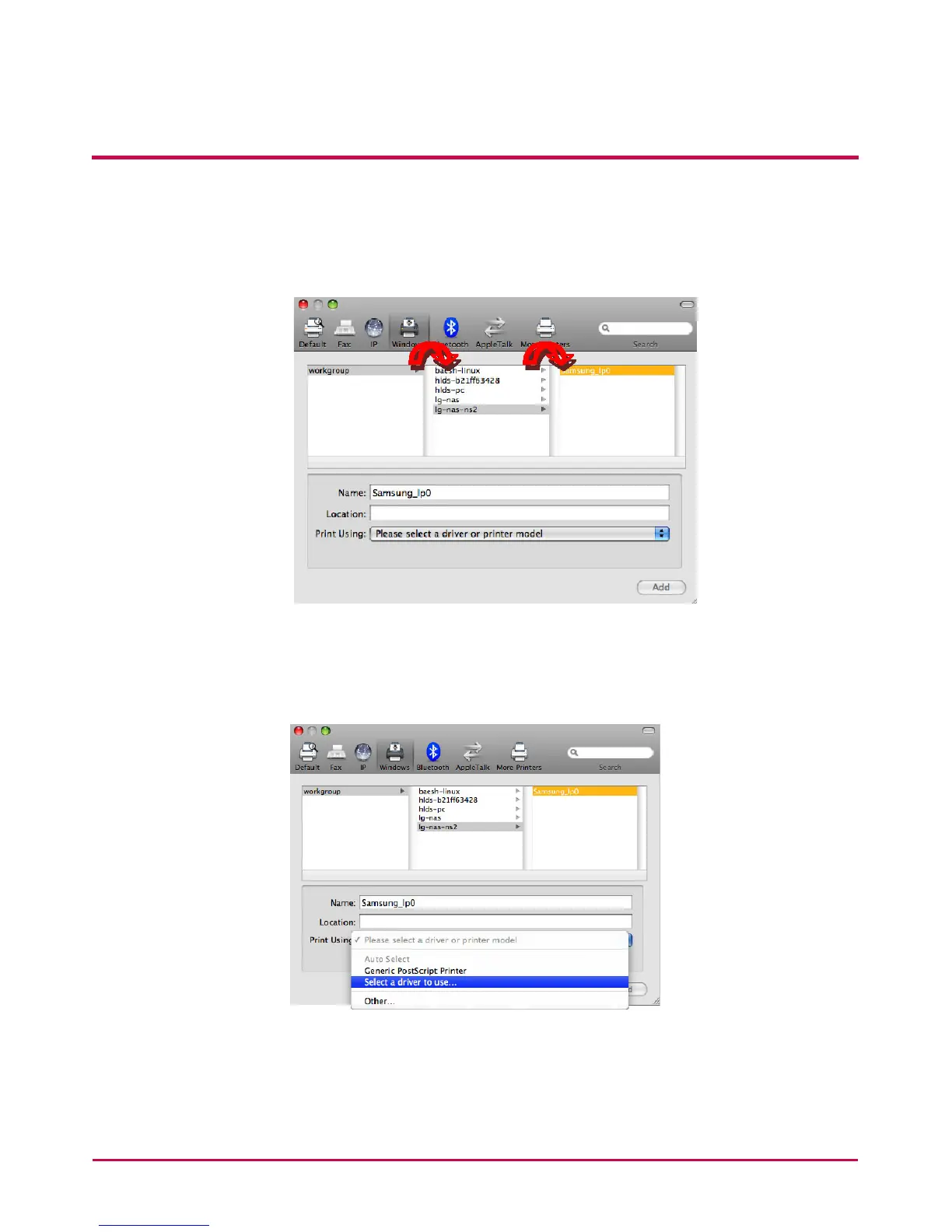
ii. When you see ‘Workgroup’, select Workgroup -> Name of the host of NAS in use ->
The printer you wish to use.
iii. Select ‘Choose the driver to use’ on ‘Printer to use’ at the bottom.
iv. Select the printer model.


 To Next Page
 Loading...



