4. LG Network Storage Web Menu Use (for LG
Network Storage administrators)
89
Schedule Backup & Restoration
This function allows you to back up and restore the data stored in LG Network Storage,
using Blueray/DVD drive.
A folder needs to be selected to schedule backup. The user can also select a folder and
a le before start of the backup. To create a backup schedule, a folder that needs to
be backed up, a cycle for backup, conditions for the le that will execute backup, and
verication information should be selected. It is possible to execute multiple backups in
one backup disc. Also, more than one discs can be used for backup in case the size of the
les to be backed up exceeds that of one disc.
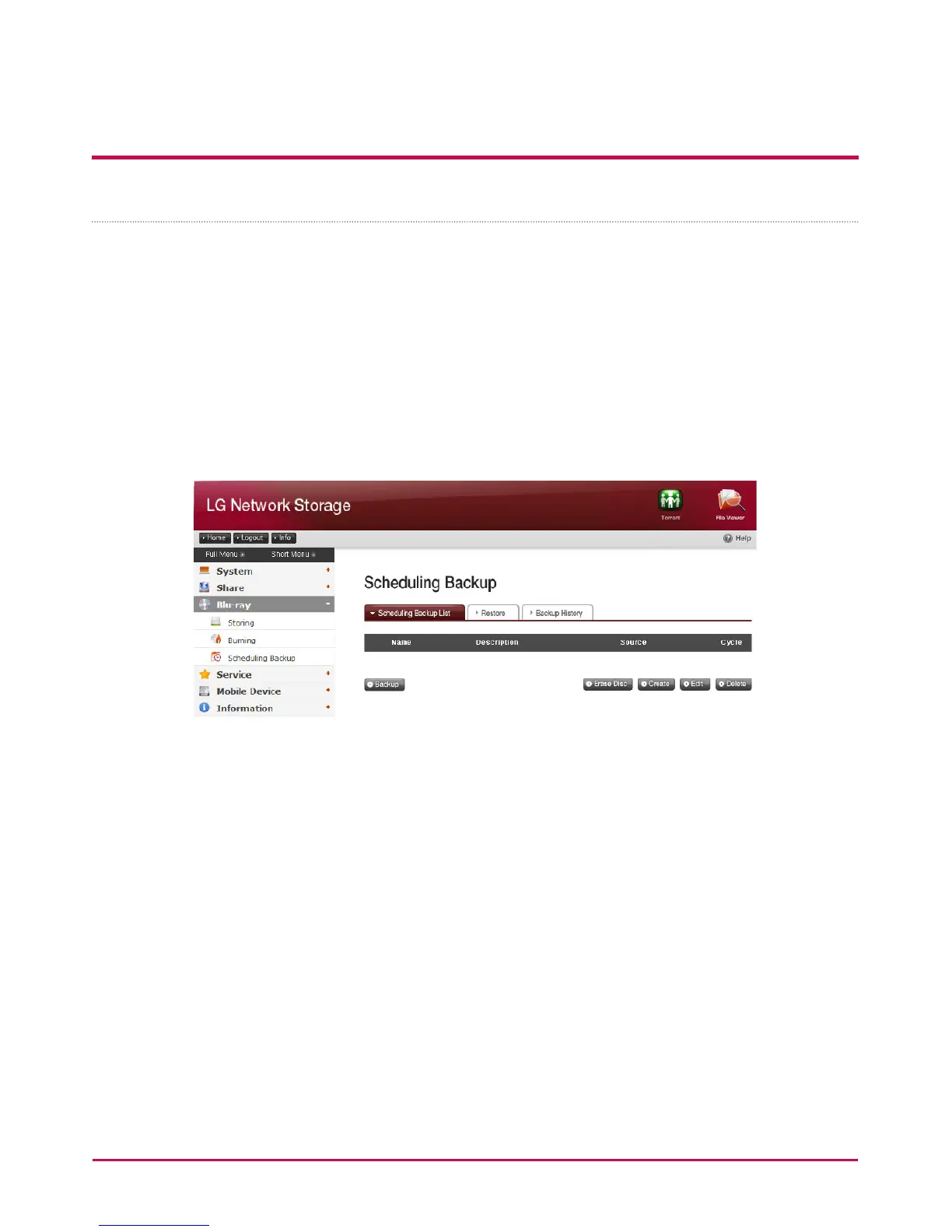
Schedule Backup
You can add, edit and delete disc formatting and backup schedule by using a button on
the schedule backup list. A blank disc or initialized disc can be used to back up for the
rst time. Click ‘Erase Disc’ button to initialize a disc. To initialize a disc, click ‘Erase Disc’
button.
BD-RE, BD-R, DVD-RAM and DVD+/-RW disc can be used to schedule backup.
* BD-RE,BD-R can be used on NAS with Blu-ray drive.



 To Next Page