4. LG Network Storage Web Menu Use (for LG
Network Storage administrators)
83
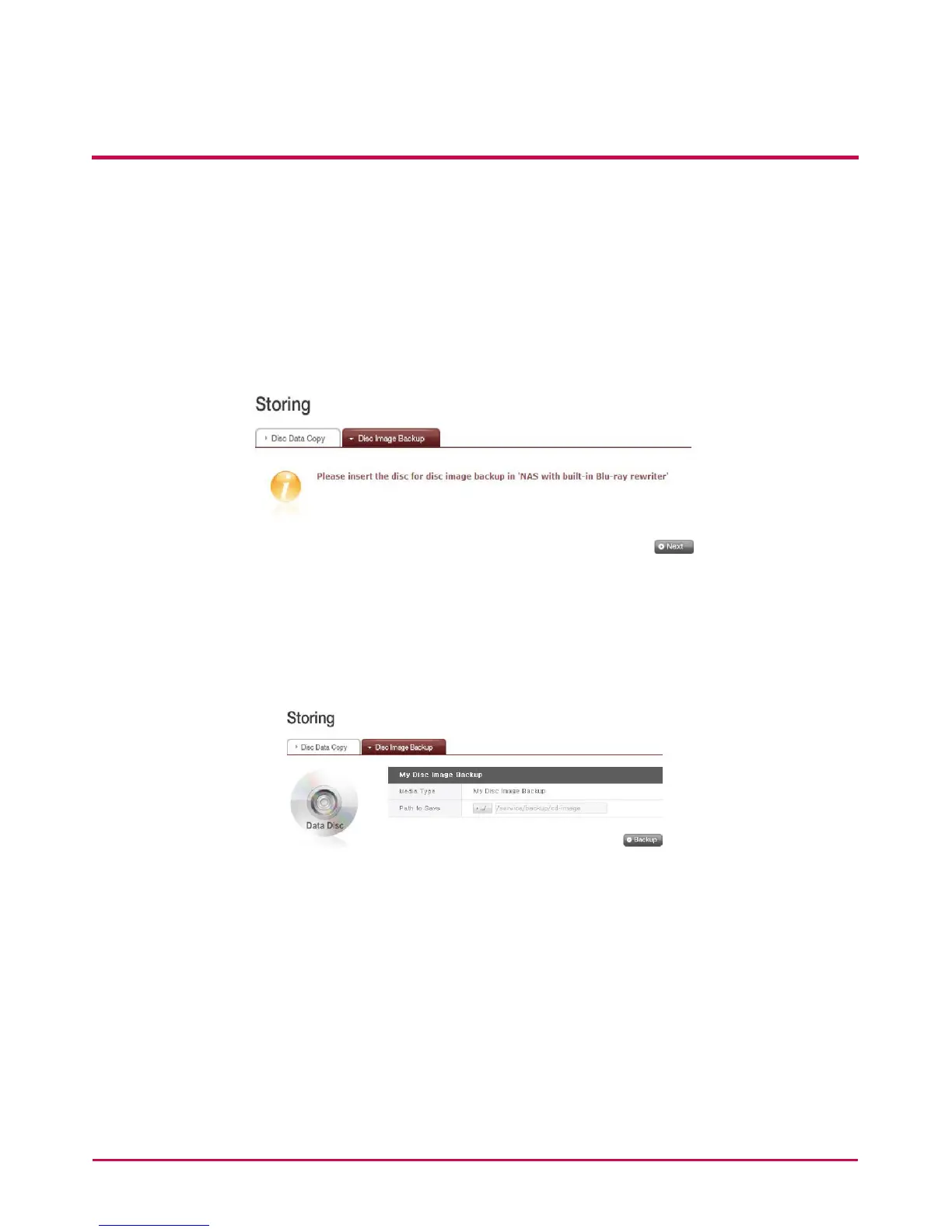
Disc Image Backup
The disc information from the Blu-ray / DVD Drive is stored on the LG NETWORK STORAGE
as an image le (*.iso, *.cue, *.bin). For Data Discs, les with extension iso are created, and
for Audio and Video CDs, les with extensions cue and bin respectively are created. For
copy-protected discs, image saving is not possible.
1 Place the disc in the Blu-ray / DVD Drive, and click the ‘Next’ button.
A “Blu-ray / DVD Drive is busy. Try again later” message appears to indicate that
loading is not yet completed. Try again after a short while.
2 Set the destination folder to save date.
3 Set the destination folder to save date. Click on the ‘Backup’ button to start the task.
At start up, a progress bar will appear.



 To Next Page