3. LCD panel and front button usage
42
The le name is automatically created as indicated below.
Save folder Created folder name
service/backup/usb/ Memory data creator name_serial number/
File Backup form /date created yearmonthdaytime
Using the button on the le backup mode the le will be automatically named
‘BackupDate’. For more detailed le backup information, refer to section <USB Sync>.
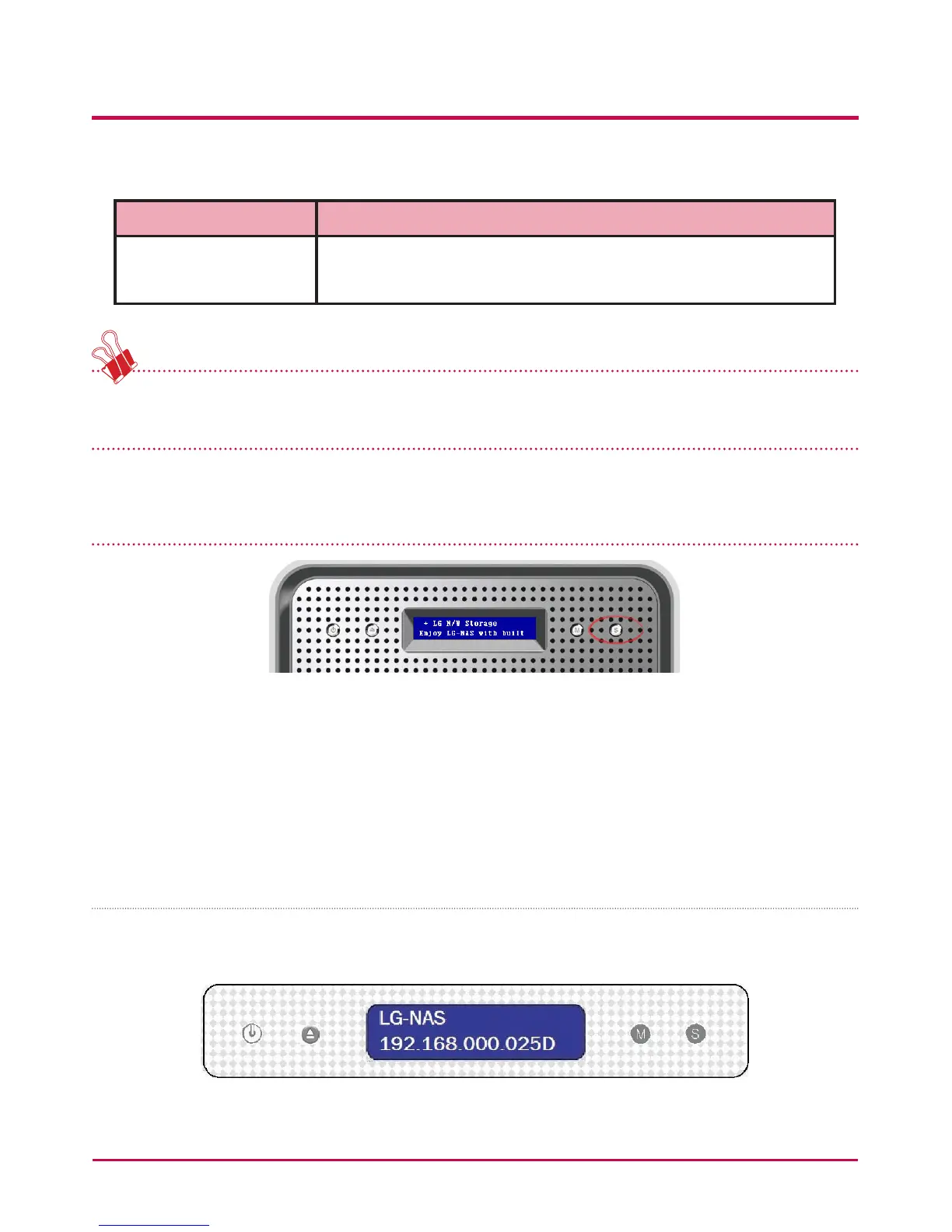
LG NETWORK STORAGE State indication (SET button)
Pressing the SET button to the right and at the front of the panel, with pauses in between,
the LG NETWORK STORAGE state and information can be seen on the rst screen display.
Pressingthe set button in this way will give the following information: [Host Name, IP]
– [DATE&TIME] – [STORAGE CAPACITY] – [RAID SYNC STATE] – [SYSTEM STATE] –
[Main FW Version]– [Fan RPM].
Host name and IP confirmation
Host name (Your LG NETWORK STORAGE name) and IP address setting can be conrmed.
S indicates that a Static IP address is being used, and D indicates a Dynamic DHCP setting.



 To Next Page