6. LG Network Storage via network drive
175
MAC OS connection
MAC users can connect to the LG Network Storage by methods such as explained below.
[“Server connect” function use]
The LG Network Storage sharing folder can be added to the Mac server list on the desk
top. The connection order is as follows.
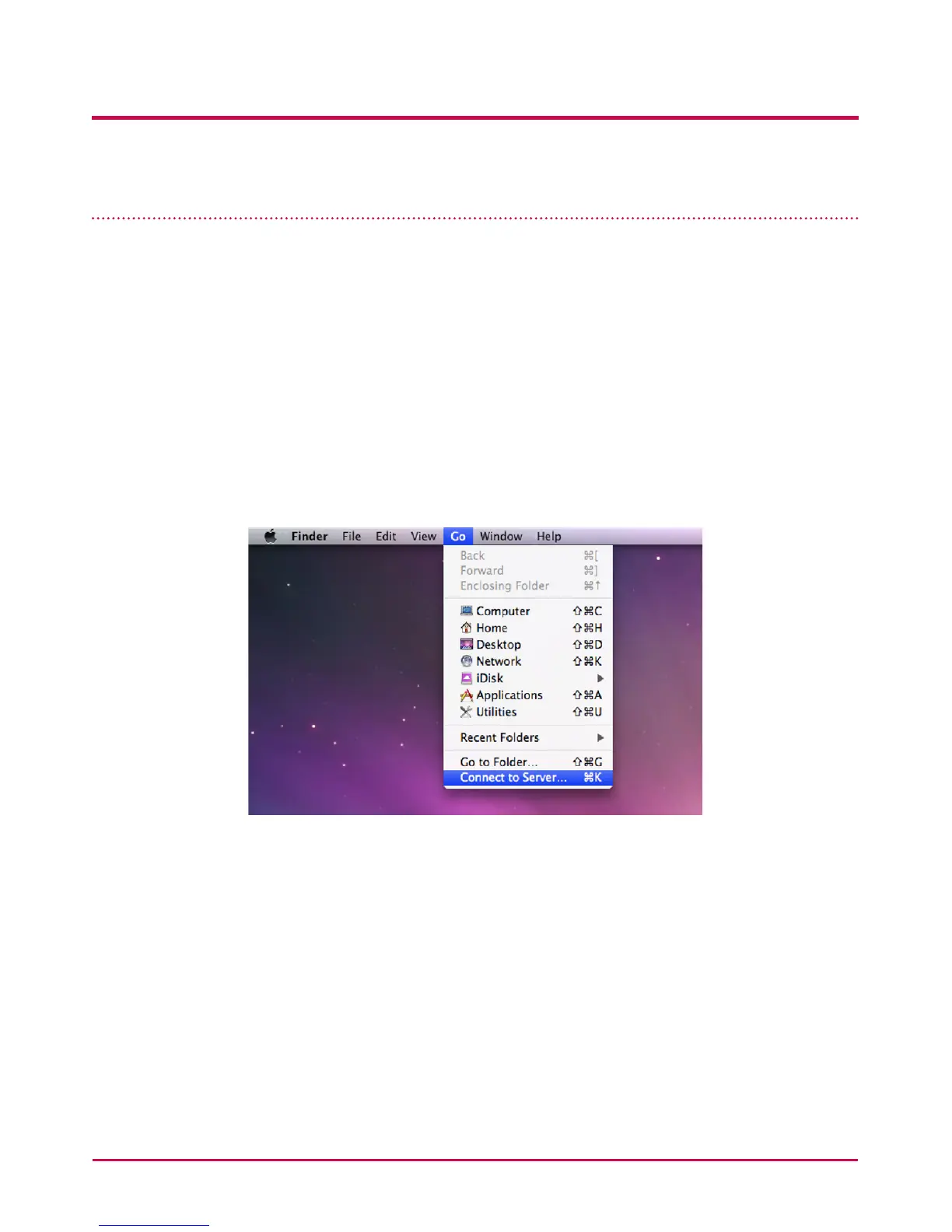
1 Select “Connect to server” after clicking on “Go” at menu bar.
2 At the server address eld, input the LG Network Storage IP address “smb://LG
Network Storage IP Address”, and click the “Connect” button. If the LG Network Storage
IP address is not known, refer to <Use Application Program> or <LG Network
Storage Information Conrmation>.



 To Next Page