1. Introduction
15
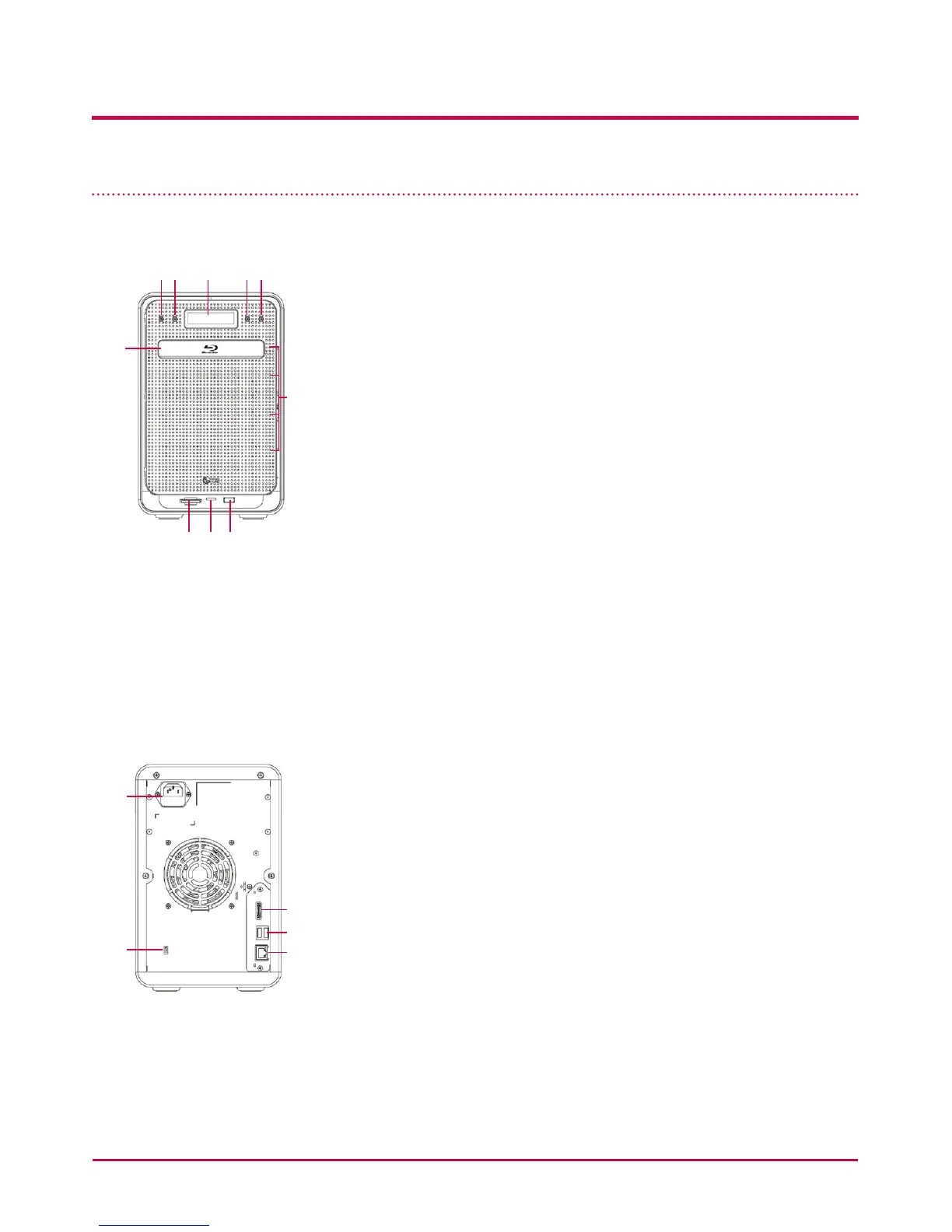
Name of Each Part
<Front>
ab c de
f
j
ghi
a Power button: power on, o (to turn o power, push
button twice)
b Disc Open button: : opens and closes optical disc drive
tray.
c LCD window: displays current state
d Mode button: changes mode
e SET button: selects mode
f Blu-Ray/DVD Drive
g Memory card reader: supports SD, MMC, MS and XD
h Memory card Current state display LED: - Blue : running
correctly
i USB port: USB 2.0 interface
j HDD/ODD state display LED:
- Blue : running correctly
- Red : abnormal state
<Backside>
k
l
m
n
o
k Inlet: AC power cord connection
l e-SATA: External SATA II device support
m USB port: USB 2.0 interface
n LAN port: : LAN cable connection
o Kensington lock: Antitheft lock.



 To Next Page